Participant
January 3, 2019
Answered

Indesign thumbnails are small in Bridge

  • January 3, 2019
  • 2 replies
  • 1354 views

I am using the latest version of Bridge but the thumbnails do not resize for inDesign files.

I have adjusted the Process file size to 25,000, I have read 10 different threads and tried all there solutions but none have worked.

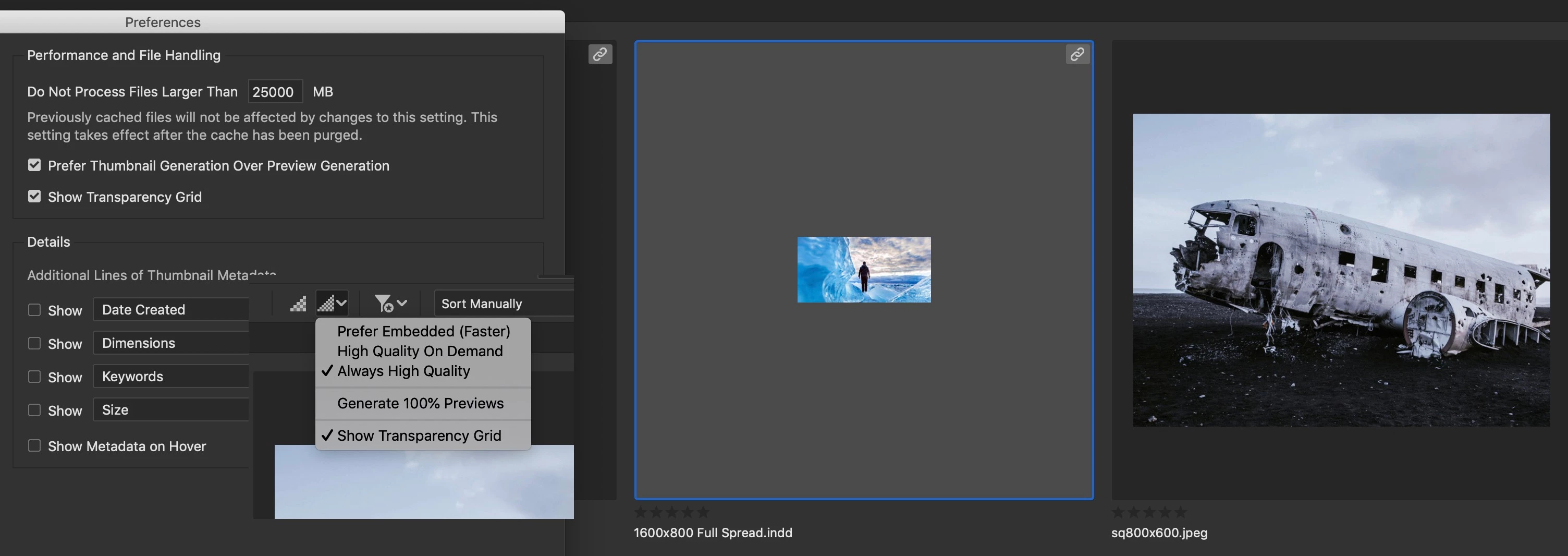
The center picture is a Indesign file but will not fill the window like the jpg to the right. No matter how I resize the previews are small thumbnails. I also purged the cache after every change.

Please Help!
This topic has been closed for replies.
Correct answer Colin Flashman

This is an InDesign issue rather than a bridge one. Bridge is simply showing the thumbnail that was saved when the ID file was saved and closed.

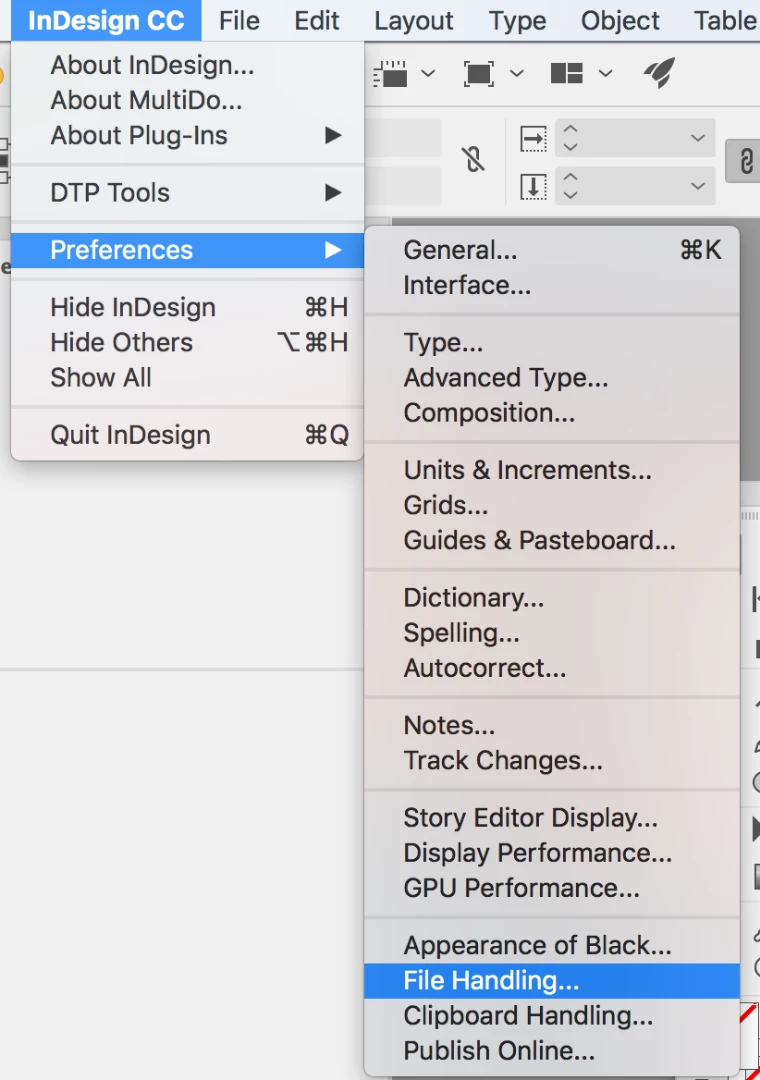
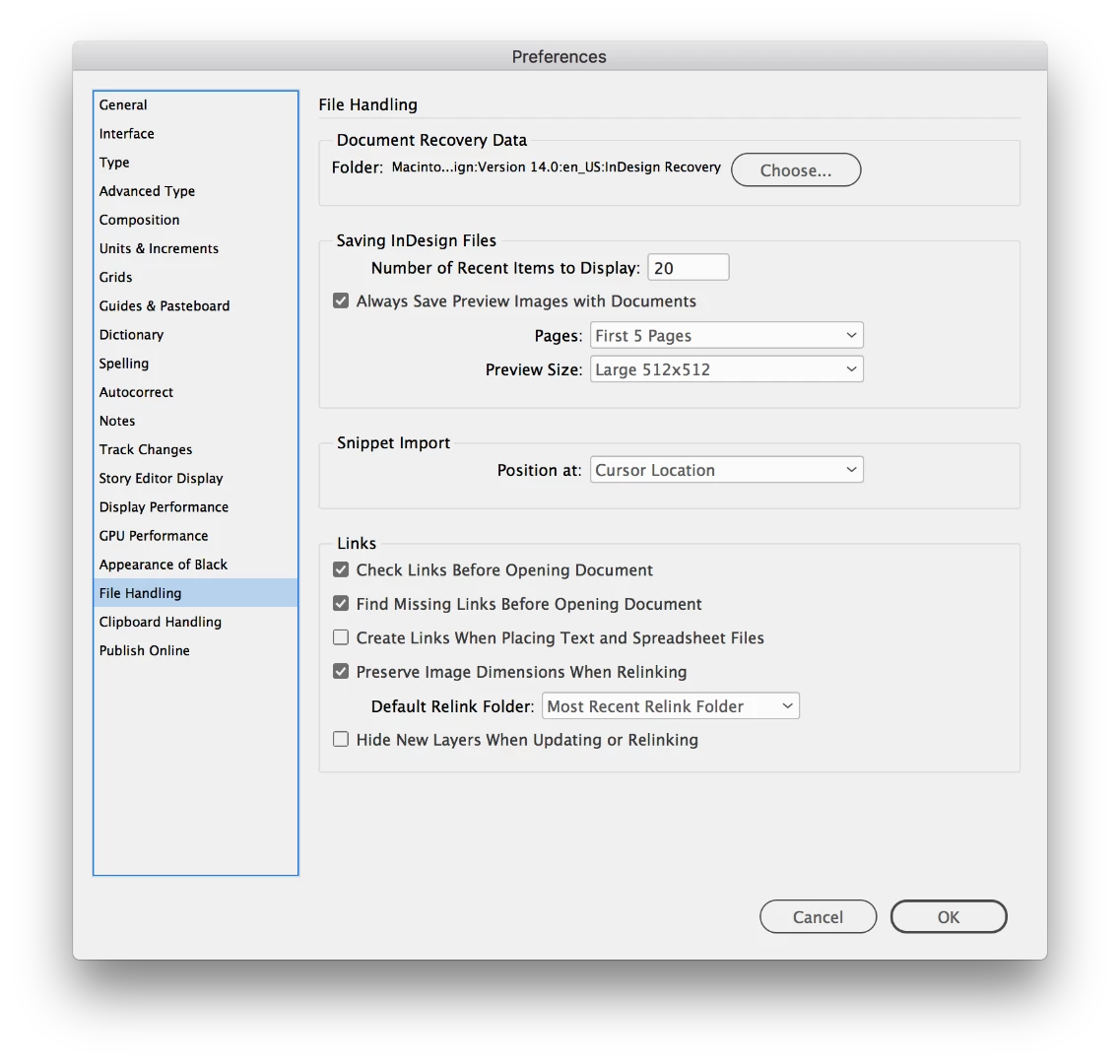
You can adjust the size of your thumbnail in InDesign by going to the file handling section of preferences:

Then adjusting the size of the preview size in the preview size dropdown:

Just tested this on my Mac OSX 10.13.6 using IDCC2019 v14.0.1 and was able to have four different thumbnail sizes in Bridge.

2 replies

Inspiring
September 23, 2021

I don't have the options to resize thumbnails in preferences. Was this scraped in newer updates? 

File thumbnails are super tiny in Bridge, as is the over all text in the app as a whole. Also, the folder symbol is super tiny. Why be so stinchy with icon size. Bridge is still living in the 90ies. Not sure why Bridge developers are so into super petite mini UI. 


That is actually one of the main reasons why I only use Bridge when I absolutely have to! Hurts my eyes working with it... No way I could ever use it as my main goto files explorer. Bridge would profit tremendously from a top UI / UX professional who knows what he / she is doing and to overhall the whole cockpit. Make everything more readible. Make icons large. Make overview over file system better.

Maybe then people would actually use Bridge more often.

Legend
September 24, 2021

Are you on Windows? Because hi resolution screens and Windows software are a bad mix. This isn't a problem on the Mac.

Colin Flashman
Community Expert
Colin FlashmanCommunity ExpertCorrect answer
Community Expert
January 3, 2019

This is an InDesign issue rather than a bridge one. Bridge is simply showing the thumbnail that was saved when the ID file was saved and closed.

You can adjust the size of your thumbnail in InDesign by going to the file handling section of preferences:

Then adjusting the size of the preview size in the preview size dropdown:

Just tested this on my Mac OSX 10.13.6 using IDCC2019 v14.0.1 and was able to have four different thumbnail sizes in Bridge.

If the answer wasn't in my post, perhaps it might be on my blog at colecandoo!
Participant
January 3, 2019

Thank You that worked !!