Chris  P.  Bacon
Inspiring
October 11, 2022
Answered

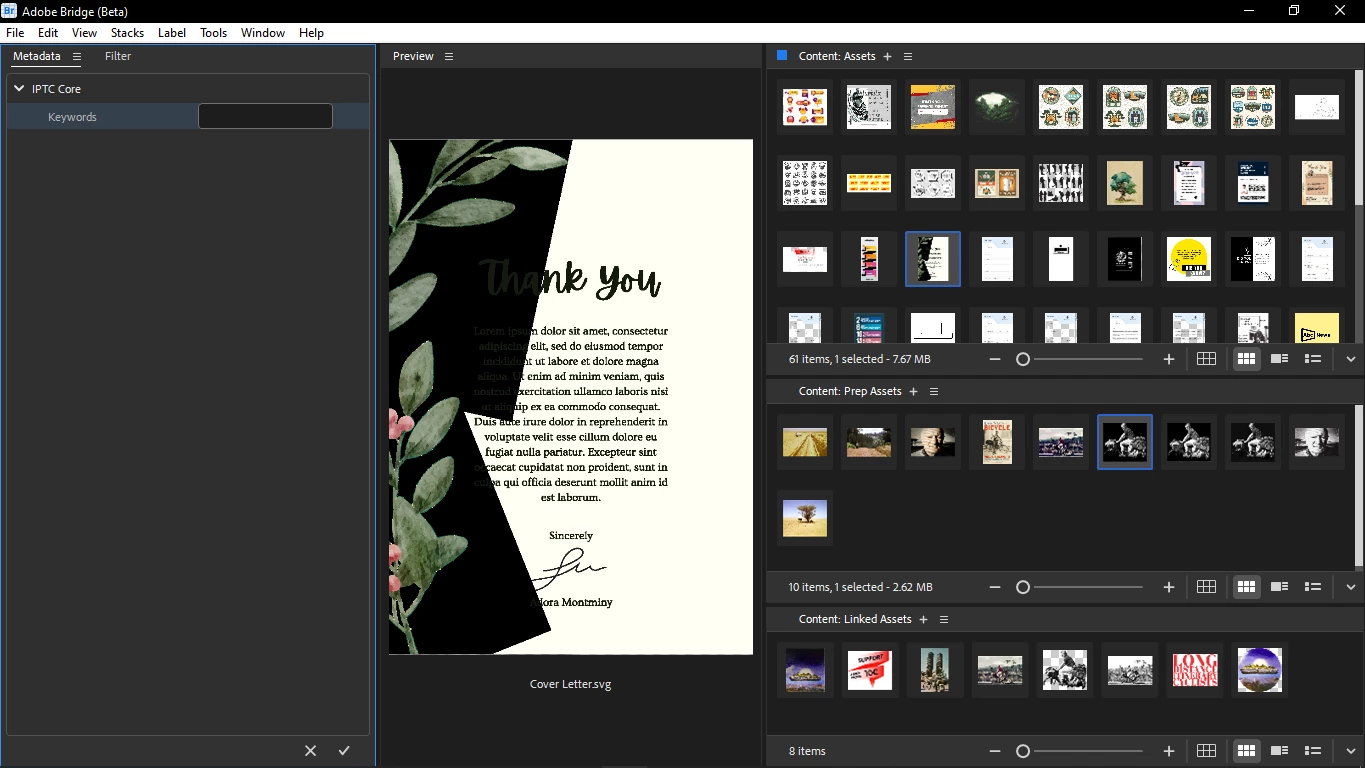
Is there any easier way to tag assets in Bridge than in the Metadata > IPTC Core > Keywords field?

  • October 11, 2022
  • 1 reply
  • 831 views

I'd like to tag my assets with custom strings, but navigating to Metadata > IPTC Core > Keywords field every time to add a new field or to delete the many existing fields of bought assets is a bit of a hassle.

I can't see the "new keyword" menu that in mentioned in this tutorial:

How to use keywords in Adobe Bridge

Is there any simple tagging functionality that wouldn't force me to delete all keywords of the bought assets, and would make it easier to add my custom tags to the assets?

I want to use tagging to skip creating folders.


This topic has been closed for replies.
Correct answer gregreser

Is your screenshot the Filter or Metadata right click menu?

I don't have the "New Keyword" and the "Remove Keywords"  options.


It's the Keywords right click menu. Looks like you do not have that panel enabled. Go to the Window menu and check Keywords. I think it will appear as a tab beside the Metadata panel tab.

1 reply

Chris  P.  Bacon
Inspiring
October 11, 2022

Using the new Bridge Beta.  

gregreser
Legend
October 11, 2022

Which workspace do you normally use? If you use the default Essentials workspace, the metdata panel (including the keywords panel) should be shown on the right side. You can edit IPTC Core keywords here without any additional navigation. If you using another workspace or a custom workspace, you can insert the metadata panel to a convenient location.


Chris  P.  Bacon
Inspiring
October 11, 2022

I am using a custom workspace.

I already stripped down the metadata at the settings so that it only shows the keywords field.

But I still have to delete existing keywords that come with bought or downloaded assets.

Therefore a tagging feature would be nice so that you start from zero, no need to delete existing keywords that the assets are coming with.