


andreww23309996
Known Participant
October 28, 2021
Question

Issues with New Bridge and Camera Raw not writing Raw Filename data

  • October 28, 2021
  • 1 reply
  • 1135 views

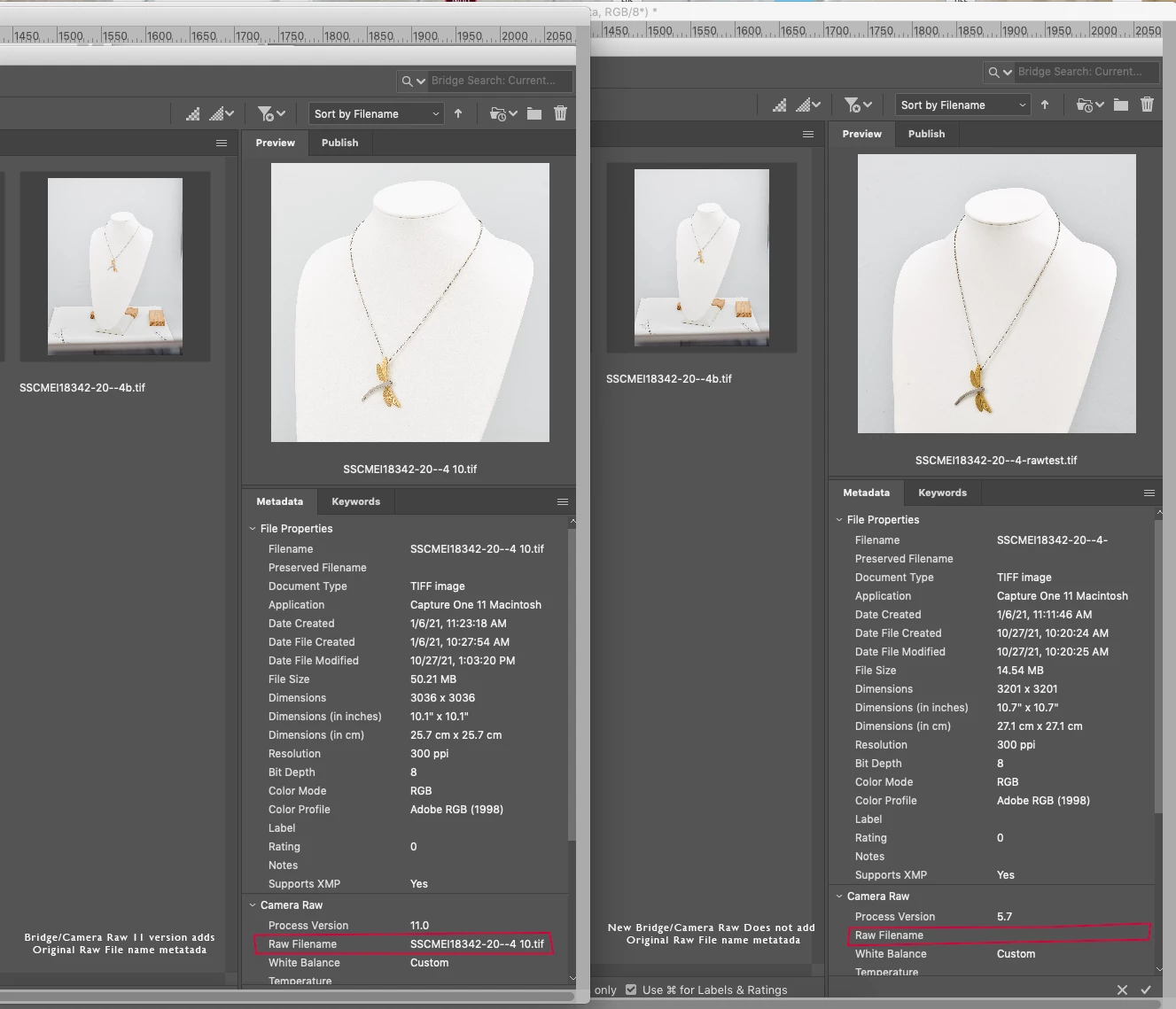
New Camera Raw is not writing Metadata, especially for the Raw Filename... the older version CameraRaw_11_4_1 for Mac was still working and works with Bridge 2020... Now with new 2021 Bridge and updated Camera Raw 14, it is not writing the metadata for Raw filename... Is there a fix to use newer versions and still writes the metadata? i have tried all versions and it seems Camera Raw 11 or older works
This topic has been closed for replies.

1 reply

Legend
October 28, 2021

Why are you showing TIFF files? Did you do your captures in Capture One? I'm not understanding your workflow here.

andreww23309996
Known Participant
October 28, 2021

The files are captured and and processed as a Raw TIFF files.  we then open via CameraRaw and make some adjustments. Then we save the file as ****.tif (our graphics uses tif files for all projects). So if our TIFF Raw File is named as 1234, after we process in CameraRaw and we save as ABCD. So if am looking at Raw file name after processing, it should show as 1234, while the current file name is ABCD.

Legend
October 29, 2021

There is no such thing as a TIFF Raw file. A TIFF is demosaiced and rendered. This may be by design since you are not actually using RAW files, but simply resaving a TIFF with a different name.