Inspiring
June 2, 2021
Question

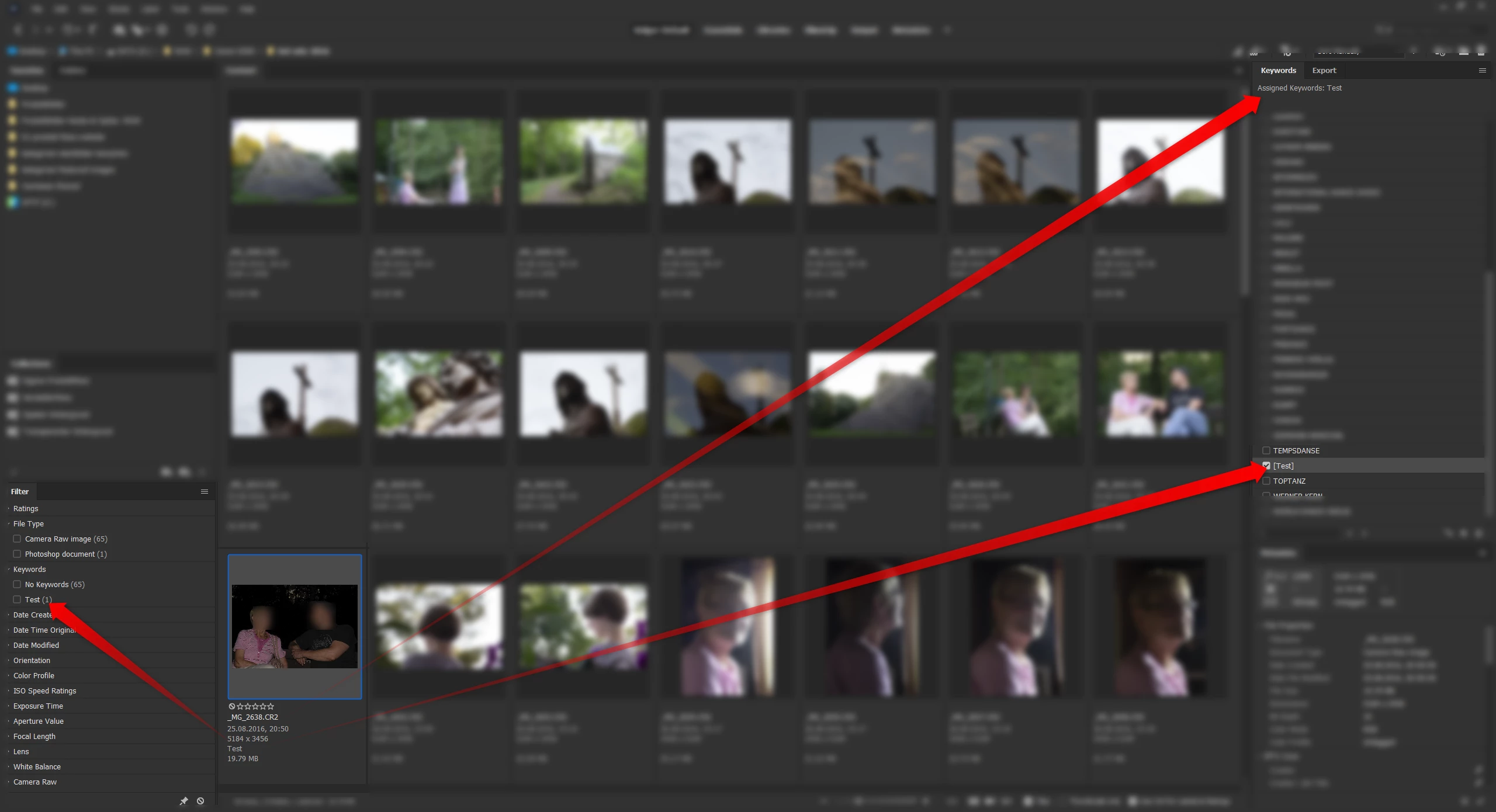
Keyword set name [Name] not working

  • June 2, 2021
  • 1 reply
  • 509 views

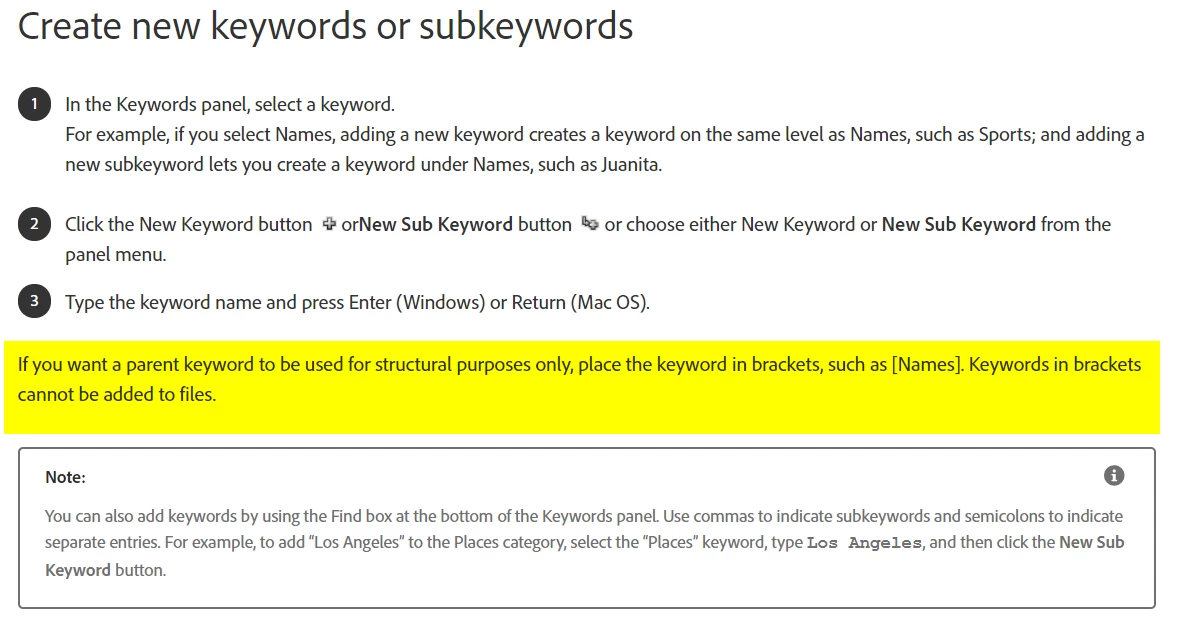
I would like to give a bunch of keywords a title, so that I can collapse them with a Toggle. I only want a name, the title should not be assignable. The help file says that brackets will do this. Not here. The keyword [Test] behaves like any other keyword. Is there anything I do wrong?


English OS and Bridge GUI, German regional settings.


This topic has been closed for replies.

1 reply

Legend
June 2, 2021

Looks like a bug. BTW you can right-click and Include/Exclude to add or remove brackets. But an excluded keyword is still added to files.

polyxoAuthor
Inspiring
June 2, 2021

Damn. I took a closer look at Bridge for Keywords for a couple of days only and found two bugs and seemingly a deal-breaking malfunction in Dropbox-context. 🤮

Legend
June 2, 2021

Dropbox is not supported by any Adobe products and you shouldn't use them together.