
Answered
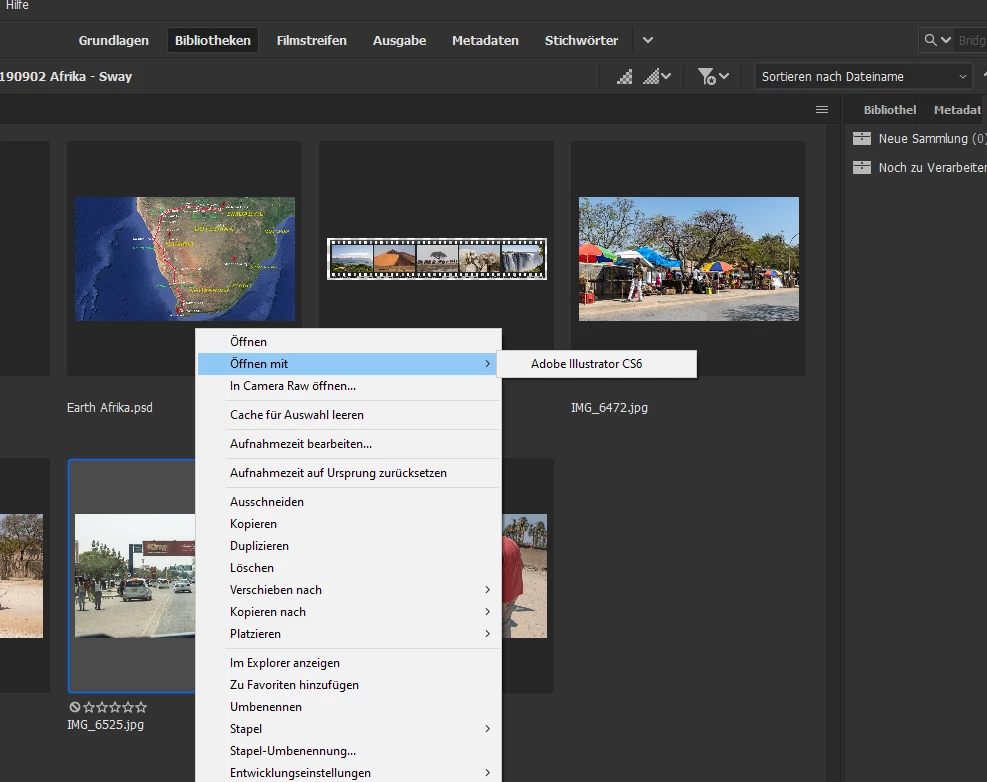
Kontext Menue "open with" does not show Photoshop 2020
Versions:
- Bridge 10.0.1.126
- Photoshop 21.0.2
After the standard update of Photoshop 20.0.8 to 21.x.x with Creative Cloud Desktop, I had 2 versions of Photoshop installed, 20.x and 21.x. and the "open with" in Bridge shows the old 20.x. one. Because I don't need 2 versons of Photoshop, I deinstalled the 20.x and after this, the "open with" in Bridge doesn't offer any Photoshop. I already have de- and reinstalled Bridge, but no success. How can I configure Bridge to get the Photoshop entry in the Kontext menue?


 AdChoices