
Participant
October 15, 2018
Answered

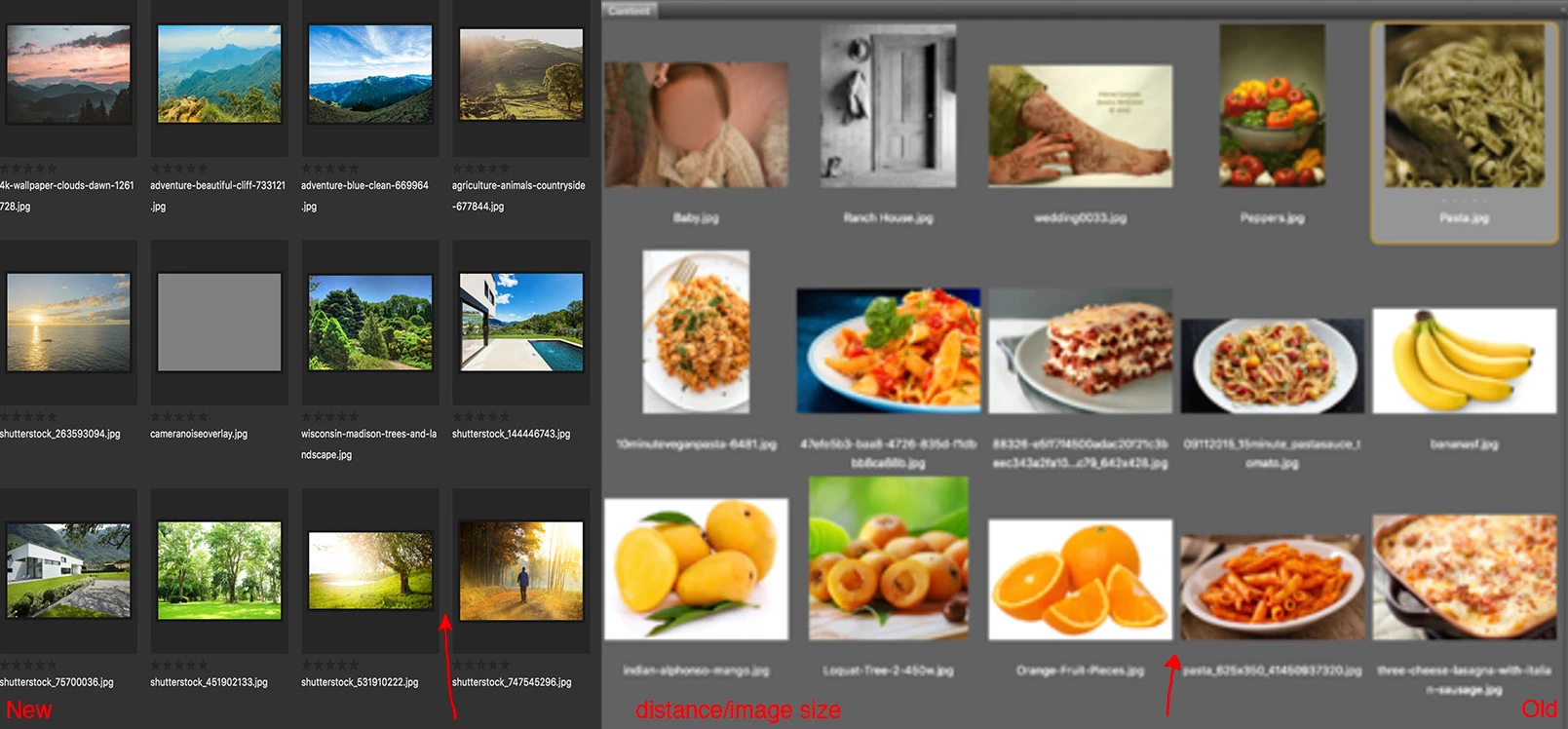
Larger distance between images in v9 update.

  • October 15, 2018
  • 2 replies
  • 357 views

Hi all,

With the new Bridge update I noticed the thumbnails are quite a bit smaller because of the new bordered placeholders.  I usually have it scaled way down so the change is quite noticeable and kind of makes it harder to compare images.  Is there a setting that I'm missing that can change this back?   Thank you!!
    This topic has been closed for replies.
    Correct answer Lumigraphics

    Adobe changed the UI in CC 2019 and there are a lot of unwelcome changes that came with it, unfortunately. Please post on the feedback page feedback.photoshop.com about your experience.

    2 replies

    LumigraphicsCorrect answer
    Legend
    October 15, 2018

    Adobe changed the UI in CC 2019 and there are a lot of unwelcome changes that came with it, unfortunately. Please post on the feedback page feedback.photoshop.com about your experience.

    Kukurykus
    Legend
    October 15, 2018

    I'd like to add that I don't like also that what was(n't) okey in previous Bridge, or even earlier:

    - too thick grid lines (when grid is enabled)

    - workspace names on top that you can not hide!

    - cut names of files when you size images quite much down

    - ugly compared theme colours (space together with window edges)

    - unnoticable colour dot labels that takes even more file name space

    - always white top main window edge that looks bad with dark theme