make Bridge stop auto launching after Photoshop
Adobe Bridge can be useful, but I only want it to launch when I want it to launch. For some reason, it keeps auto launching after I do anything in Photoshop. Please make this stop!

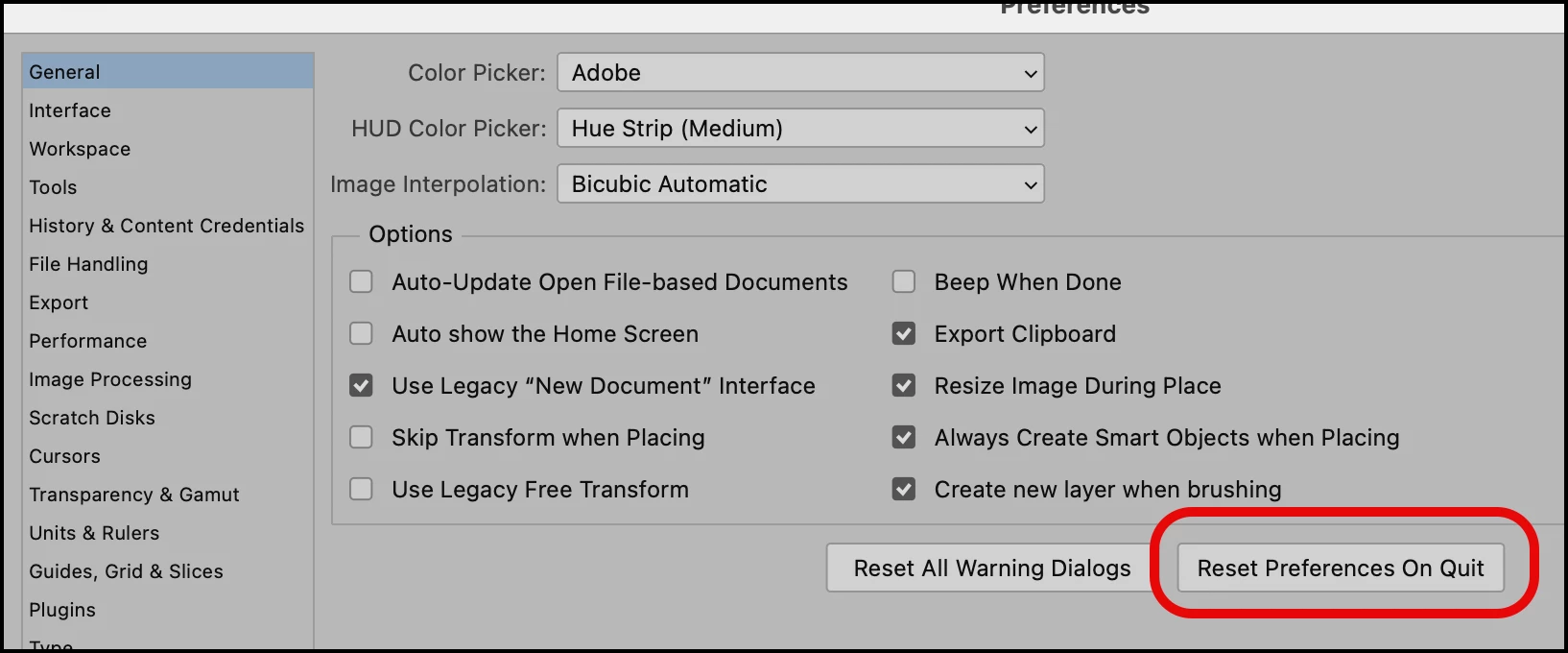
OK @KazuTa, now let's do the 2nd line of office: reset prefs.
To be honest, I have no clue as to which to do first, but both should be done.
Here is the instructions for resetting PS preferences. It's pretty straightforward.

For Bridge, it's a bit more complicated.
Quit Bridge (if running). Just before clicking on Bridge in the Dock or double-clicking the application for the Mac, press Command-Option-Shift. For PCs, press Control-Alt-Shift. Then open Bridge, BUT KEEP your fingers on those keys until you see a window pop up. From the window, choose “Reset Preferences," "Entire Thumbnail Cache,” and/or "Reset Standard Workspaces.” In your case, choose "Reset Preferences."
Let us know how this works out.
Already have an account? Login
Enter your E-mail address. We'll send you an e-mail with instructions to reset your password.