
Metadata searches across server
Trying to find a workaround here.
We're transitioning from FCP7 in a mac environment to Adobe CC in a windows environment.
While we often work on very specific projects, we also accumulate a library of stock footage across several more projects that we save just in case we may later need them.
In FCP our typical workflow was to do batch ingests... then to relabel with all the pertinent information within the project and then select file to match clip name. Then if we needed something later we could just do a regular file search to find what we needed.
After some research, I realize that this doesn't work the same in premiere, and I can't rename the clips the way we used to.
My thought then was to do a batch ingest using prelude, import the footage into my premiere project then use the metalogging function to add key words in the metadata that I could later search for if the need arises. Obviously windows search function wont search metadata (at least as far as I can tell)... and so after some research I stumbled on bridge... but now I'm stuck.
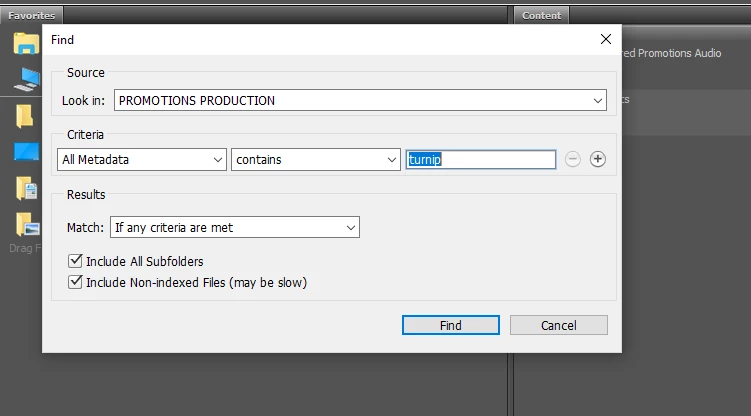
I ingested and imported video into premiere and added some terms into the metadata fields to see if i could search for them. I made sure the little chain link icons were turned on (I believe that ties them to the xmb file, please correct me if I'm wrong) then saved the project and closed it. I then went to bridge selected find under the edit tab. I selected a folder on the server then set the criteria to all metadata, contains, and my search term and got no results. What am I doing wrong and can it even be used for this?


 AdChoices