
Participant
November 4, 2024
Answered

Missing fields on Adobe Bridge Metadata Creator / Editor

  • November 4, 2024
  • 1 reply
  • 391 views

I would like to create a Metadata Template on Adobe Bridge to add autorship and copyright to my pictures. However, when I open the "Create Metadata Template Tool" on Bridge, I can only choose between fields from "Camera Data (EXIF)" and "Video" categories. All other categories (such as IPTC, Audio...) are missing. 
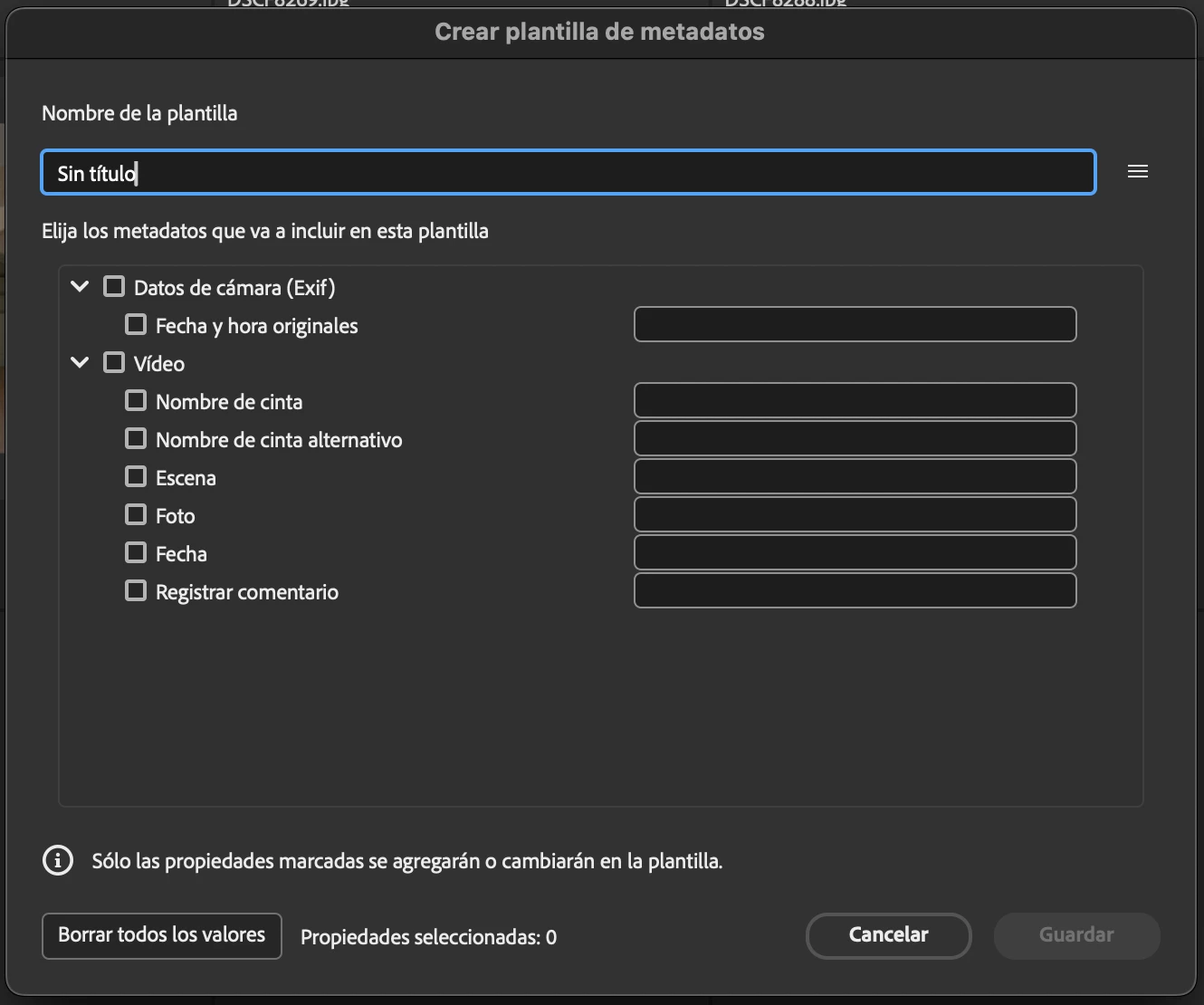


How can I make them visible to edit their fields?


Thanks!


I am working on Adobe Bridge 2025 (Version 15.0.0.397).


This topic has been closed for replies.
Correct answer Pol38183773j7pf

Using Mac! I think I've solved it: It looks like only the fields that are enabled in Preferences->Metadata are available to be edited on a template. Which makes sense somehow. 

1 reply

Erik Bloodaxe
Legend
November 4, 2024

Curious!

Are you using MAC or Windows?

This is what I see on Windows:

It is a long time since I have used this procedure, but you appear to be correct. More fields used to be available, in particular Aurthur's contact details are now missing. I created my template many years ago and have not edited it since. It still contains and applies the fields which I then populated even though they no longer appear when choosing "Edit Metadata Template". 

You could report this as a bug though its more of an omission. Look under Help>Submit Bug/Feature Request...

Pol38183773j7pfAuthorCorrect answer
Participant
November 4, 2024

Using Mac! I think I've solved it: It looks like only the fields that are enabled in Preferences->Metadata are available to be edited on a template. Which makes sense somehow. 

Erik Bloodaxe
Legend
November 4, 2024

Ah yes! I remember that now you have reminded me. 

Now I feel silly!