
Participant
Nov 15, 2021 11:32 PM UTC
Question

Missing Photo Numbers/Names Below Photos

Suddenly, I no longer see photo numbers of each jpeg or file names below the images in Bridge. The photo # or file name is in the Metadata tab, but not easily shown below each image as it was previously. How can I reinstate this below the images?
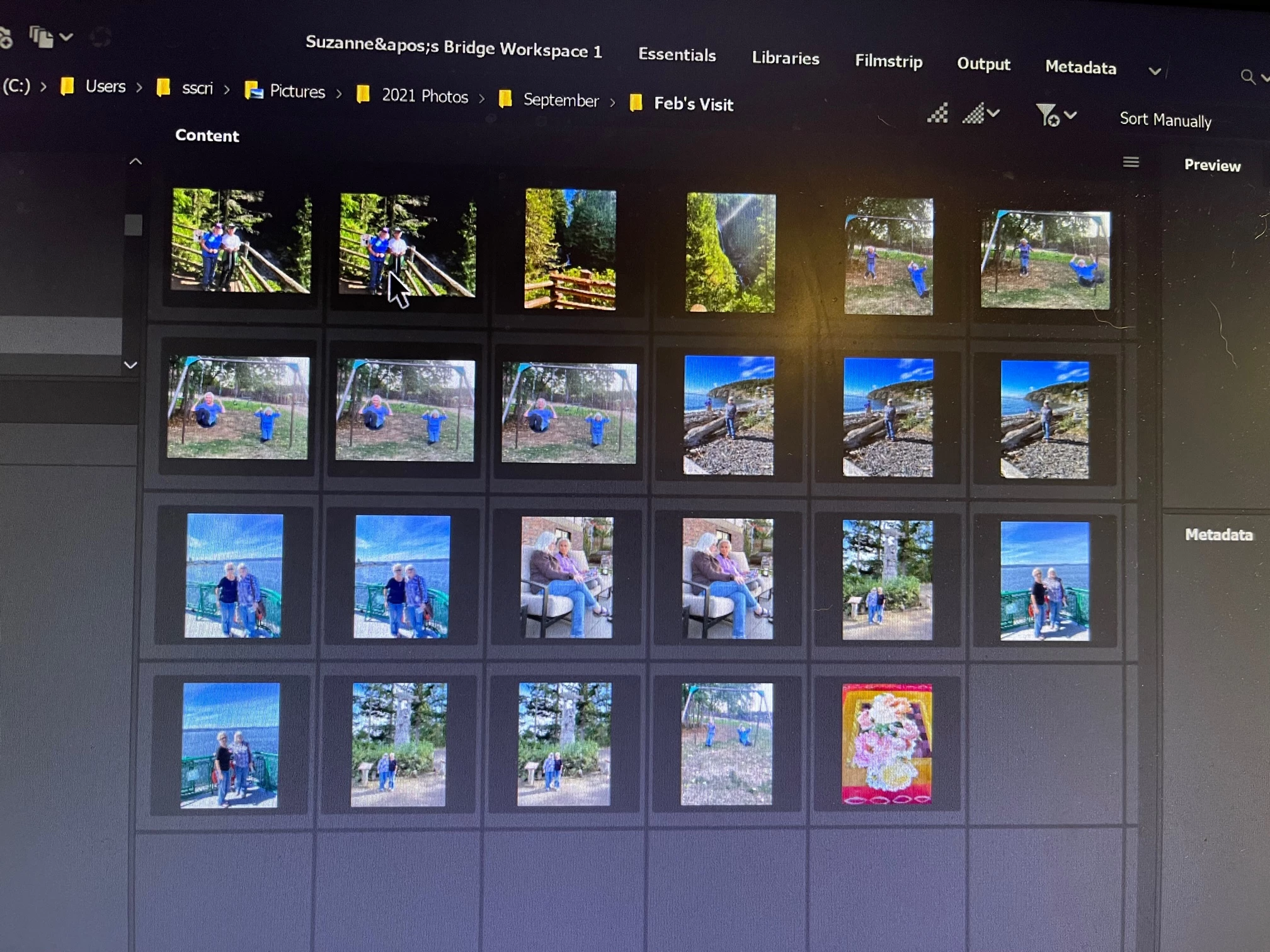
This topic is closed to new replies. Start a new post to keep the conversation going.

3 replies

gary_sc
Community Expert
Community Expert
Nov 15, 2021 11:42 PM UTC

Hi Suz,


In the very bottom right corner of the Content Panel you'll see a dropdown menu. When you press on it you'll see:

Right now you have it on thumbnails only. Set it to Tiles and you should be good.


Please let us know if this solves your problem.

Translate
Participant
Nov 23, 2021 5:07 PM UTC

Thanks. I had tried that - unfortunately to no avail, but after turning my computer on/off, the file names "magically" reappeared. I appreciate your helpfulness.

Translate
gary_sc
Community Expert
Community Expert
Nov 23, 2021 8:25 PM UTC

Glad "something" worked!

Translate