
My photos will hide themselves in Adobe Bridge
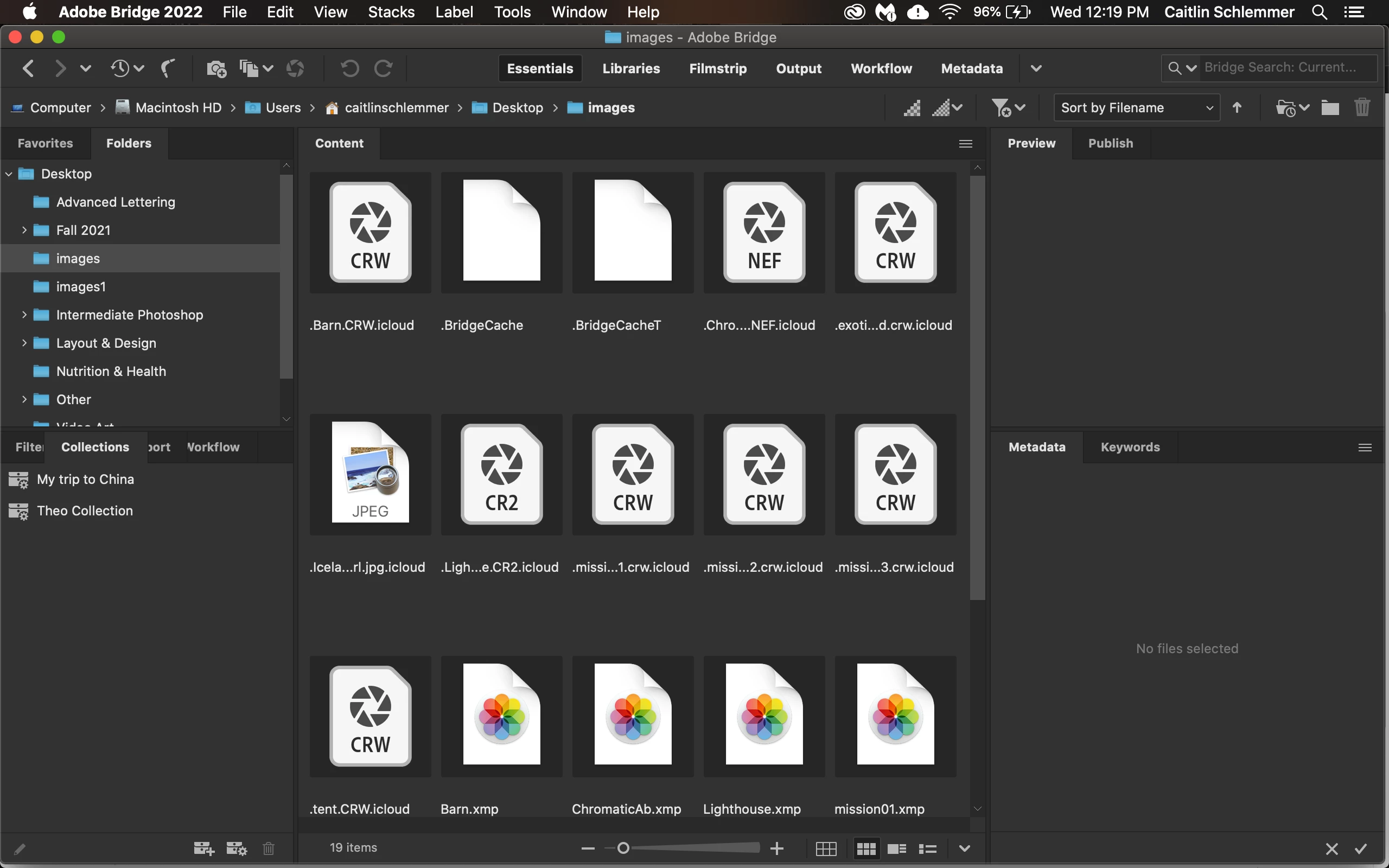
I am taking a Photoshop class and we are using Bridge and Camera Raw for the first time. I get my photos from class in a file and download them to my desktop and then open them in Bridge, but they will hid themselves without me even doing anything, unless I somehow am doing something I don't know I am. The only way to get them to reappear is to close everything and redownload the file and open it again. I was workign on editing some photos and they disappeared again, so I had to start all over again. It happened again after I was almost done with the assignment and now I am back to not seeing any edited photos, with all of them hidden except for one. I can show hidden files from the view menu but it only shows me this, and i cannot see or open the photos.


 AdChoices