
January 26, 2026
Answered

Need the xmp files

  • January 26, 2026
  • 1 reply
  • 79 views

Hi!

So.. I need the xmp files but even with all the settings in adobe bridge camera raw preferences to do so, the file is not created. And I dont even know what happened but I had acr files created and then I did something to try creating xmp but I just deleted all the editing that I had already done. 

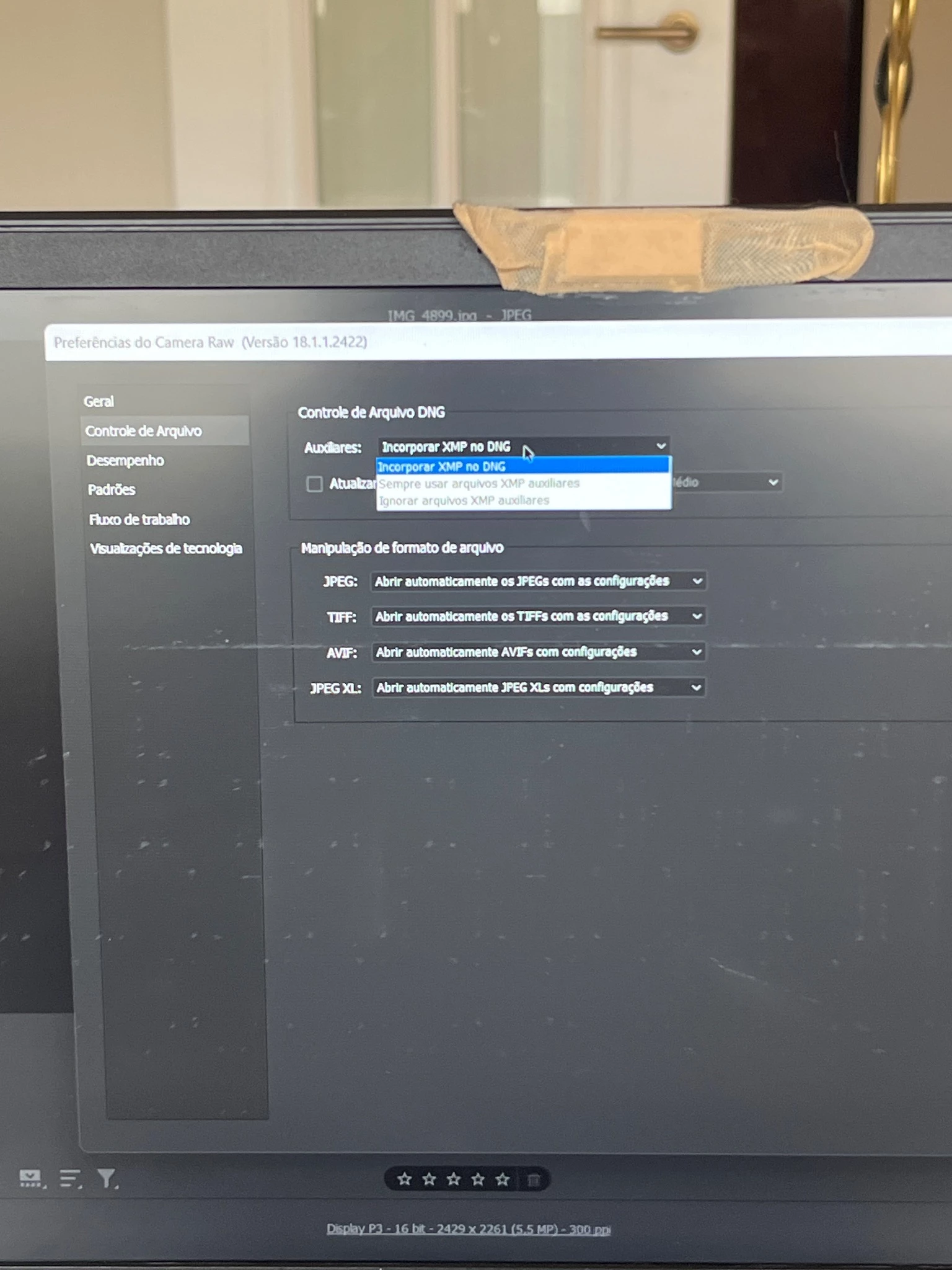
I dont know what is happening and how to solve it. I have the file handling prefernrece always using side car xmp files and nothing is happening.


Please help, thank u!
Correct answer Erik Bloodaxe


When a camera raw image file is processed with Camera Raw, the image settings are stored in one of two places: the Camera Raw database file or a sidecar XMP file. When a DNG file is processed in Camera Raw, the settings are stored in the DNG file itself, but they can be stored in a sidecar XMP file instead. Settings for TIFF and JPEG files are always stored in the file itself.

1 reply

Erik Bloodaxe
Legend
January 26, 2026

First question, what file types are you editing using Camera Raw?

Second, how are you accessing Camera Raw?

Can you post a screenshot showing the Camera Raw Preference settings you refer to?

January 26, 2026

Im editing Jpeg Files and Im accessing Camera Raw through Bridge and by typing crtl + R. 

About the preferences (in the image they're in portuguese) It says somenthing like always use Xmp auxiliaries files.

Erik Bloodaxe
Legend
January 26, 2026

I can't open your attachments.

Use the "Insert Photos" button when posting pictures

Screenshot 2026-01-26 103854.jpg