
New install of Bridge 2024 not working with external hard drive and brand new Mac
I bought a new MAC yesterday (see stats below). this morning before doing anything else on the MAC, I completed a clean install of Photoshop and Bridge.
-Bridge is not reading the Western Digital external hard drive (EHD).
-Photoshop reads the EHD with no problem.I can import multiple images from the EHD via Script/Load Files into Stack to do focus stacking in PS.
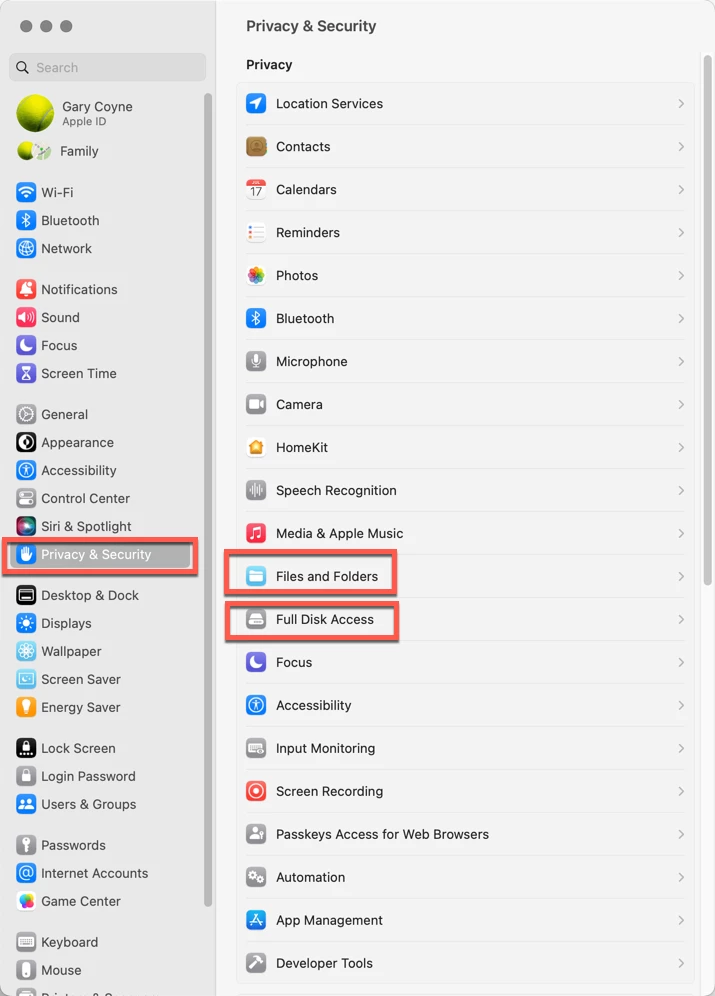
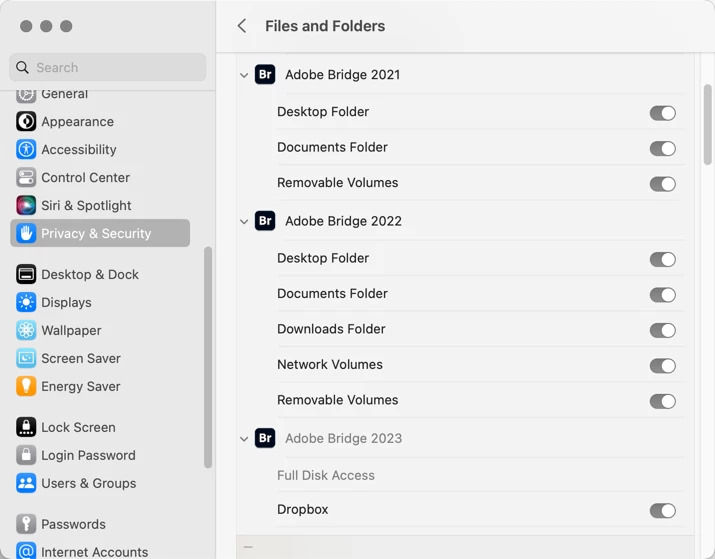
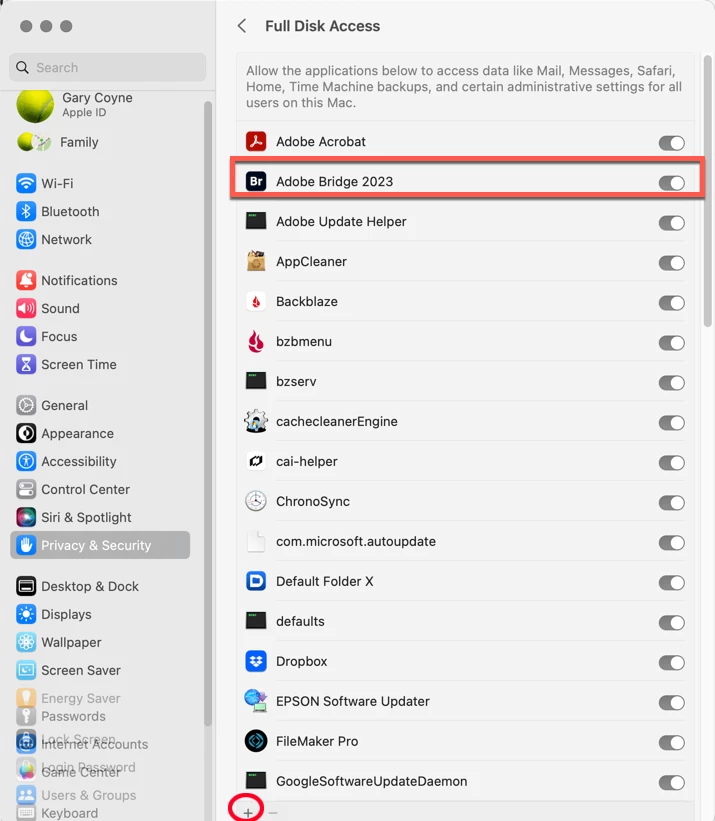
-Even after giving Bridge permission in Security/Privacy in Settings (and rebooting), it still will not read the EHD. The EHD icon shows in the Content window next to the Mac HD, but when I click on the EHD, the message in the window says “No items to display”. I’ve waited several minutes hoping Bridge was needing to read the files.
-Accessing the EHD with PS shows up immediately with folders/files readily accessible.
I had this problem with Bridge 2024 on my 2015 MacBook. After working with tech support (we could never figure out the problem), I decided to keep using Bridge 2023 so I could have access to the EHD, hoping a new Mac in the future would solve the problem. Well, it's the future.
With my workflow, I keep the images on the EHD and use Bridge as an image file management tool (which for me is a cleaner workflow than using LR, 99% of my work is with PS). Now I don’t have the option of doing a clean install of Bridge 2023.
Any ideas or suggestions (except to migrate Bridge 2023 from my old Mac. The reason for a clean install is to get rid of all the orphan folders/files Adobe leaves behind when updating)?? And yes, I tried both USB-C ports on the Mac.
MacBook Pro 16” - Apple M3 Pro, 18 GB memory, 1 TB hard drive, Sonoma 14.5
Photoshop 2024 - 25.9.1 (as of 2 Jul 2024 AM)
Bridge 2024 - 14.1.1274 (as of 2 Jul 2024 AM)
Ext hard drive - Western Digital My Passport Ultra for Mac (Nov 2021) using USB-C connection, 5TB
thanks,
Teresa


 AdChoices