
Question
No more White Color Theme in October 2018 Bridge Update "Consistent user experience/Changing the user interface preferences" = Loss of Functionality
Adobe has updated Bridge with Bridge CC Version 9.0 and removed the option to make the programs background color completely white.
I used that feature all of the time to quickly proof the way a set a clipped images would look as a grid on a website. Or really the way any image would look in a browser or on a piece of paper. Most images get placed on white...
There use to be a slider to choose the Interface Color Theme or background color for the Content and Preview tabs, and now there's just 4 Color Theme options, lightest being a very light shade of grey, close to white, but not hot white.
Does anyone know how to reenable this functionality?
Any suggestions to regain this functionality would be greatly appreciated.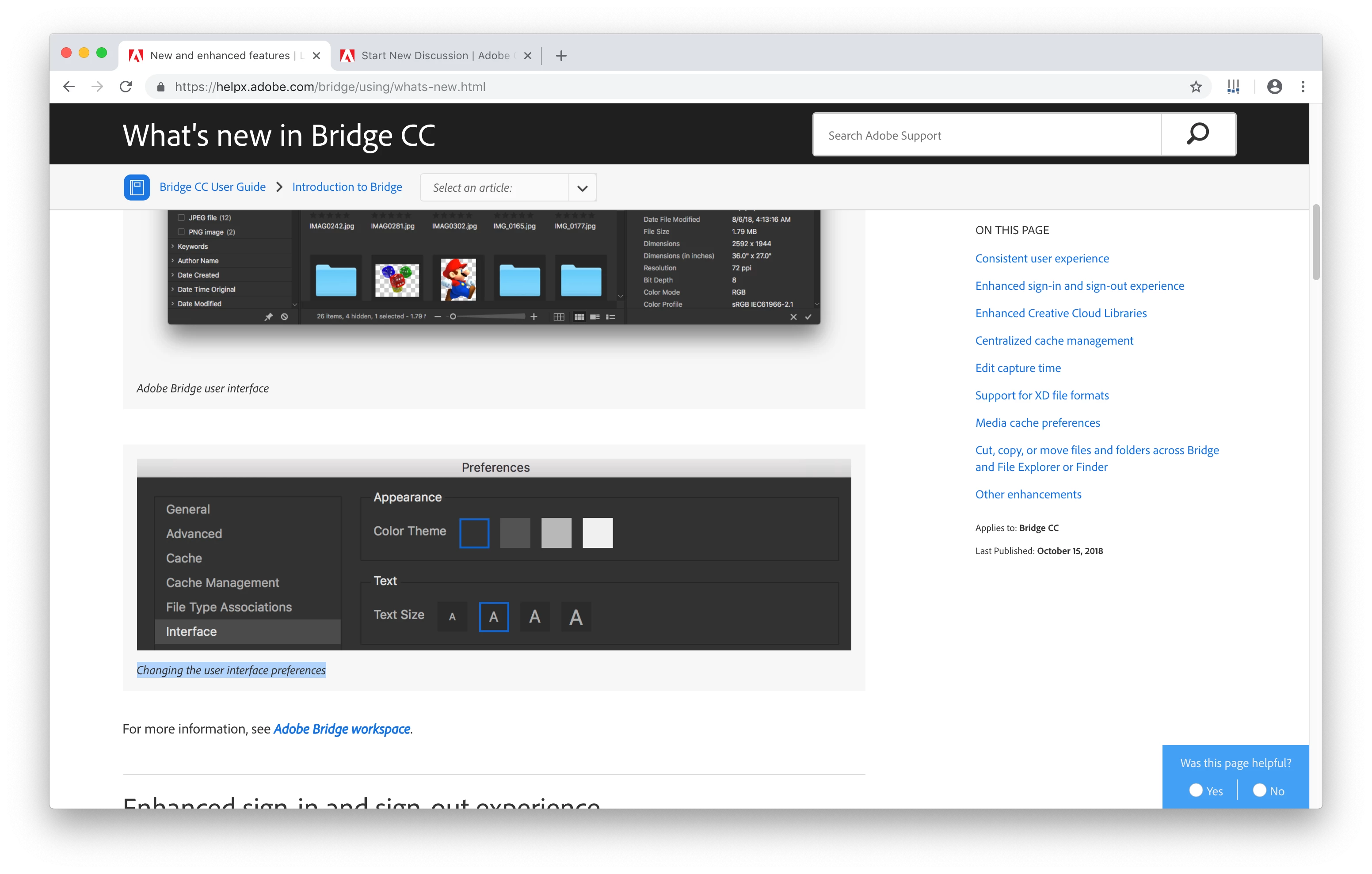


 AdChoices