
Participant
September 14, 2020
Question

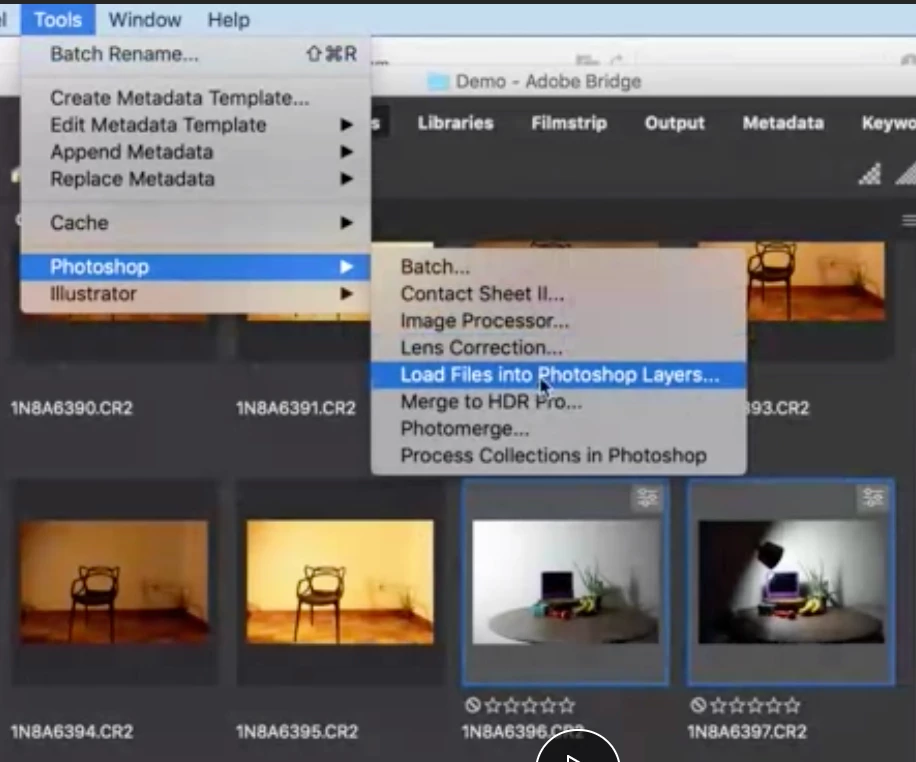
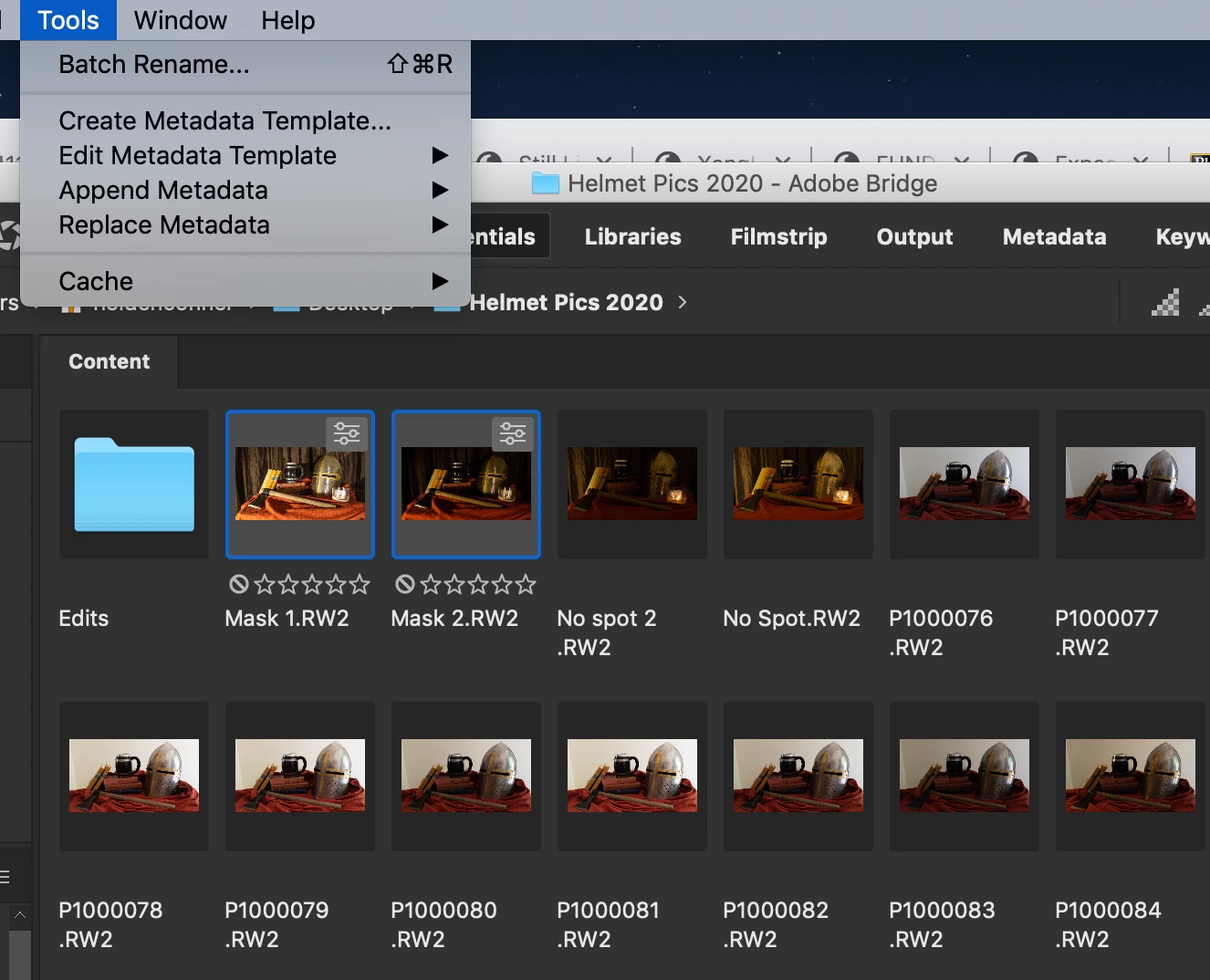
No photoshop option under tools in bridge 2020

  • September 14, 2020
  • 1 reply
  • 278 views


The first image is my professor's screen. the second is my screen. I'm trying to follow along with the video from my professor but I don't have a photoshop option under tools in bridge on my screen. I already checked and bridge is up to date. don't know what to do.
This topic has been closed for replies.

1 reply

gary_sc
Community Expert
Community Expert
September 14, 2020

Hi Colden,


Strange as it may seem, the items in the Bridge menu are placed there by Photoshop (if you have Adobe Illustrator, same thing). What you need to do is to uninstall PS and then reinstall PS. That should work. If not please let me know and we can refine as necessary. 

gary_sc
Community Expert
Community Expert
September 15, 2020

Oh, I forgot to add that the version of PS has to match the version of Bridge and vise versa. E.g., you cannot use Bridge 2016 and PS 2019.