
Answered
Open in photoshop as layers
Hi,
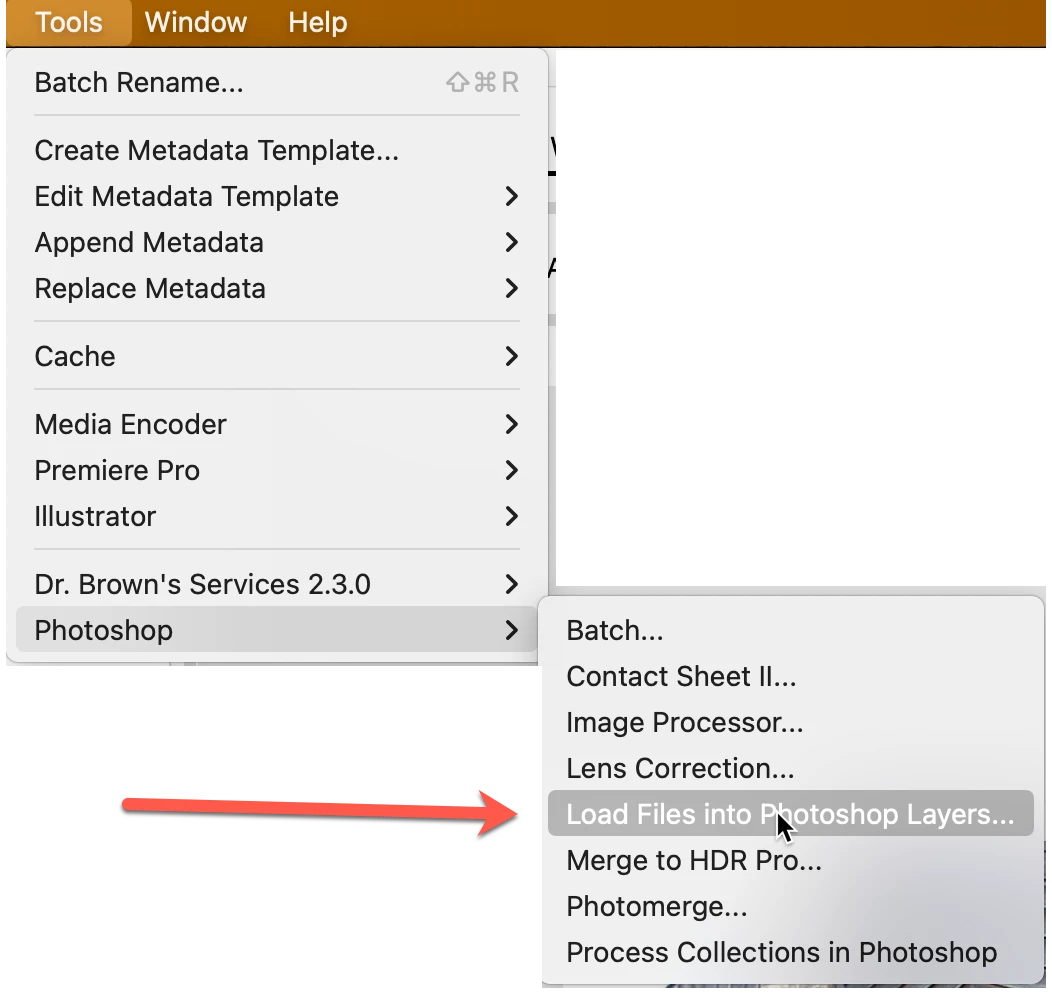
From the latest version of Bridge, the open in photoshop as layers has disappeared from the tools tab.

Hi,
From the latest version of Bridge, the open in photoshop as layers has disappeared from the tools tab.
It's showing up in mine. Are you missing any other options you feel should be there?
It's important to know that instillation order is very important to see these scripts. If you install PS first, during PS's installation, it looks for Bridge. If it doesn't see Bridge, it doesn't install these scripts into Bridge because there's nothing to install them into. So, always install Bridge first, then everything else.
In addition, the applications need to be paired in versions. That is, you can't install the scripts for PS 23, in Bridge CS6.
Try uninstalling PS, then re-install. If that doesn't work, then uninstall Bridge and PS then re-install first Bridge then PS.
Let us know if that works
Already have an account? Login
Enter your E-mail address. We'll send you an e-mail with instructions to reset your password.


 AdChoices