Answered
"Open with" list
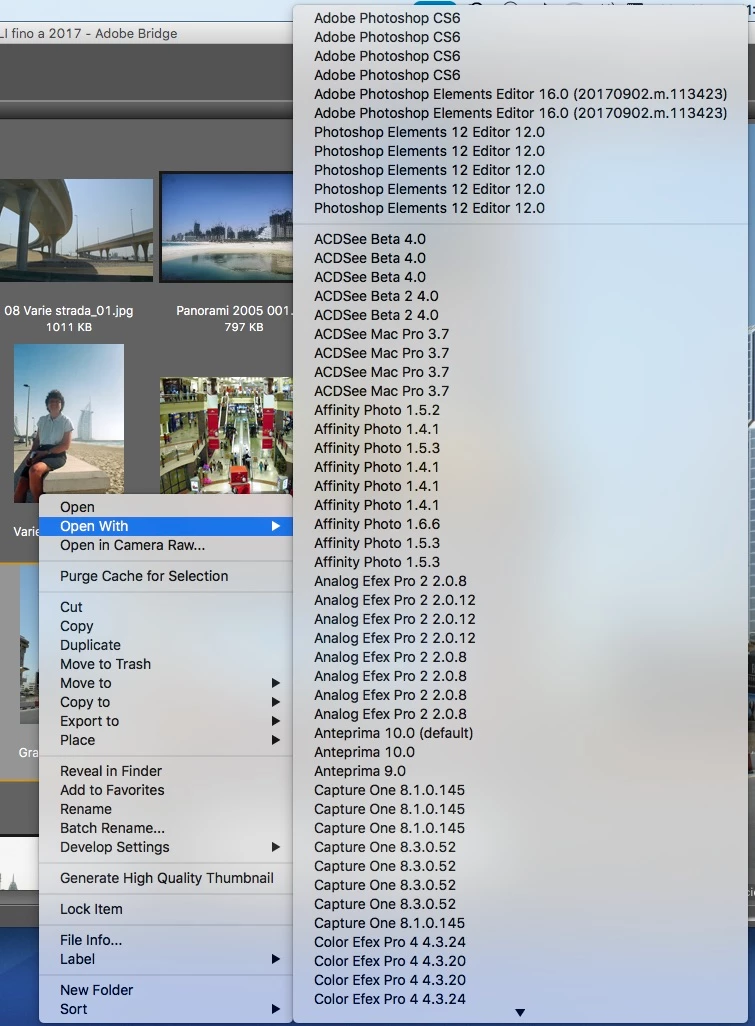
Does anyone knows how to eliminate the duplicates in the "Open with" list of Adobe Bridge?
As you can see from the attached image, there are a lot of duplicates of the same version of the various software.
Thanks,
Claudio

Does anyone knows how to eliminate the duplicates in the "Open with" list of Adobe Bridge?
As you can see from the attached image, there are a lot of duplicates of the same version of the various software.
Thanks,
Claudio
Already have an account? Login
Enter your E-mail address. We'll send you an e-mail with instructions to reset your password.



 AdChoices