Participant
September 26, 2017
Answered

Output blank in Bridge 2017 cc

  • September 26, 2017
  • 3 replies
  • 773 views

I have downloaded the output files and added them in in the correct places but the output option is blank. I tried to delete and reinstall Bridge and reinstall the output files but nothing makes a difference

Please help
    This topic has been closed for replies.
    Correct answer Deepak_Gupta1

    Hi All,

    We have released a new version of Adobe Bridge (CC 2018) on 18 Oct 2017. The new version build number is 8.0.0.262. This version is available to install via Adobe Creative Cloud application.

    This Bridge update contains Native PDF Output in application. Please check the Output workspace after installing new version of Bridge CC.

    You may need to update the Creative Cloud application and restart your computer to see the updated installer.

    Thanks,

    Deepak Gupta

    3 replies

    Participant
    October 24, 2017

    Thank you problem solved

    Deepak_Gupta1
    Deepak_Gupta1Correct answer
    Participating Frequently
    October 23, 2017

    Hi All,

    We have released a new version of Adobe Bridge (CC 2018) on 18 Oct 2017. The new version build number is 8.0.0.262. This version is available to install via Adobe Creative Cloud application.

    This Bridge update contains Native PDF Output in application. Please check the Output workspace after installing new version of Bridge CC.

    You may need to update the Creative Cloud application and restart your computer to see the updated installer.

    Thanks,

    Deepak Gupta

    Deepak_Gupta1
    Participating Frequently
    September 26, 2017

    Hi,

    Please check if you can more information from thread

    Thanks,

    Deepak Gupta

    Participant
    September 26, 2017

    It's a Mac

    Akash Sharma
    Legend
    October 11, 2017

    Hi dawng,

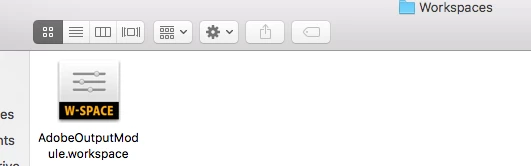
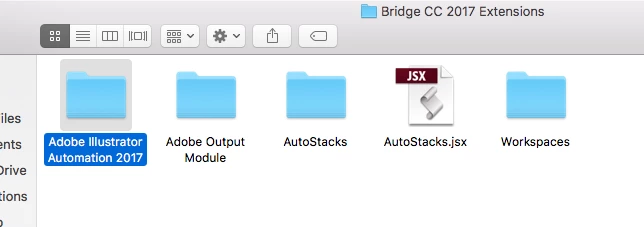
    Please refer the screenshot below and follow the steps mentioned.

    Let us know if that helps.

    Thanks,

    Akash