Participating Frequently
January 15, 2020
Question

Pictures not displayed correctly in Adobe Bridge

  • January 15, 2020
  • 1 reply
  • 901 views

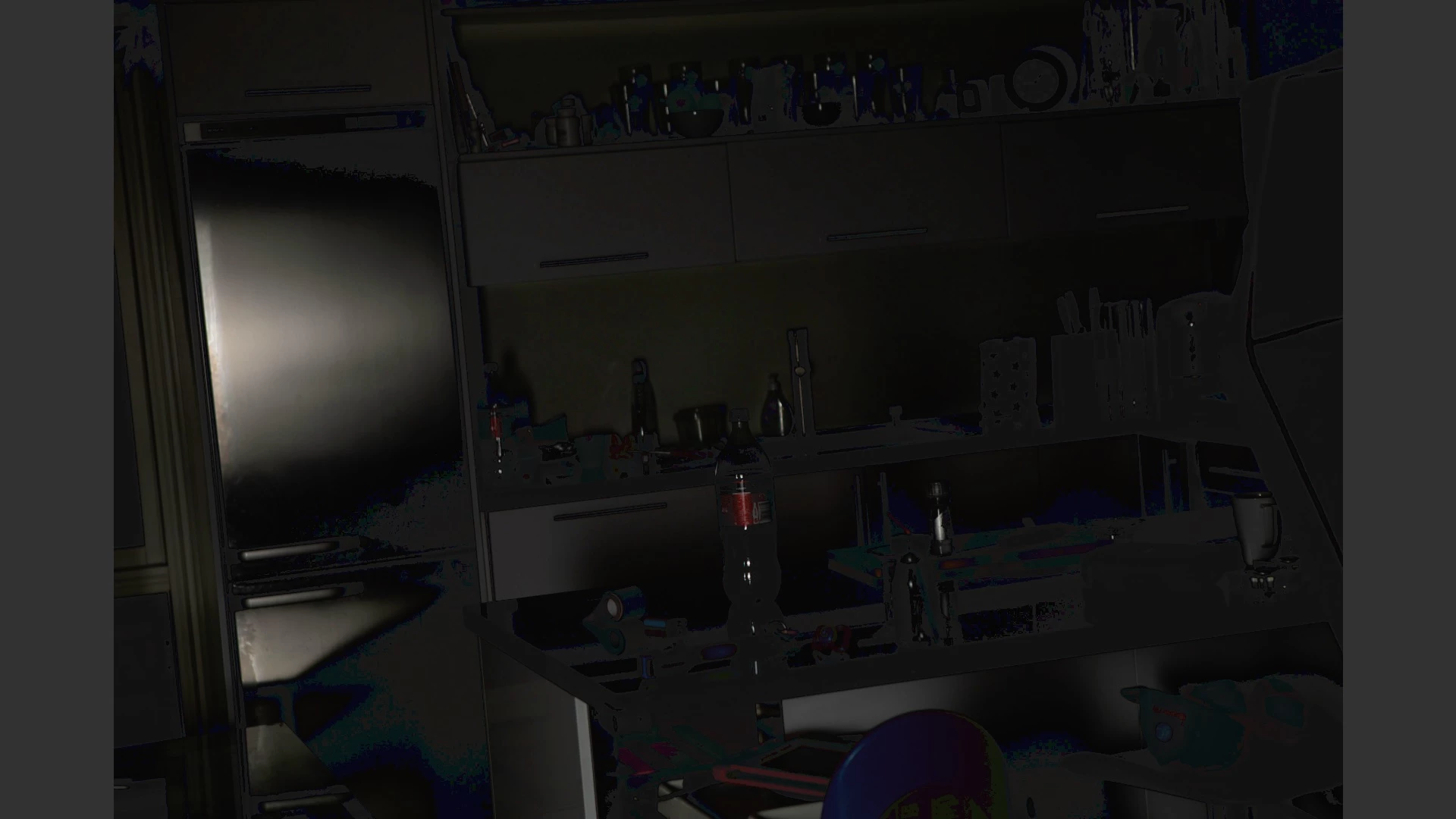
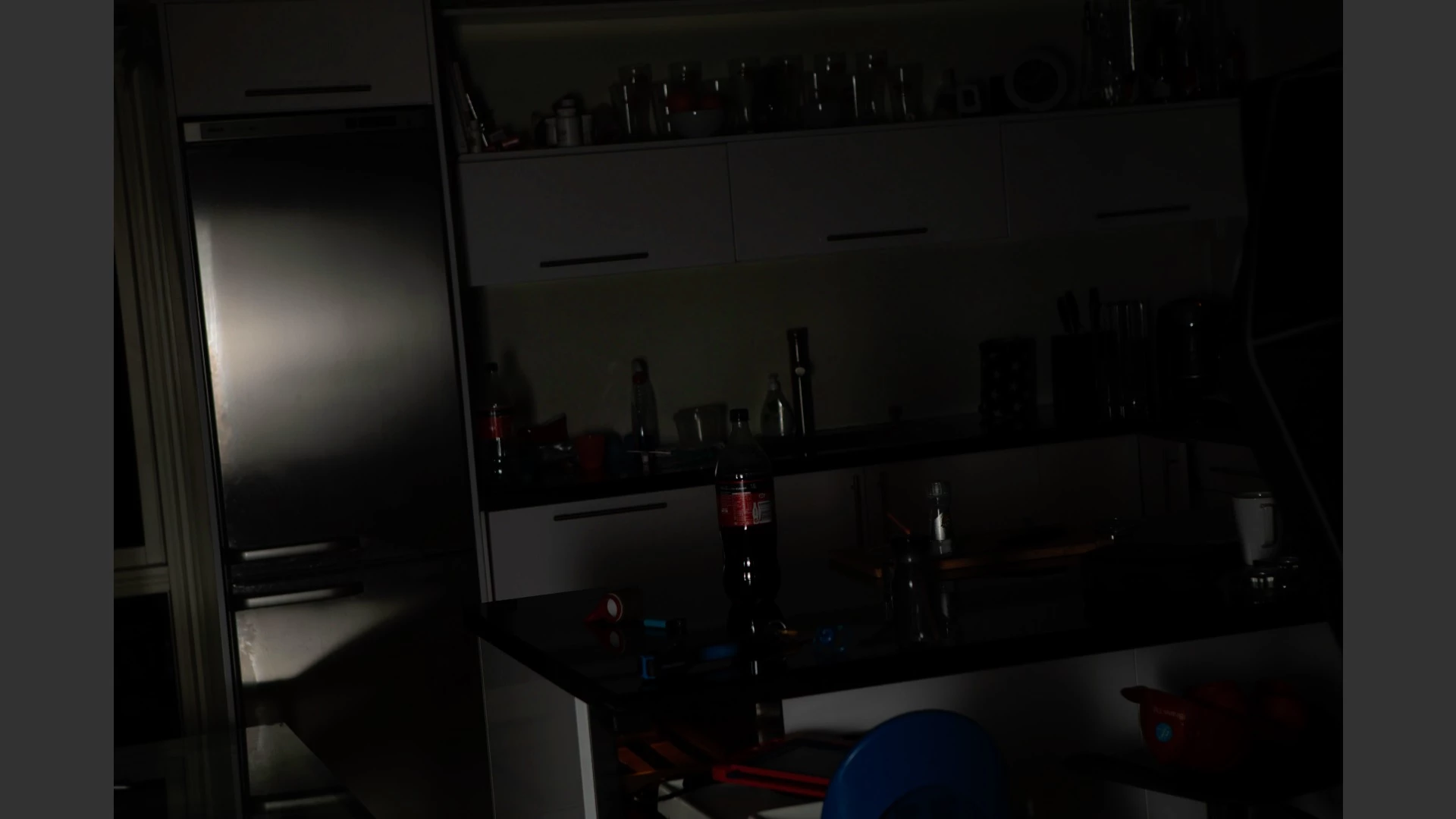
After updating to Adobe Bridge 2020, none of my pictures are rendered correctly on screen. It seems like every picture is rendered in a very low resolution, resulting in no details in the shadow parts of an image. In Adobe 2019 everything is rendering perfectly. With updating to the last version of Bridge, I also checked the option "keep preferences from old version". The recent Bridge "bug fix" is also installed, but the problem still persist.  My computer is updated, so are all the graphic drivers etc. The problem is very frustrating, leaving hte latest Bridge version useless for me. Any help is highly appreciated. 


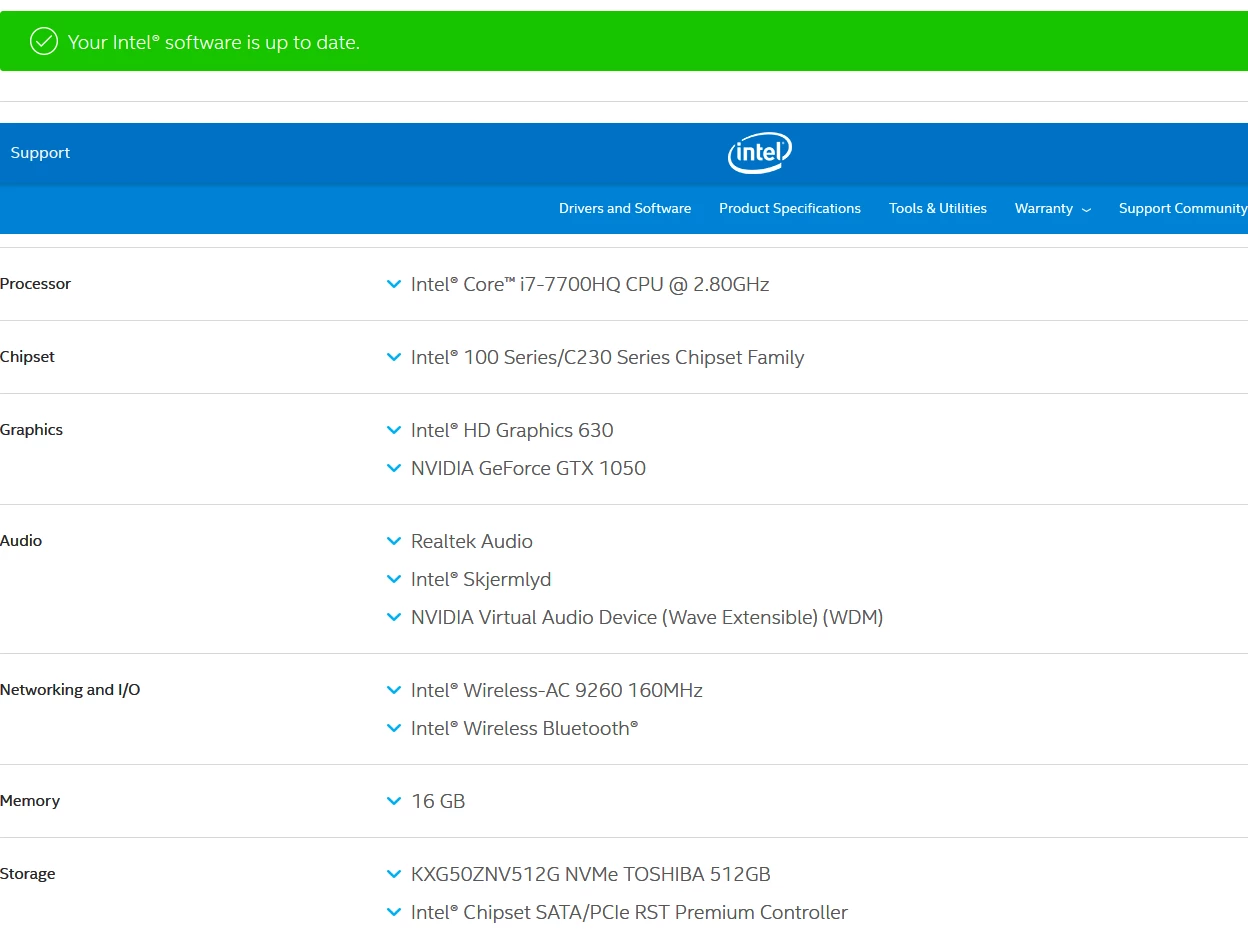
I have enclosed a example picture, and a screenshot of my Windows system prefs from a Dell 9560:
 

This topic has been closed for replies.

1 reply

jbm007
Community Expert
Community Expert
January 17, 2020

You have dual video GPUs on your laptop.

You need to select the Nvidia GPU as your primary video GPU in your OS.

Many Adobe products do not play nice with dual video card configurations

Ole-I.Author
Participating Frequently
January 17, 2020

Thank you very much for your suggestion. I did as you suggested. I first set Nvidia high performance as a setting in Windows display settings for Adobe Bridge.exe in "classic app". When it didn't work, I tried to set it to a preferred global setting directly in Nvidia control panel. I even tried to dedicate Nvidia GPU directly to Adobe Bridge.exe in Nvidia settings for programs. I have checked in task manager that Nvidia actually is used for Bridge, and it sure does. So unfortunately it didn't resolve the issue.


Thank you again anyway 🙂