
Participant
February 7, 2018
Question

Prefrence window in bridge does not fit

  • February 7, 2018
  • 2 replies
  • 276 views

When activating the Preference Window it is too big and cuts at at Labels on top. See screen shot below:
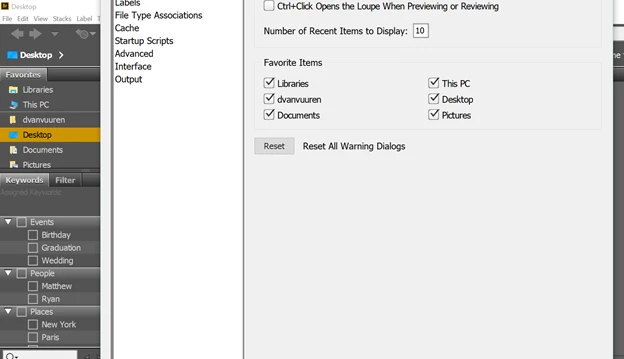
I have an 17" screen laptop and use scaling at 150%. I decreased that to 100%. I now can see OK and Cancel, ​but at the top it still cuts off at Labels. See screen shot below:
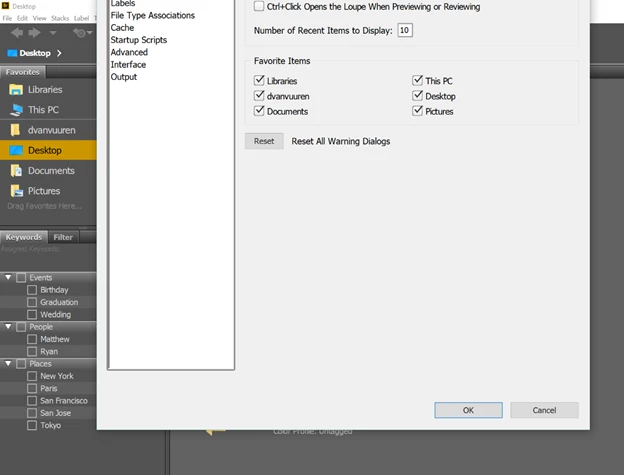
This topic has been closed for replies.

2 replies

Legend
February 10, 2018

Have you had your laptop connected/disconnected to a second screen at any stage?  I've seen this behaviour in other applications, whenever I've had my laptop connected to other screens.

There's a couple of things I generally do to fix things:

  • I change the 'order' of my screens and in my Display/Monitor preferences, this often pushes the dialogs back to where they should be.
  • Sometimes, resetting the Display/Monitor preferences to clearly only have one monitor works too.

Generally I can then adjust the position of the application or dialog boxes that are clipped after doing that, and even when I reset the Display/Monitor preferences to what it should be the fix seems to stick.

Norman Sanders
Legend
February 7, 2018

If, in Bridge on a Mac, before choosing Preferences,  you click on the green button in the top left corner, does that help?