
Participant
May 7, 2020
Answered

Problem, get an un wanted space when changing name

  • May 7, 2020
  • 2 replies
  • 922 views

Hi,

uses Bridge to change name on a serie of files that are going to be exported into a database. When I change the file I get a space before the name starts and I can't get rid of it. It looks allright but when I do import the files into the database it doesn't accept the files as there is a space before the name starts. 
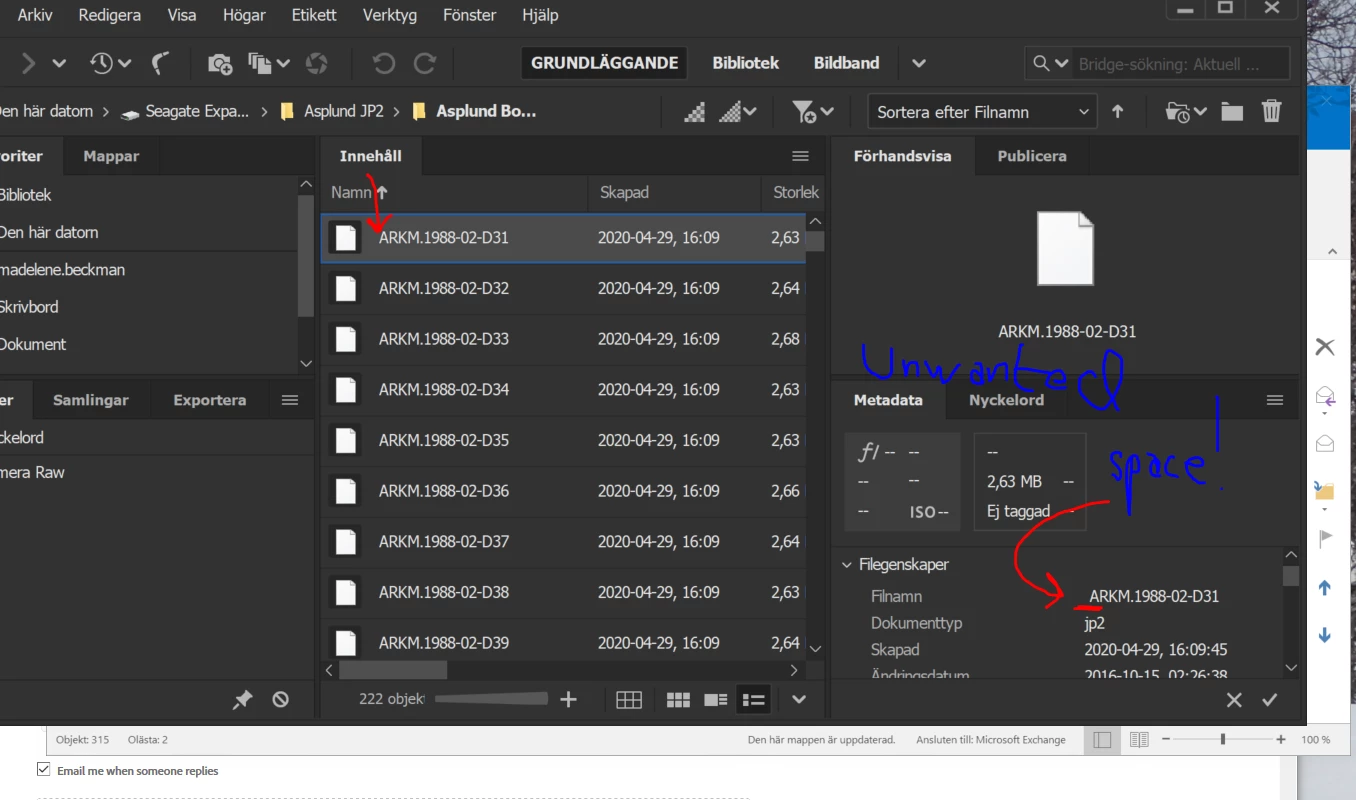
If I try to rename manualy (not possible in the longrun as I have thousands of files to do it on) it doesn't accept it as the name is the same. But it is not! It is a name with and without an extra space.


This topic has been closed for replies.
Correct answer Stephen Marsh

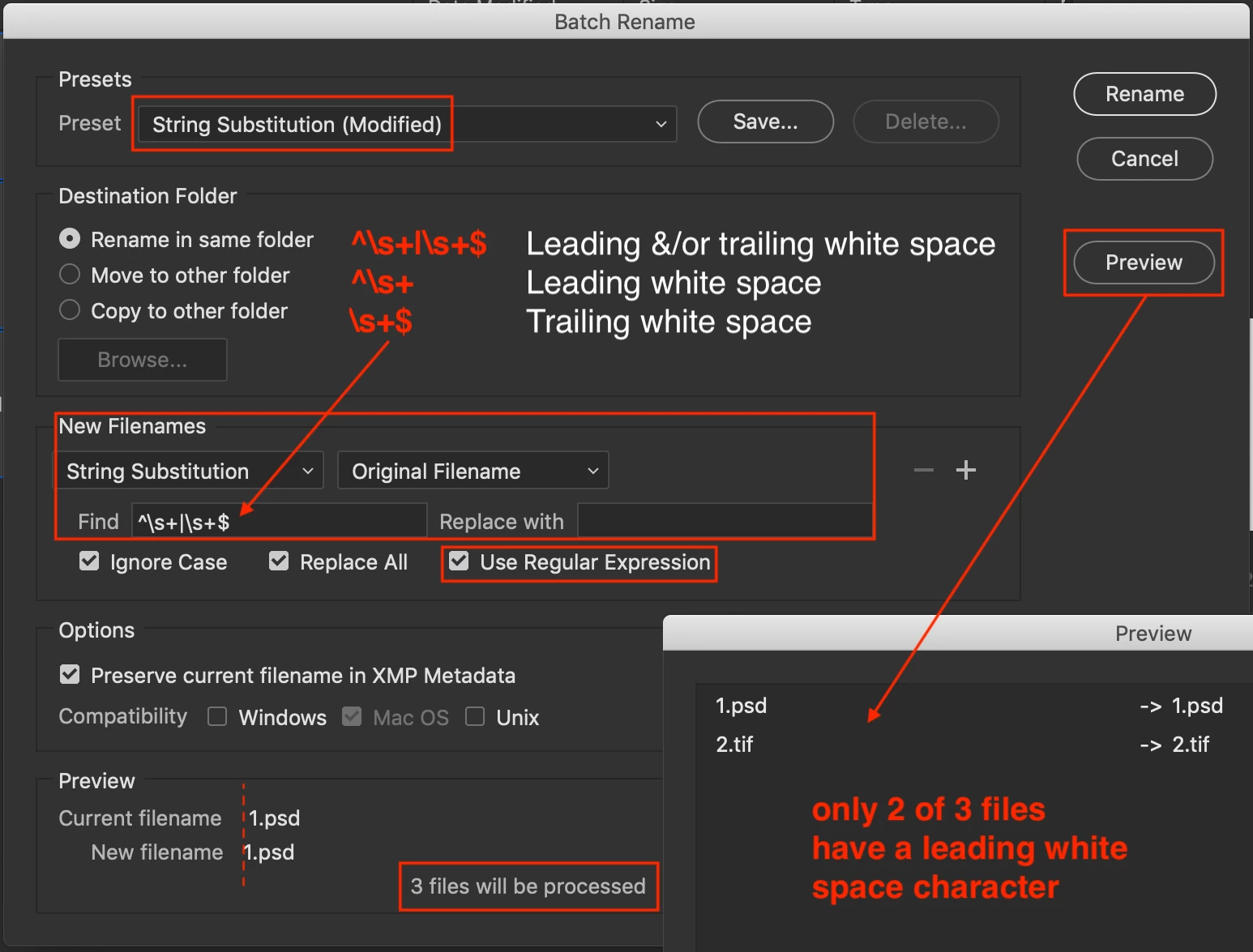
It is hard to comment on why, without seeing the original Batch Rename Tool settings.


One way to correct this would be as follows:


^\s+|\s+$   (all leading and trailing white space characters)
^\s+        (all leading white space characters)
\s+$        (all trailing white space characters)

2 replies

Participant
May 15, 2020

Hi and thanx. You gave me a great solution, the one that works 🙂 Thanx a lot!

Stephen Marsh
Community Expert
Stephen MarshCommunity ExpertCorrect answer
Community Expert
May 9, 2020

It is hard to comment on why, without seeing the original Batch Rename Tool settings.


One way to correct this would be as follows:


^\s+|\s+$   (all leading and trailing white space characters)
^\s+        (all leading white space characters)
\s+$        (all trailing white space characters)