
Participant
November 18, 2016
Answered

Problem: rename files while importing

  • November 18, 2016
  • 1 reply
  • 294 views

Why does the importer not remember the last running picture number? I have to type the last picture number of each manuel one.

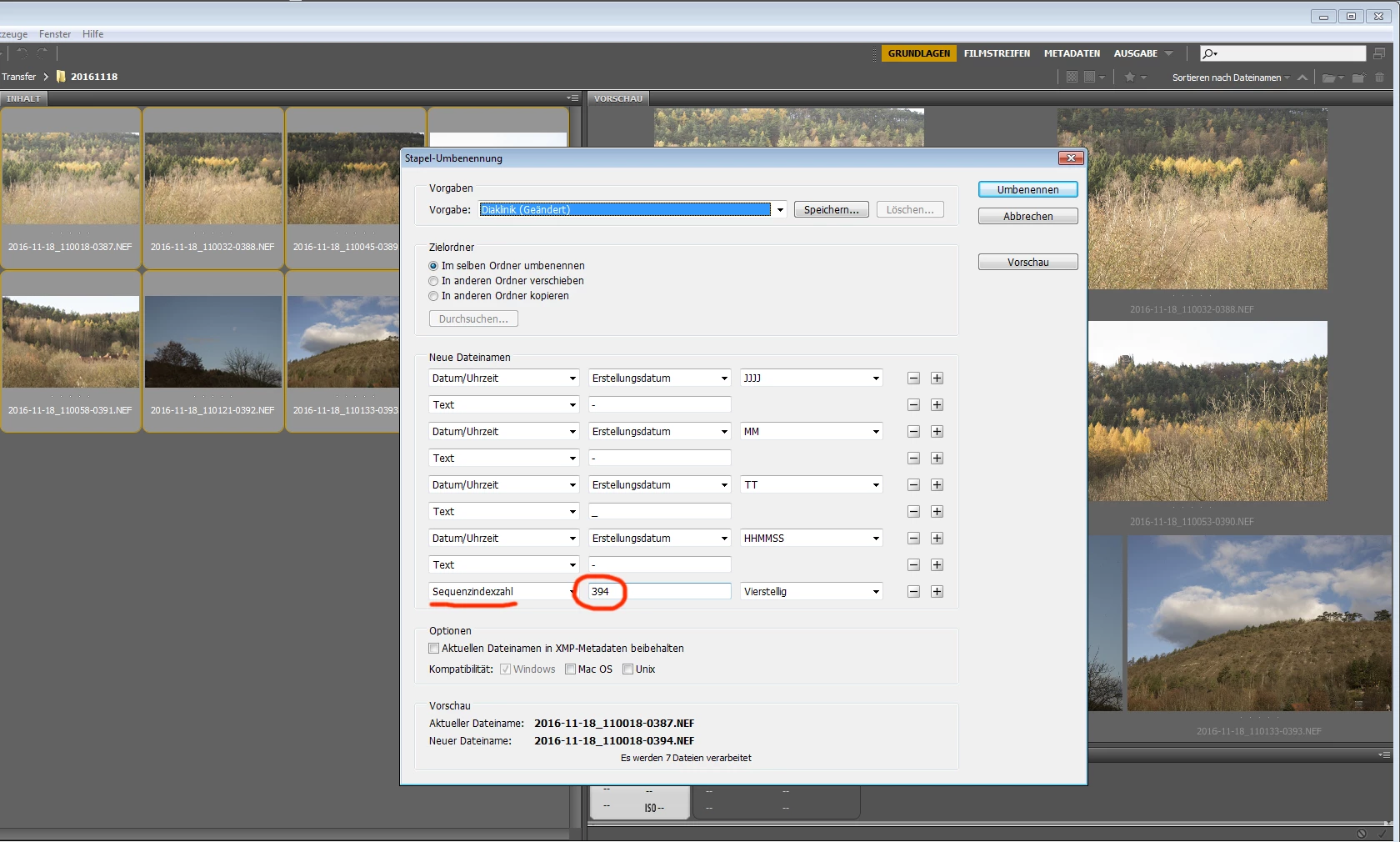
When renaming files in Adobe Bridge, the program remembers the last image number, the previous file renaming.

Can this be set in any file (xmp?)

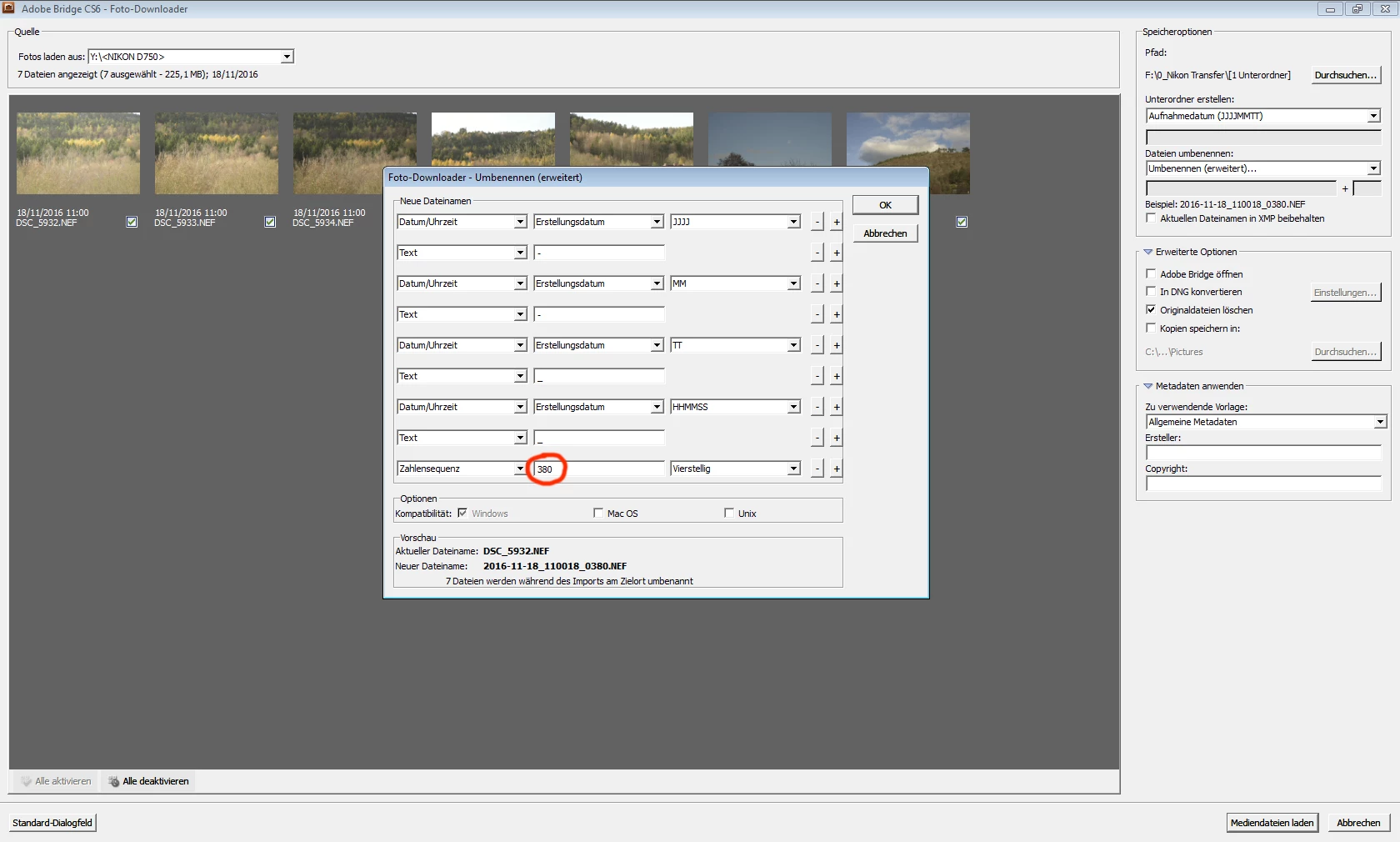
Adobe Photo Downloader: File rename -> rename extendet

The Adobe Photo Downloader does not saves (memorizes) the last sequence Index Number:
The Adobe Bridge saves (memorizes) the last sequence Index Number:
How can I fix this?

many thanks in advance!

    This topic has been closed for replies.
    Correct answer Sahil.Chawla

    Hi Heikoh,

    Please try the following step :-

    Start Adobe Bridge and immediately press Ctrl+Alt+Shift (Windows) or Command+Option+Shift (Mac OS) until the Reset Settings dialog box appears. Select all three options--Reset Preferences, Reset Standard Workspaces, and Purge Entire Thumbnail Cache--and then click OK.

    Regards,

    Sahil

    1 reply

    Sahil.Chawla
    Adobe Employee
    Sahil.ChawlaCorrect answer
    Adobe Employee
    November 29, 2016

    Hi Heikoh,

    Please try the following step :-

    Start Adobe Bridge and immediately press Ctrl+Alt+Shift (Windows) or Command+Option+Shift (Mac OS) until the Reset Settings dialog box appears. Select all three options--Reset Preferences, Reset Standard Workspaces, and Purge Entire Thumbnail Cache--and then click OK.

    Regards,

    Sahil