
Problem with Colours in Bridge Export PDF
Hello,
I heave a big issue with Colours in Adobe Bridge...
Every Once in a while I want to do a quick Export of some Pictures as a PDF via Adobe Bridge. The last time I did a few months ago the Problem occured the first time, since I couldn´t find a solution and need the function again now, I want to ask for help here.
The Problem is, that the colours in the exported PDF are completly wrong, way to much saturated - it seems like wrong colour management...
I use the following Setup:
- 2016 Macbook pro 15" with latest Mac Os Mojave
- All CC Applications on latest Version
- Eizo CS2420 - hardware calibrated with i1Display Pro and Color Navigator
I want to do some Quick Portfolio PDFS from final JPEG Pictures, which I saved in sRGB Colour Space via Capture One pro.
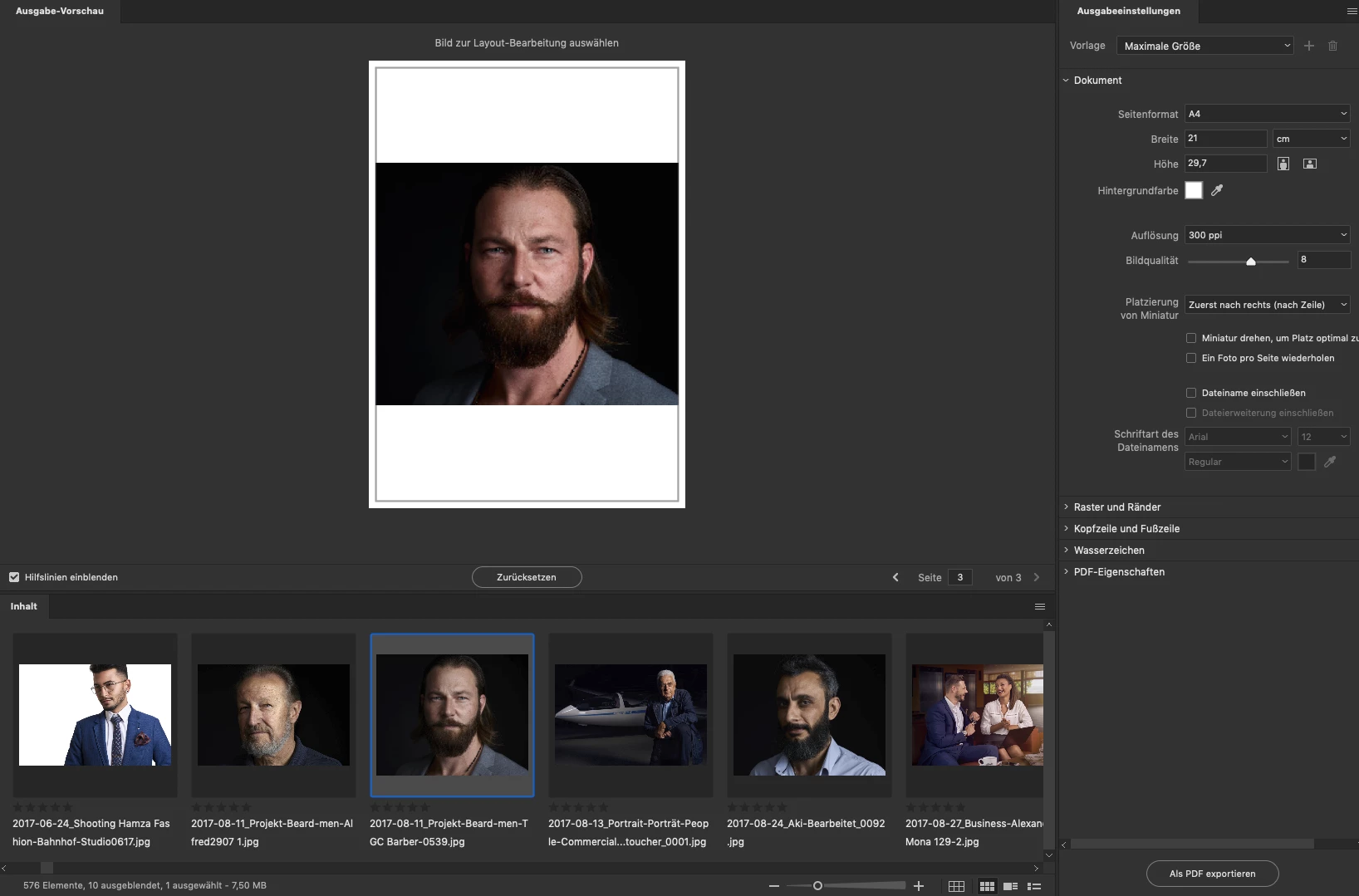
When I open them in Bridge, the colour seems correct in the Filmstripe, but if I drag them on the white Page - the colours are wrong (see the following screenshot) - it´s the same when I export the PDF and open it for example with the mac viewer...
I don´t know whats happening...
especially since the whole thing worked normally until some time ago. In the meantime I also reinstalled my Mac and the problem still exists.
I hope you guys can help me with this issue.
P.S. Sorry for my bad English, I hope you understand...


 AdChoices