May 10, 2020
Answered

PSD thumbnails not showing in Adobe Bridge

  • May 10, 2020
  • 1 reply
  • 4452 views

Hi All,

I have recently been importing some .psd file, however unfortualtely a number of these are not showing any thumbnail previews. This also causes problems when attempting to assign keywords. 


{Thread renamed by moderator}

Correct answer Sahil.Chawla

Hi there,

Sorry to hear about PSD thumbnails not visible in Bridge, could you please let us know the version of Bridge you're using?

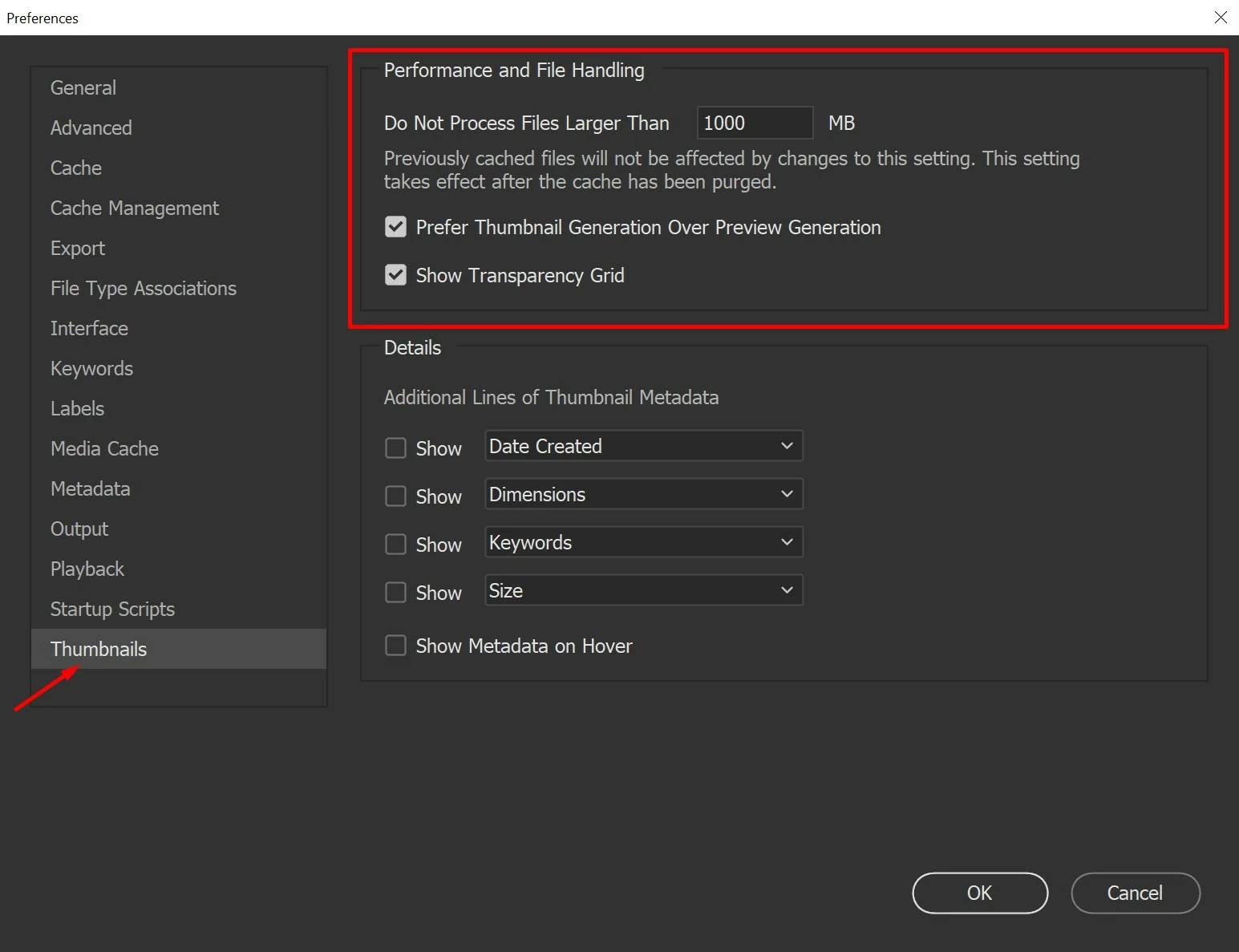
Have you checked your Preferences - Thumbnails - Do Not Process Files Larger Than XXXX MB

You may need to increase the size and see how it goes.


You may also try resetting the preferences of Bridge and let us know if it helps https://helpx.adobe.com/in/bridge/kb/troubleshoot-errors-freezes-bridge.html

Regards,
Sahil

1 reply

Sahil.Chawla
Adobe Employee
Sahil.ChawlaCorrect answer
Adobe Employee
May 12, 2020

Hi there,

Sorry to hear about PSD thumbnails not visible in Bridge, could you please let us know the version of Bridge you're using?

Have you checked your Preferences - Thumbnails - Do Not Process Files Larger Than XXXX MB

You may need to increase the size and see how it goes.


You may also try resetting the preferences of Bridge and let us know if it helps https://helpx.adobe.com/in/bridge/kb/troubleshoot-errors-freezes-bridge.html

Regards,
Sahil

May 21, 2020

Sahil,


Increasing this value has solved my problem. Many thanks.