
Rendering options and jaggies when preview size is small
I frequently display a smaller sized preview when checking the balance of the overall image.
I think the algorithm for this display has changed since bridge ver. 2023.
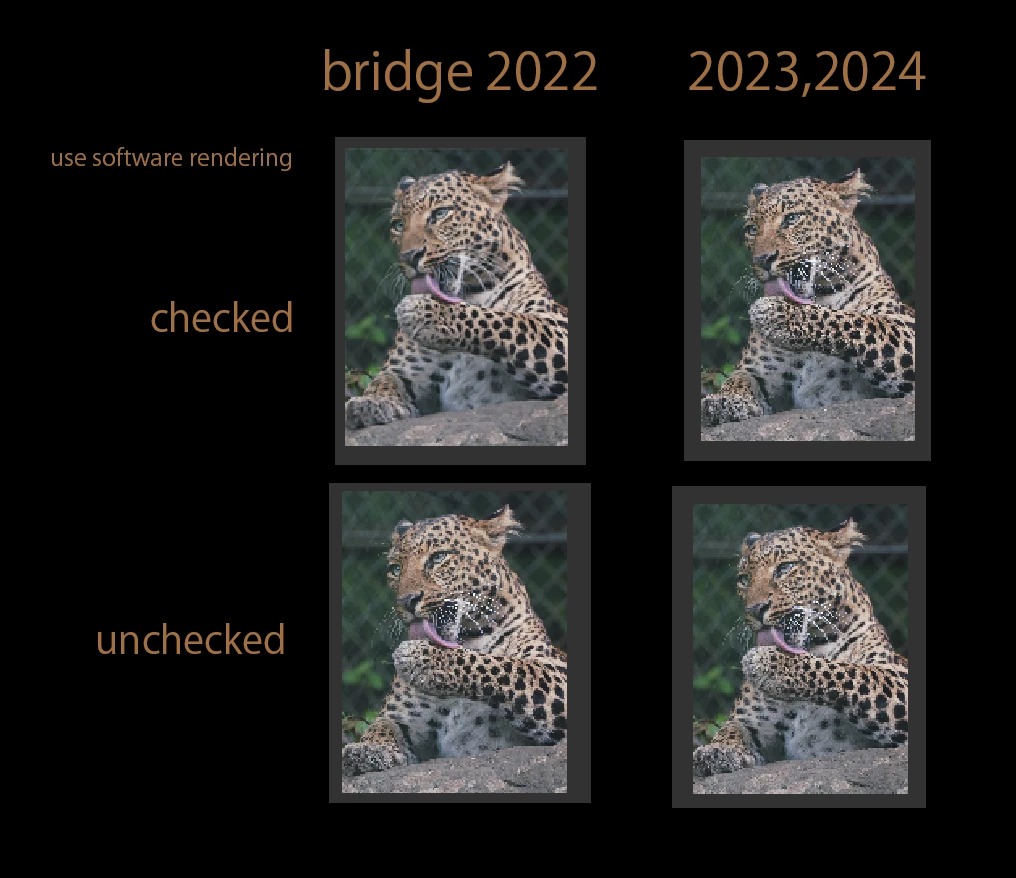
The attached image is an enlarged screenshot of the preview panel with the smaller size.
In ver.2022 and before, when "use software rendering" was checked, the preview was smooth.
However, ver.2023 and 2024 have jaggies and are difficult to see.
This is especially true for thin objects and objects with high border contrast, such as beards and wires.
The problem is that the accuracy is changing between the reduced output and the preview of the same size in bridge.
(That's why I used to use this option, but it no longer works and I can't update recent version)
I would like a fix.


 AdChoices