
sabrinajones
Participant
October 27, 2019
Question

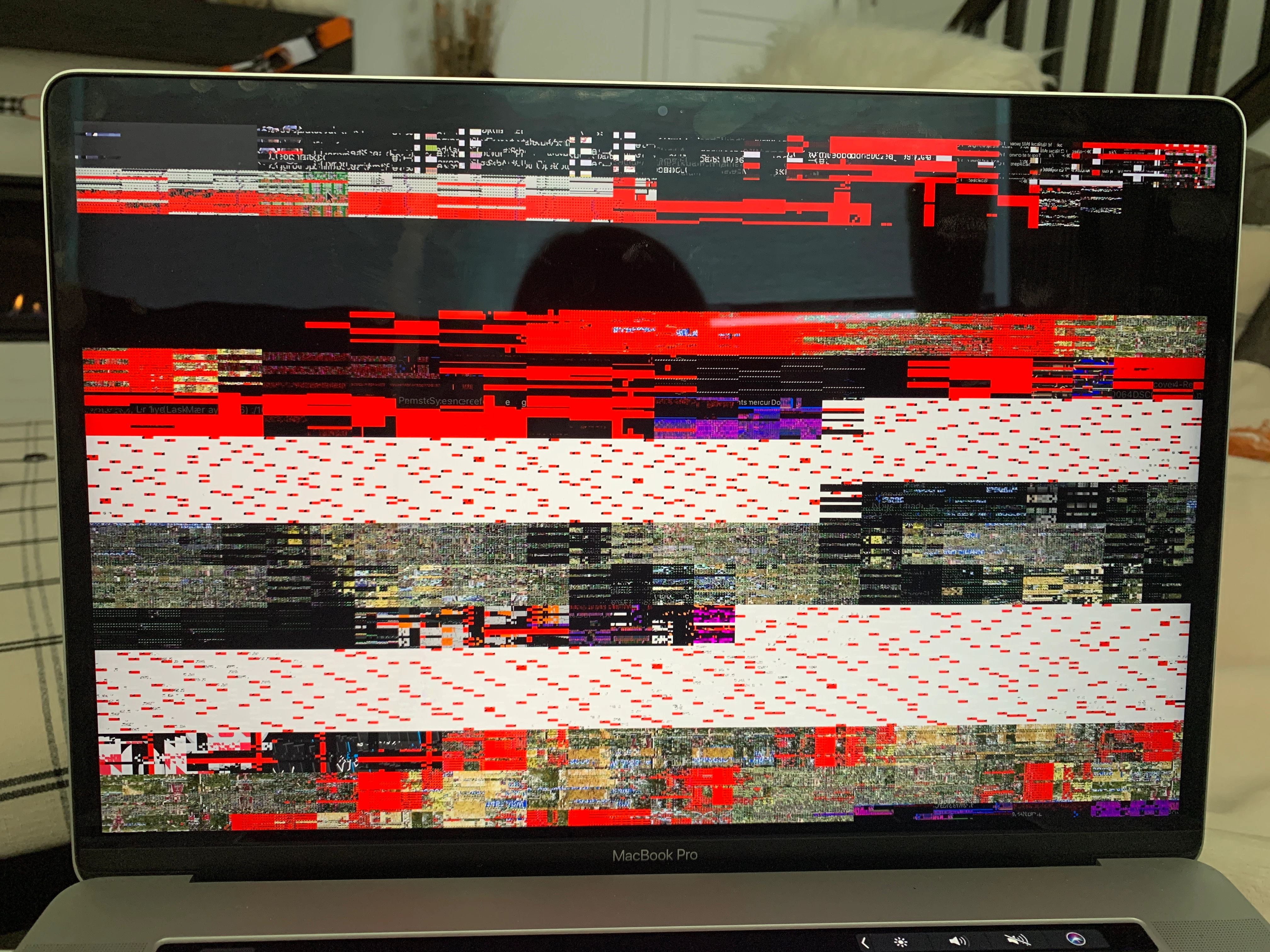
Review mode shows red and purple screen, can't view photos

  • October 27, 2019
  • 3 replies
  • 919 views

I've used bridge many times to cull my photos before importing into lightroom. I select all the photos I choose to cull, and then click view>review mode. I deselect the photos I choose not to edit, and delete them, then import them into lightroom. 


This time I am getting a red and purple screen that prohibits me from viewing the photos. I've tried searching this forum and I've uninstalled and reinstalled completely to no avail. This problem shows no where else on my computer, only on bridge's review mode. Help please!
 

    This topic has been closed for replies.

    3 replies

    Varun Varshney
    Adobe Employee
    Adobe Employee
    October 30, 2019

    Hi,

    Many of the Bridge Catalina issues have been addressed in v10.0 which will be released early next month. If you need early access to this release, you can sign up for the prerelease program from https://adobeprerelease.com under NDA.

    Select Adobe Bridge. Once we approve your request, you will be able to download v10.0 (choose the latest drop).


    Please check this build and report back.


    Thanks,

    Varun Varshney

    Zaid Al Hilali
    Community Expert
    Community Expert
    October 30, 2019

    Good to know that Varun… thanks.

    Zaid Al Hilali
    Community Expert
    Community Expert
    October 28, 2019

    Same issue happened to me right after updating my MacBook Pro to the latest Mac OS "Catalina".

    Participant
    October 28, 2019

    I have the same problems... i also didn't have those problems before updating my MacBook Pro to the latest MAC OS Catalina (:-(

    WayneTeo84
    Participant
    October 29, 2019

    Same goes to mine, hopefully adobe will release a fix soon

    gary_sc
    Community Expert
    Community Expert
    October 27, 2019

    Hi Sabrina,


    Go into your Preferences and set your performace to "Off."

    Let us know if this solves your problem, good luck!

    sabrinajones
    Participant
    October 28, 2019

    This helped some but not entirely. Any other suggestions? I turned off performance under the camera raw preferences.


    gary_sc
    Community Expert
    Community Expert
    October 28, 2019

    The mistake I made in trying to help you is that if you are using ACR (Adobe Camera Raw) you need to turn this off in ACR. If you are using Lightroom, you need to turn it off in Lightroom. 


    After I first responded to your message I then noticed you were in LR so I went back and added the screenshot for this in LR. Did you miss my 2nd comment?


    Let us know...