
Answered
Right Click, Develop Setting, Presets Missing????
So out of the blue today, I open up a bunch of images in Bridge CC (Latest Version) and like I always do, I highlight them, then right click the image then I click "DEVELOP SETTINGS".....then I would choose a preset....all of the files I'm clicking on are "RAW" files.
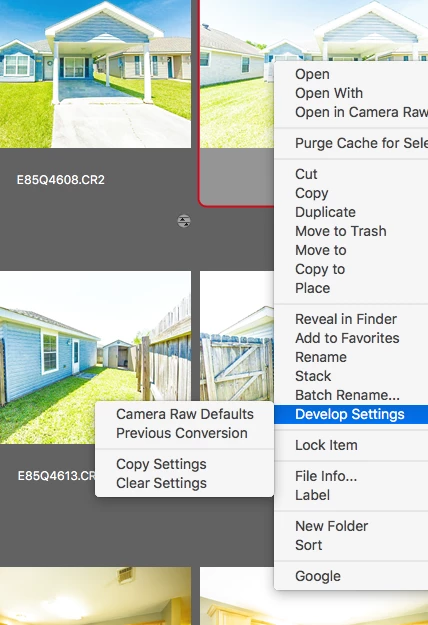
But today I go to do that and all it says is:
Camera Raw Defaults
Pervious Conversion
Copy Setting
Clear Settings
(see photo attached)
There used to be a list of all my PRESET THERE.....how can I get them back?
Kirk


 AdChoices