Samples in separate windows
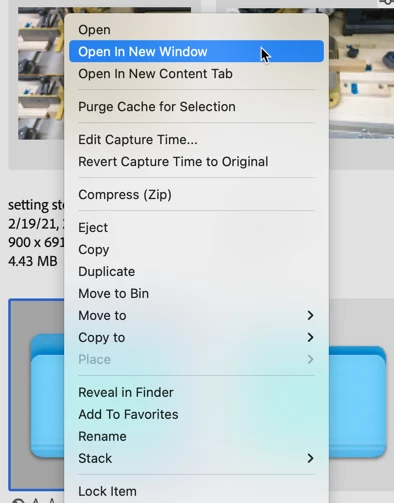
Hello everyone. How to open one or several samples in separate windows? Thanks in advance.
Best regards.

Hello everyone. How to open one or several samples in separate windows? Thanks in advance.
Best regards.
separate Bridge Windows
Hi Vince,
First, I'm sorry, I misread your original question. If you have a folder of images open, you cannot select one and open that in a separate window. What you see in the Contents Panel is the contents of a folder. If you want to see one image in a folder, just move that file into a separate folder, and you can open that in a Content Panel by right-clicking and selecting Open in a New Window or Open in a New Tab.
Not exactly what you were looking for, but that's the best I (and Bridge) can do.

Already have an account? Login
Enter your E-mail address. We'll send you an e-mail with instructions to reset your password.