
compupix
Known Participant
October 18, 2019
Question

Save Workspace Thumbnail Zoom Setting

  • October 18, 2019
  • 2 replies
  • 324 views

How do I get Bridge to save the panel's zoom setting? I've tried creating a new workspace and the zoom setting for the thumbnails is lost when I come back to that workspace.
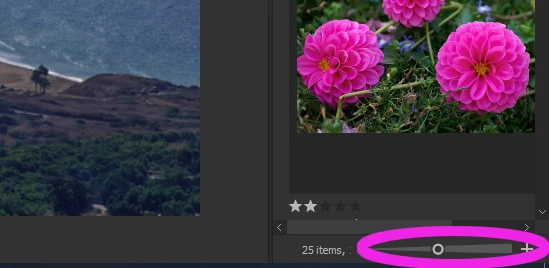
Adobe Bridge CC v. 9.0.1.216 x64
Windows 10.0.18362 Build 18362
Dell Studio XPS 435T/9000

Thanks!

This topic has been closed for replies.

2 replies

Chuck Uebele
Community Expert
Community Expert
October 18, 2019

Umm, I just tested it on a filmstrip workspace, and had no problem with it remembering, when I clicked reset. However, I have heard of numerous problems where Bridge's custom workspaces get lost. Maybe the next version of Bridge will correct some of these issues.

compupix
compupixAuthor
Known Participant
October 18, 2019

I just re-saved "My Light Table" workspace and now "My Filmstrip" workspace's thumbnail zoom/magnification setting does not get clobbered.

So, problem fixed. I don't know why.

Chuck Uebele
Community Expert
Community Expert
October 18, 2019

Yea, that was the issue that I seemed to be hearing about, that the custom work spaces get corrupted very easily, somehow. 

Chuck Uebele
Community Expert
Community Expert
October 18, 2019

When you deselect that workspace, do you also use, "Reset Workspace?" Just selelecting the workspace, doesn't reset everything. 

compupix
compupixAuthor
Known Participant
October 18, 2019
I just switched from "Light Table" to "My Film Strip." My previously saved "My Film Strip" thumb zoom setting is lost. Selecting Reset has no effect.