

Seeing some Indesign previews and not others in Bridge
Hi there,
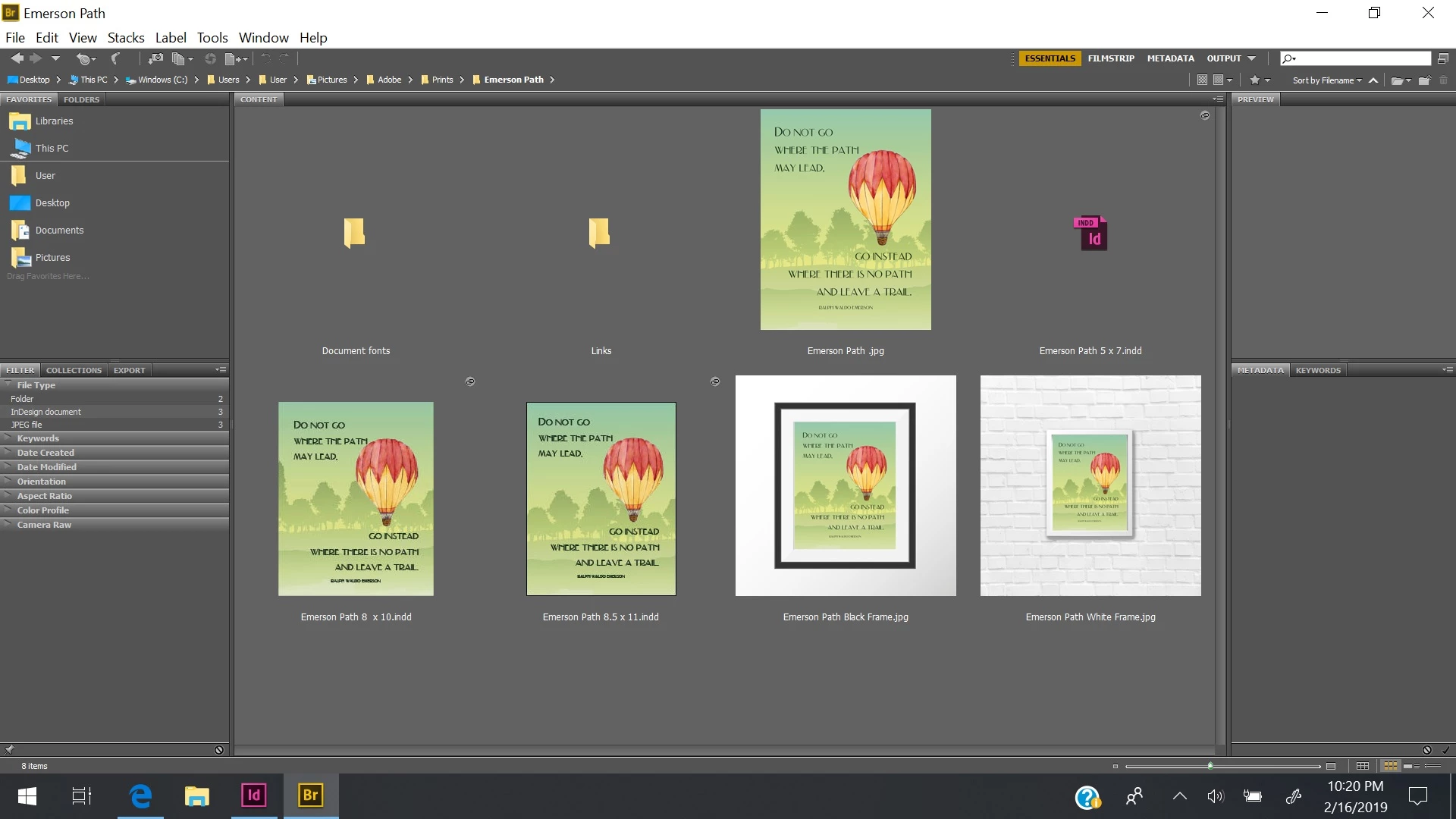
So I'm having trouble with Bridge not showing previews of Indesign files. I've purged my cache and reset my Bridge settings to default and I'm seeing some Indesign files as previews, but for others, I'm just seeing the Indesign icon. I'm using CS6 and it only seems to be Indesign files that are affected, not image files or Illustrator files. Does anybody have any ideas?
I'm including a picture that illustrates the problem. The Indesign icon and the two images on the left-hand side of the bottom row are all derivatives of the same file. Obviously, I'm seeing a preview of two of them, but not the third. I've also observed this in other folders with files that aren't derivatives of other files. Bridge CS6 doesn't appear to have any options for me to control the time frame for which it shows thumbnails and the problem is happening with both older files I haven't accessed in a while and a few new ones I created today.


 AdChoices