Known Participant
Mar 9, 2020 10:05 AM UTC
Question

selection of images in Br changed after edit in Camera Raw

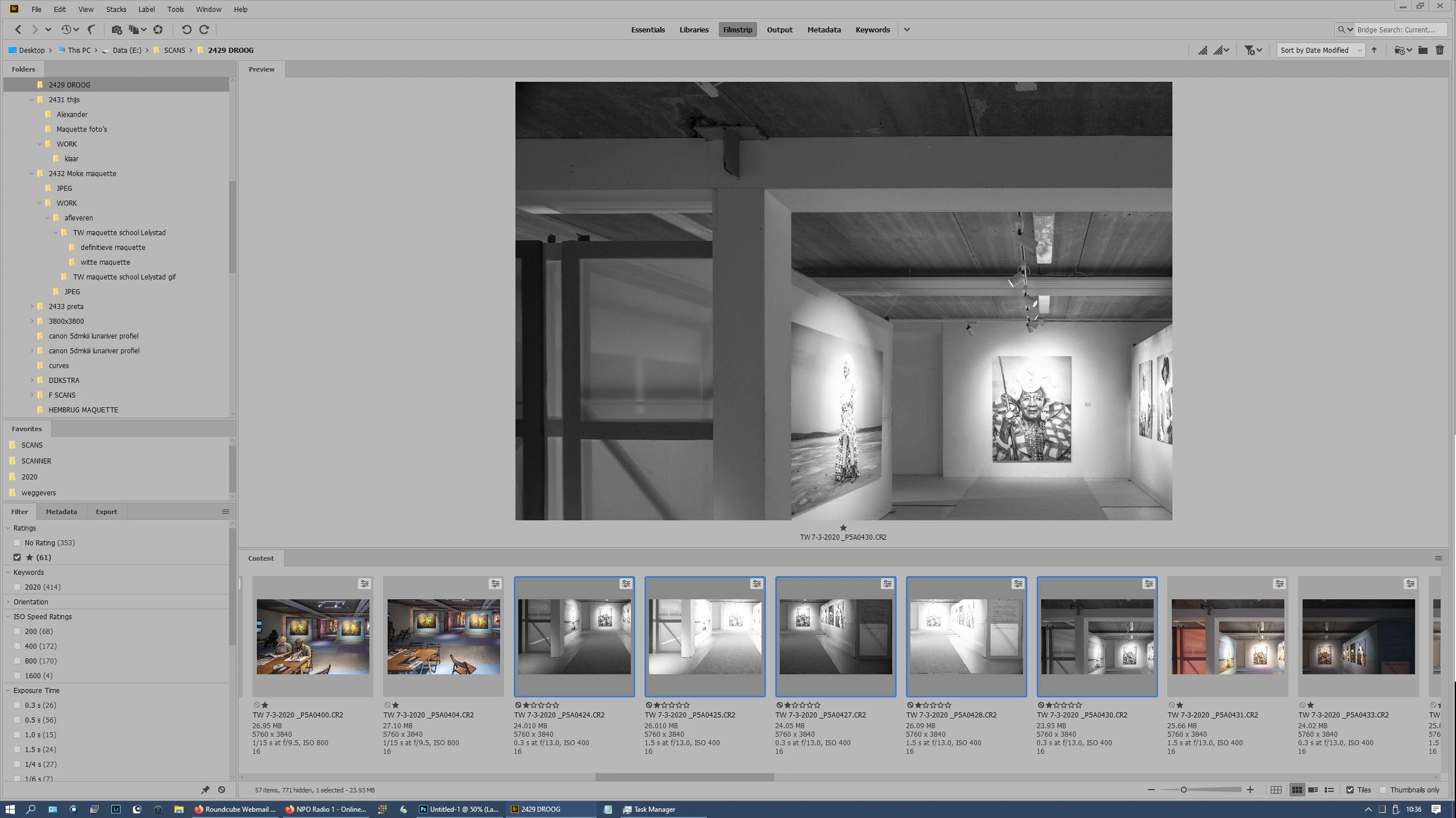
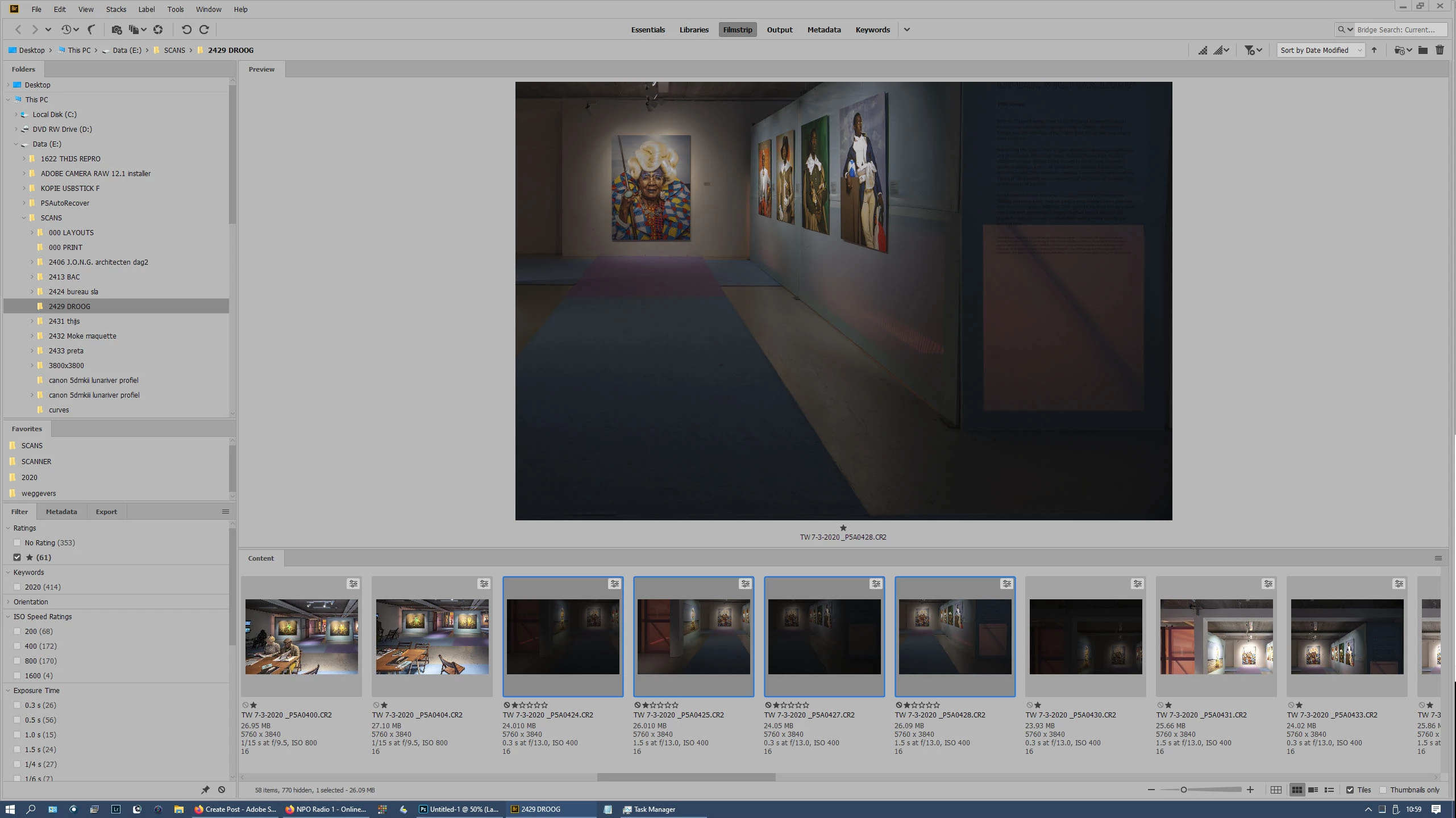
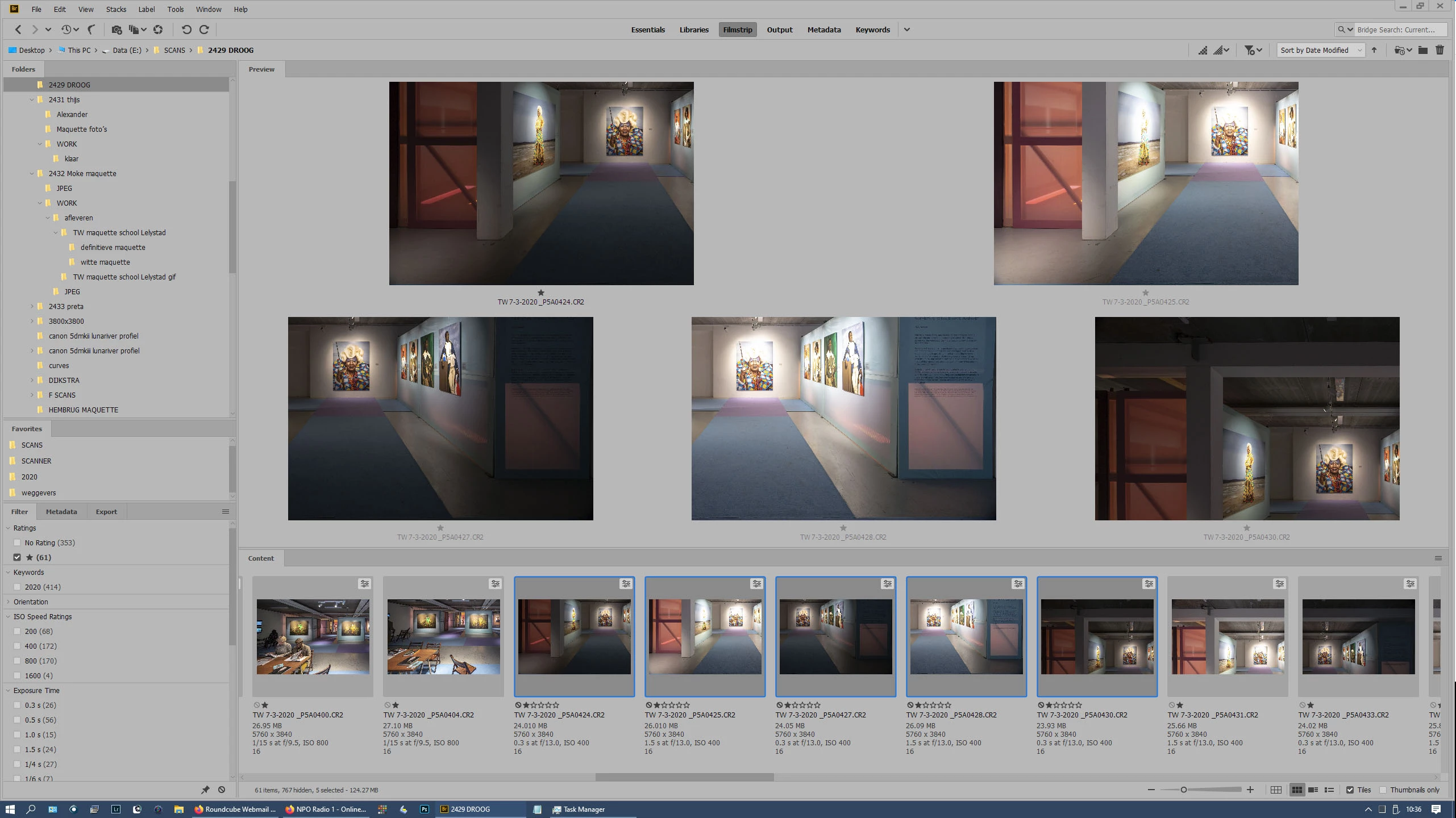
When I select multiple (say 5) images in Bridge and edit them in Camera Raw, I return to Bridge and new thumbnails/previews are created. Normal behaviour so far. But the original selection is messed up: in the filmstrip I can see 5, sometimes other numbers of images selected, but in the preview pane I can only see one. Also, under the filmstrip it says "1 selected". So the original selection is lost, and mispresented. This is very annoying if I want to change the same selection of images a multiple times.


Is this a known issue, and is there a fix or workaround (apart from reselecting the images manually every time)?

Win10 Home, all apps up to date.


I've added three screenshots:


1- selection of 5 images before editing in ACR

2- after editing in ACR: the selection has changed allthough 5 images are still marked as selected in filmstrip.

3- same as 2, but now only 4 images are marked as selected (for unknown reason).
    This topic is closed to new replies. Start a new post to keep the conversation going.

    4 replies

    Legend
    Mar 9, 2020 2:58 PM UTC

    Bridge has problems with losing selections in a number of areas. You can label or rate photos as a workaround to keep track of what's what.

    Translate
    Known Participant
    Mar 9, 2020 3:31 PM UTC

    Hi Lumigraphics, thanks for your reply. This workaround will work for now. So it is a known issue; I could not find any thread about this phenomenon. Are you at Adobe? Will this be fixed in future versions?

    Translate
    Legend
    Mar 10, 2020 1:51 AM UTC

    ACPs are community volunteers. This issue has been reported to Adobe. Whether it gets fixed is anyone's guess.

    Translate
    Known Participant
    Mar 9, 2020 2:07 PM UTC

    UPDATE: I've just noticed that this problem does not odccur with tif or jpg files. The files I had the problem with were CR2 raw files. Maybe it is related to the way the edit is recorded: embedded in the file (jpg and tif), versus in xmp-files (CR2).

    Translate