Ussnorway7605025
Legend
February 16, 2018
Answered

send to Photoshop as timeline

  • February 16, 2018
  • 2 replies
  • 345 views

iin the old Bridge I could send images to Photoshop and have them auto stacked into a timeline for making basic gif | animation files... does any one know where Adobe has hidden this option in the current build?

    This topic is closed to new replies. Start a new post to keep the conversation going.
    Correct answer Stephen Marsh

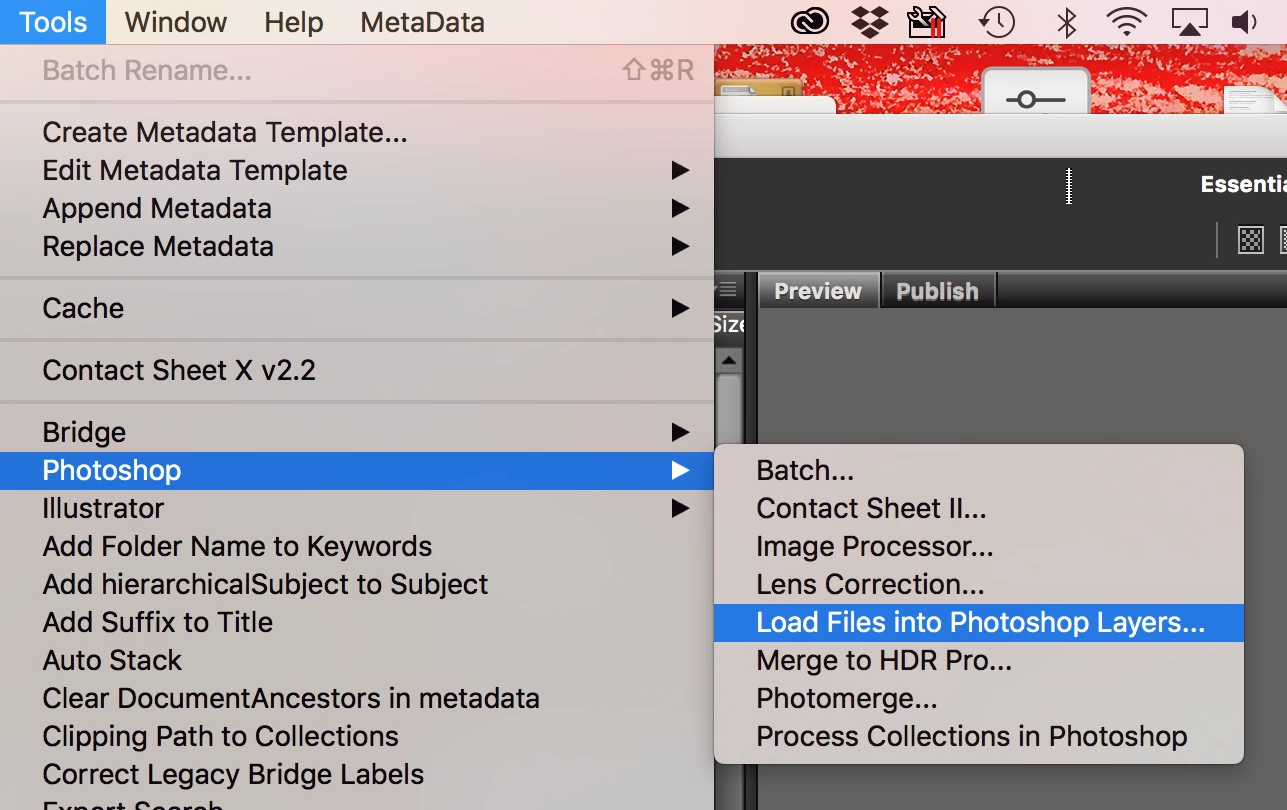
    In Bridge CC18 and Photoshop CC18: Tools > Photoshop > Load files into Photoshop layers:

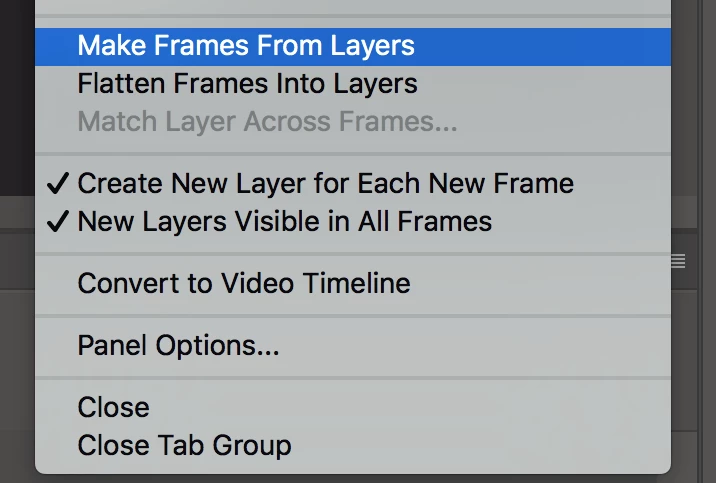
    Then you can use the Timeline panel’s options menu to make frames from layers:

    Do you have the same version of Bridge and Photoshop installed?

    2 replies

    Stephen Marsh
    Community Expert
    Stephen MarshCommunity ExpertCorrect answer
    Community Expert
    February 16, 2018

    In Bridge CC18 and Photoshop CC18: Tools > Photoshop > Load files into Photoshop layers:

    Then you can use the Timeline panel’s options menu to make frames from layers:

    Do you have the same version of Bridge and Photoshop installed?

    Ussnorway7605025
    Legend
    February 17, 2018

    thanks Stephen,

    as it turns out I only had Bridge 2017 installed on that laptop and I normally do my web design on my server so an upgrade to 2018 solved the problem