
Known Participant
September 13, 2017
Answered

Sequential reordering error fix?

  • September 13, 2017
  • 4 replies
  • 1508 views

Hello all-

The title of my post is slightly misleading since I'm not really experiencing an error per se, but more of an obstacle that I can't seem to resolve.

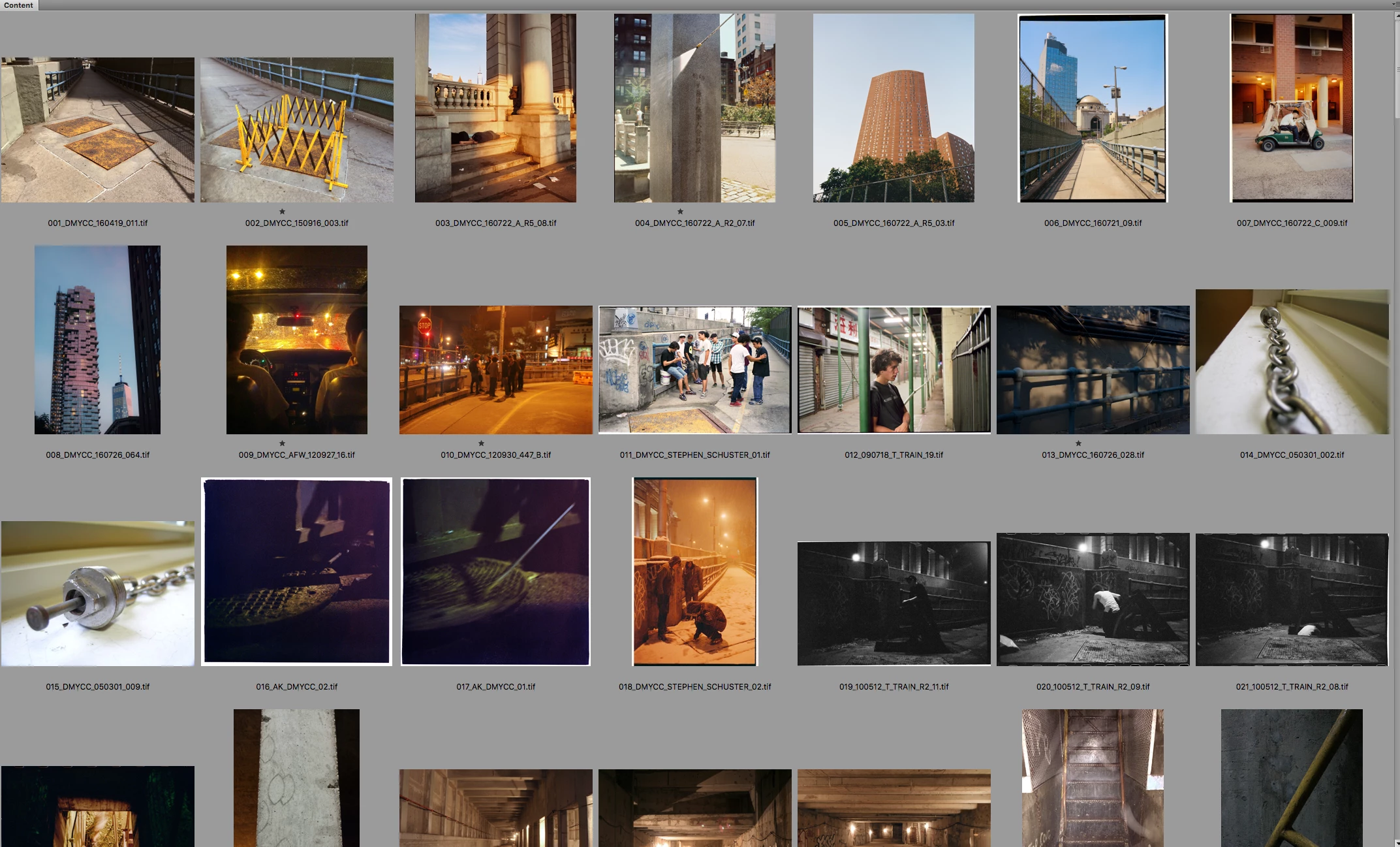
So, I was working on a book of photographs over the summer - I'd be working with a collection of images in lightroom that were ordered to match the ordering of images in the book layout. I'd export a series of files in Lightroom with a three digit sequence number appended to the very front of the filename, ex: "001_XXX_.TIF"

Naturally, the ordering of these images changed here and there, but with disastrous results! I'd manually go in and rename the files by hand because I couldn't find a way to change only the sequence number appended to the front of the filename.

Now - my book is completely done, but I have many folders with the book images (a folder of flattened RGB's, a folder of layered RGB's, flattened CMYK, layered CMYK)... all identical to one another, but with incorrect sequencing. For example: the file formerly known as "021_xxx.TIF" (or the 21st photo that appears in the book), has become the 23rd photo in the book. To my knowledge, I'm completely screwed here... and will probably have to rename by hand. If that's the case, I'll have an intern do it... but thought I'd ask here first.

It's important for me to archive this project with the filenames actually matching up to the order of the images in the book.

I'd really appreciate any help and will provide anything needed! I've attached one screengrab here.

This topic has been closed for replies.
Correct answer Stephen Marsh

!!!!

Woah!

Did a test on 19 file and it worked.... thank you! I'll proceed with renaming all of them with a copy to another folder command to be extra safe.

Seems good? Thoughts?

Also - what do you think is the best resource to learn more about regex, it's super helpful!


Thoughts? If these are linked in an InDesign file, then you will have a lot of broken links! :]

Learning Regular Expressions (regex, regexp, grep etc)… I am still learning them myself. Note, there is more than one language/flavour – I generally look for PCRE rather than say JavaScript, however it depends on what you are doing and where!

Try these links and I have also found courses on the Lynda training site to be useful:

RegexMagic: Regular Expression Generator

RegExr: Learn, Build, & Test RegEx

https://regex101.com/

Regex Tester and Debugger Online - Javascript, PCRE, PHP

https://indesignsecrets.com/resources/grep

Search using GREP expressions

4 replies

seanveeAuthor
Known Participant
September 18, 2017

Thanks so much for this Stephen!!!

seanveeAuthor
Known Participant
September 14, 2017

If only there were a way to strip the sequence numbers off the beginning of the filename! Then I could simply order them in bridge and rename. I thought about doing this with Pathfinder, but got stumped.

seanveeAuthor
Known Participant
September 14, 2017

Hey Stephen-

I found a relevant thread here, but this method won't work - i'm guessing because I exported my files from LR versus PS, and they aren't layer comps.

How do I remove a number sequence using batch rename

Stephen Marsh
Community Expert
Community Expert
September 14, 2017

I have added some comments to that referenced topic.

Re: How do I remove a number sequence using batch rename

seanveeAuthor
Known Participant
September 14, 2017

Argh, I wish I had kept track, but I'm afraid not!

Stephen Marsh
Community Expert
Community Expert
September 14, 2017

Is there a common consistent pattern? That every images has incorrectly advanced forward two digits? 21 to 23, 23 to 25 etc?