
Participating Frequently
June 19, 2020
Answered

Settings to "Not Apply Sharpening" to images when working in Camera RAW

  • June 19, 2020
  • 2 replies
  • 858 views

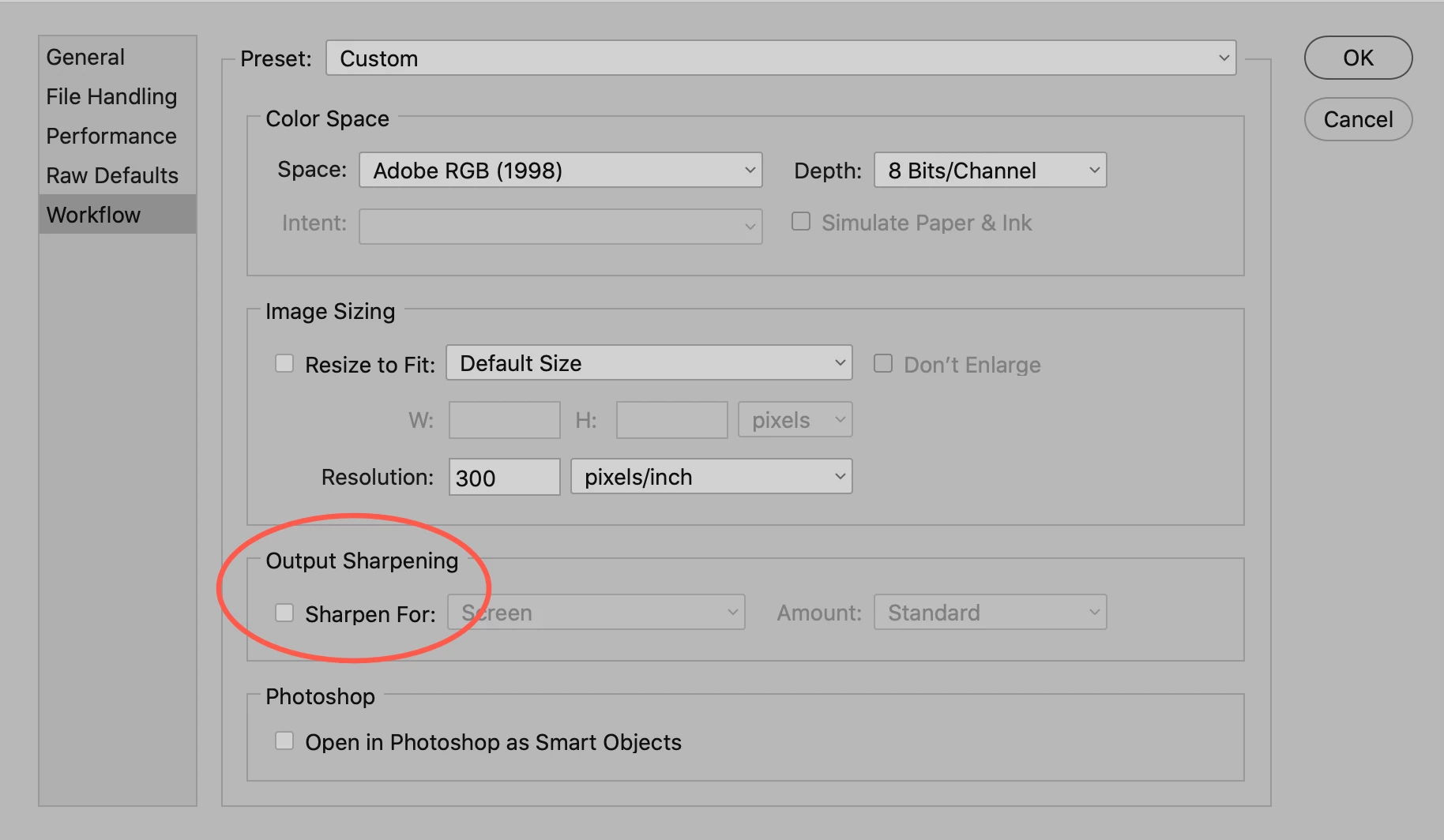
The option to not apply sharpening to images when processing them in Camera Raw seems to have dissapeared in 10.1.0.163.  How does one stop Camera Raw from applying sharpening to images sent to Photoshop?
This topic has been closed for replies.
Correct answer gary_sc

Tom,


What do you have this set to in ACR's Preferences?


2 replies

Sahil.Chawla
Adobe Employee
Adobe Employee
July 22, 2020

Thank you for sharing your concerns. Camera RAW has a different forum that is managed by the Camera RAW team. We request you to post this concern there. The link for it is: https://community.adobe.com/t5/camera-raw/bd-p/camera-raw

gary_sc
Community Expert
gary_scCommunity ExpertCorrect answer
Community Expert
June 19, 2020

Tom,


What do you have this set to in ACR's Preferences?


Participating Frequently
June 19, 2020

Gary,


I now have the box checked and the same as you show Screen and Standard.


Tom

gary_sc
Community Expert
Community Expert
June 19, 2020

Hi Tom,


Not sure I'm understanding you: If the box is checked, you will get sharpening and that's what I thought you did not want. If unchecked, it will not sharpen. If this box is checked, it will sharpen.


Isn't this the option you were looking for?


Please let me know.