
Answered
Size of photos has changed
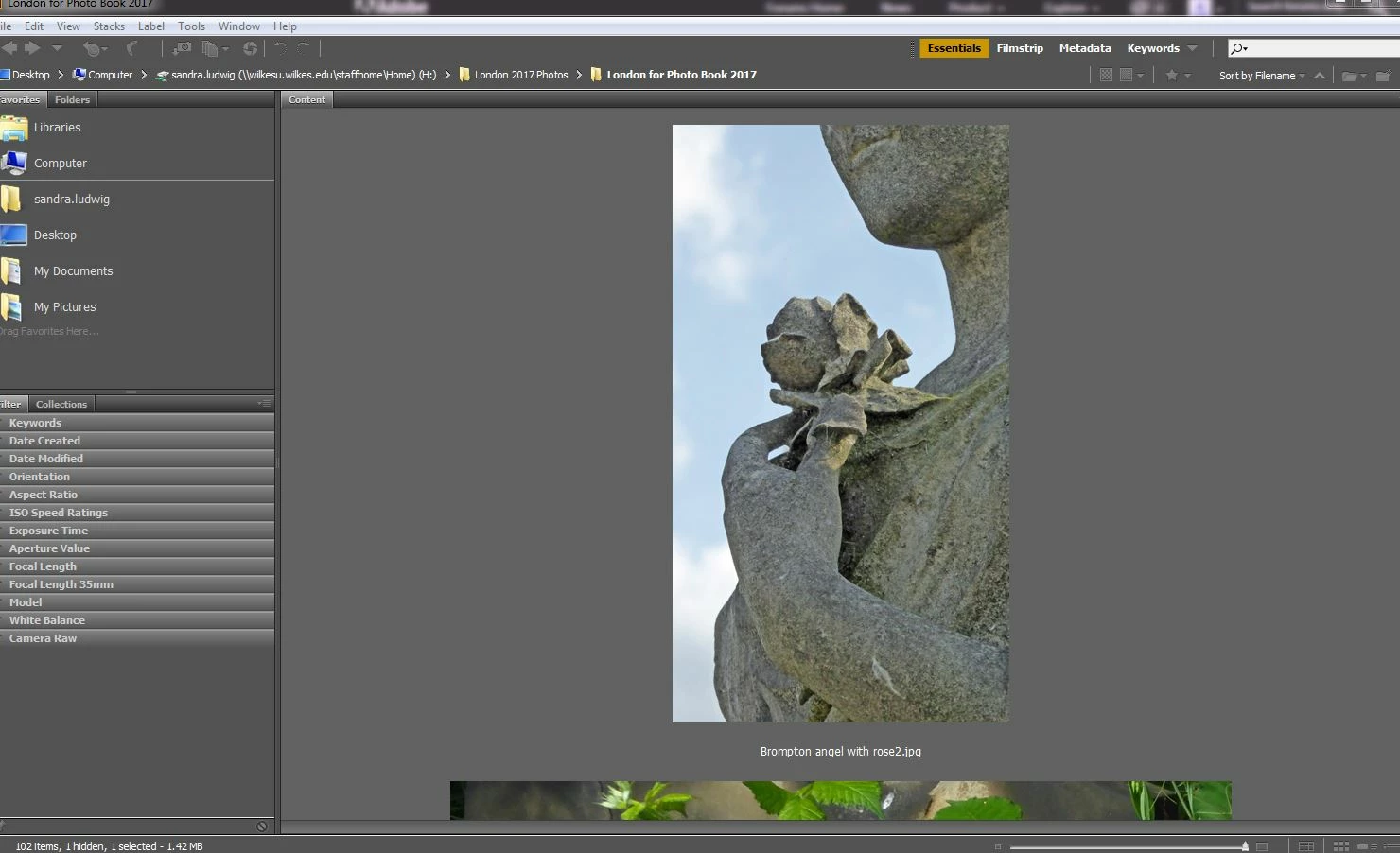
I have no idea what I have done. I'm using Bridge to put together an InDesign project, and I had all my photos as thumbnails in View. Granted, I thought these old eyes would benefit from a larger size of thumbnail.
However, while I was dragging a photo from Bridge to ID, I accidentally somehow got hold of the photo and made it way larger. Since I don't quite know what I did in the first place, I don't know how to make the preview photos smaller. I don't necessarily want them to be an inch or so high, as they were before, but I don't want them this big.
See screenshot:


 AdChoices