regmikewall
Inspiring
November 29, 2022
Answered

Smart Collection Viewing Issue

  • November 29, 2022
  • 1 reply
  • 935 views

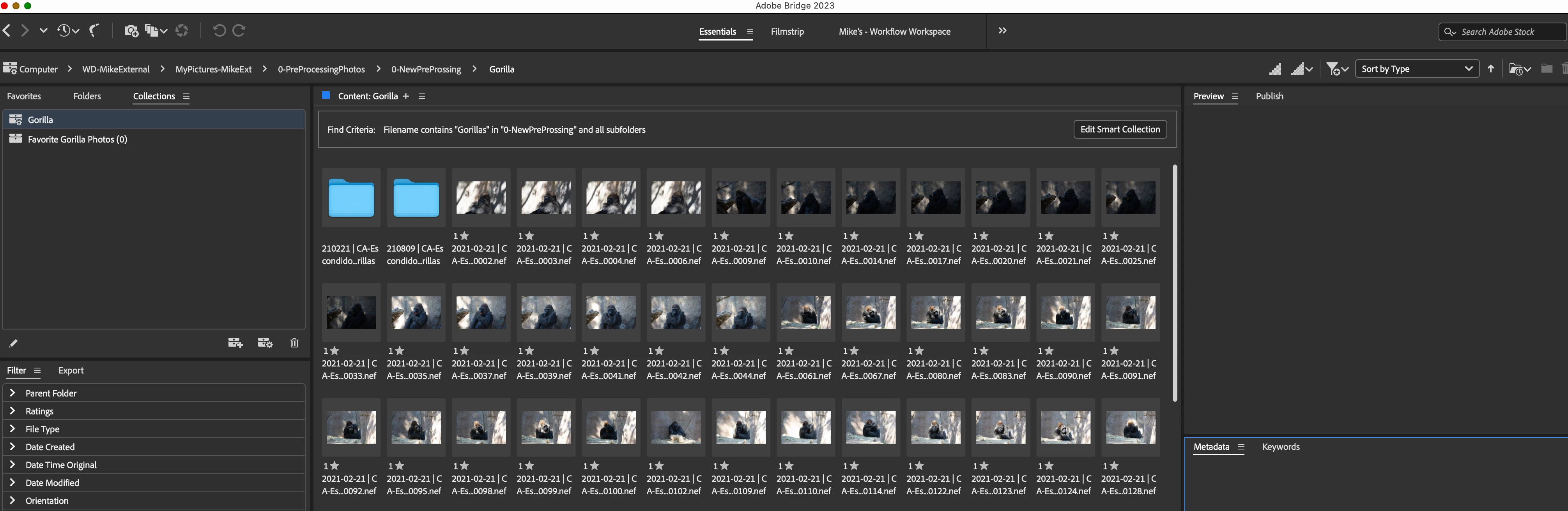
I have two folders in my Smart Collection, When I click on the "Smart Collection Folder 'Gorilla'" I see the two folders in the content window. when I clicked on the first folder, the photos in that folder showed up in the contect window, when I then clicked on the the "Smart Collection Folder 'Gorilla'" the two folders show up; however, the tumbnails of the photos in the first folder don't go away, they stay there (see attached).  Now when I click on the second folder and then double click folder in preview, the photos for that folder show up and then when I click on the "Smart Collection Folder 'Gorilla'" the two folder and the thumbnails from the first folder show in the Content window (same attachment)
Thank you in advance for your help


Michael
This topic has been closed for replies.
Correct answer regmikewall

OK, I'm glad you found the issue on your end. However, from your screenshots, you do not seem to be understanding what I was talking about. Here are some screenshots that should help:


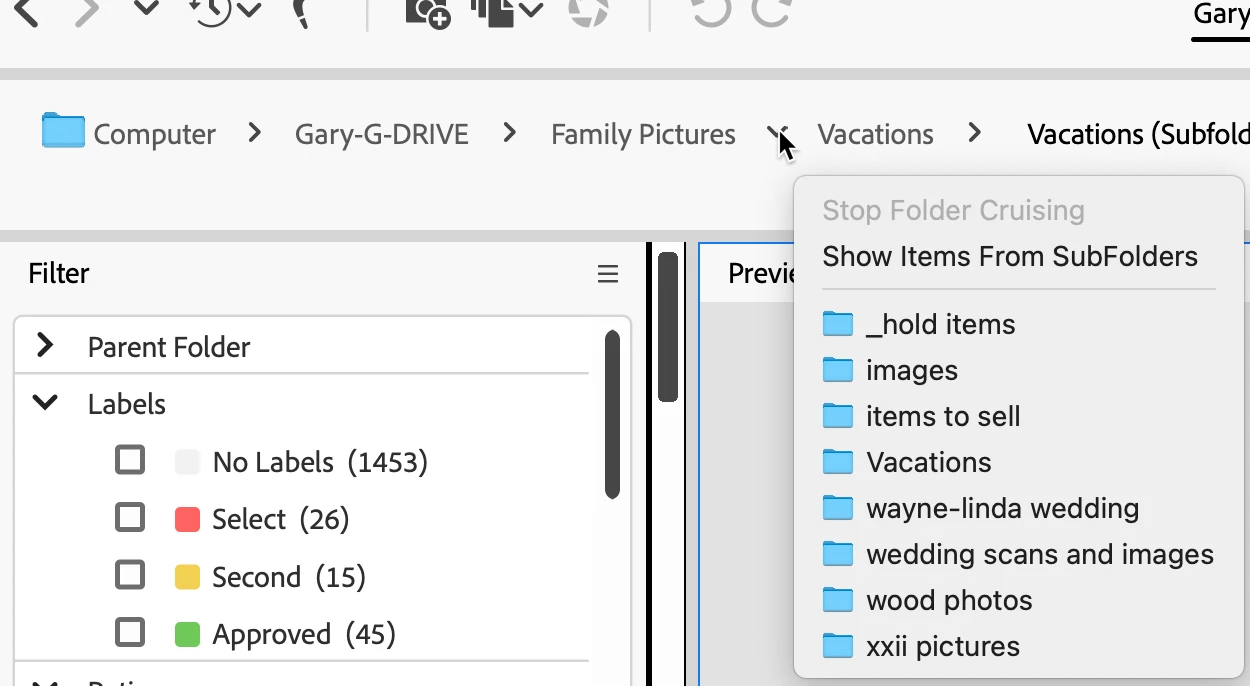
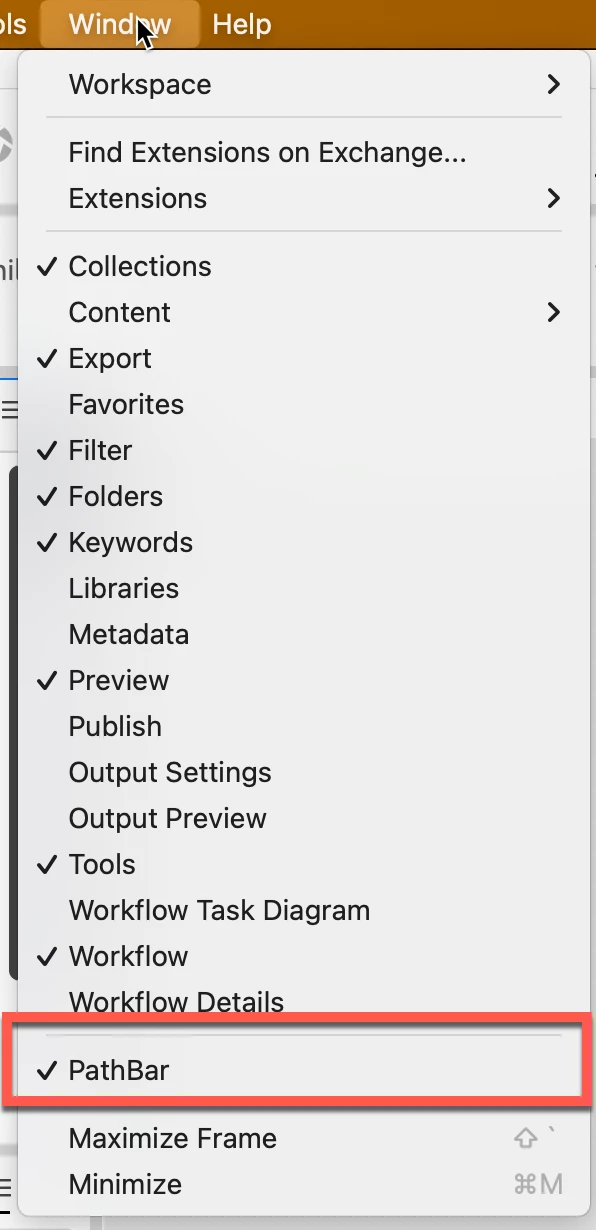
Almost on the bottom of the Window menu, you'll see Path Bar. If that is checked (see next screen shot)


You'll always have a "bird's trail" of where you are in any given folder structure.


At any "carrot," you can left-click, and from there if you select "Show Items From SubFolders." every folder visible in that dropdown will show the folders AND any images they contain.


It was this last issue I thought was your issue: you will see the folders AND the content. Somewhere along the line, I didn't pick up that you had a collection of "found items." Not, as I assumed, just viewing several folders.


HTH


Gary


Thank you, I misunderstood you, thank you for clarifying.  As I said the smart collection for Gorillas not only showed all folders with "Gorillas" in subfolders names, but also all photos in each subfolder with "Gorillas" in their names; However, with a little more searching, I found the actual cause was when I created the smart collection, I clicked "include subfolders",  I unchecked it and then created another smart collection, open and closed the folder and low & behold the thumbnails did not stay visible, problem solved


Again thank you for help


Michael

1 reply

gary_sc
Community Expert
Community Expert
November 29, 2022

Hi @regmikewall 


See if this is checked or not. (Left-click)

regmikewall
Inspiring
November 29, 2022

It say "Always ...." see attached.  Did not click anything, where do i go to change the setting on my iMac/Bridge 2023


Here is another screenshot of the "View" drop down menu"

gary_sc
Community Expert
Community Expert
November 29, 2022

Do you have the Path bar showing (Window menu, bottom of selections Path Bar). I'm not sure you're clicking in the right area. If you click in a path bar before the last folder (that has multiple folders, you'll recognize my screenshot.