

Suddently, can't search in Bridge anymore - No results
Hey guys!
So I was searching all over the Internet to find something to fix my problem and I didn't find so... here I am!
Basically, I was able to search pictures (Which have keywords attached to them) last week. This morning, as I walk into my office, I couldn't search anything anymore.
"No results" was the only thing I could see on the screen.
Now, I tried searching many things like file names, key words, folder names. Nothing appears.
The only thing I was able to do is no manually navigate into my "Photos" folder and opening the folders one by one made them appear in Bridge.
Now, I must tell you that there's probably around 400 folders dispatched in my "Photos" folder. So you can see it would be crazy to open them one by one, I would be loosing so much time!
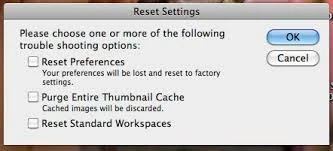
I tried to erase the cache and reset préférences, it was not working.
Is there a function in Bridge that could say "See that folder? Index it for me please. Like Now." ?
That would be awesome. I really don't understand how indexing is working in Bridge. Can someone explain it to me?
Thank you very much,
I'll be waiting for your feedback.
Francis



 AdChoices