
Together In Time Photo
Participant
March 4, 2022
Answered

Tags not showing in Bridge

  • March 4, 2022
  • 2 replies
  • 342 views

Hi good People!


I hope you are all well!


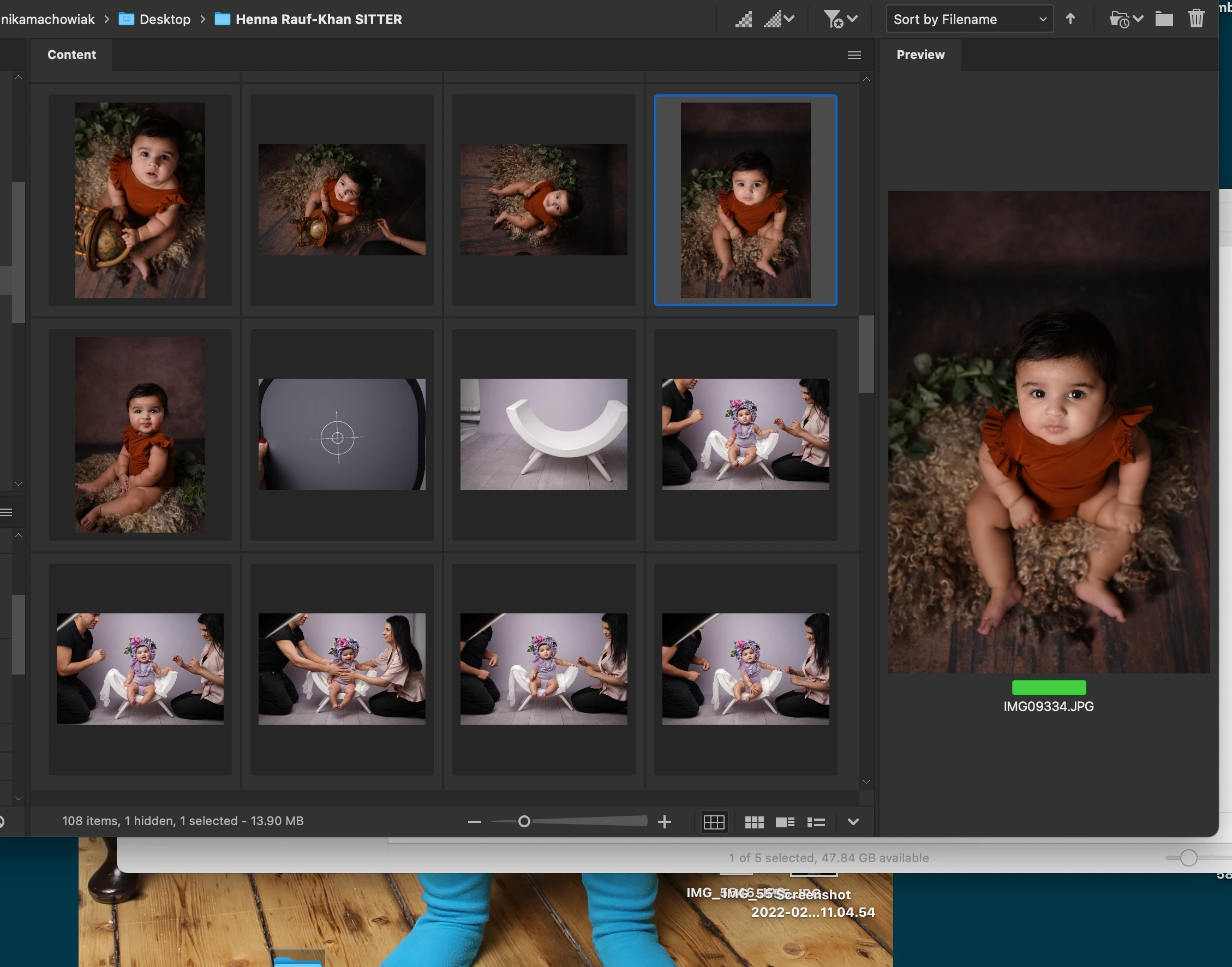
I have a problem with my bridge- the middle section where the images are is not showing me my tags under the photo- it does show it however on the righthands side under selected photo. Something must have changed but I need old way back! Any ideas how?
 

Thanks!


Nika

This topic has been closed for replies.
Correct answer Stephen Marsh

Preferences > Thumbnails > Details and check the boxes for additional lines of thumbnail metadata.

2 replies

Stephen Marsh
Community Expert
Stephen MarshCommunity ExpertCorrect answer
Community Expert
March 7, 2022

Preferences > Thumbnails > Details and check the boxes for additional lines of thumbnail metadata.

Participant
March 7, 2022

That worked too! thanks


gary_sc
Community Expert
Community Expert
March 4, 2022

Hi Nika,


Try going to the Windows menu -> Workspace -> Reset Standard Workspaces.


Let us know how it works.

Participant
March 7, 2022

yes! Thank you!