


Participant
Feb 2, 2024 1:40 PM UTC
Question

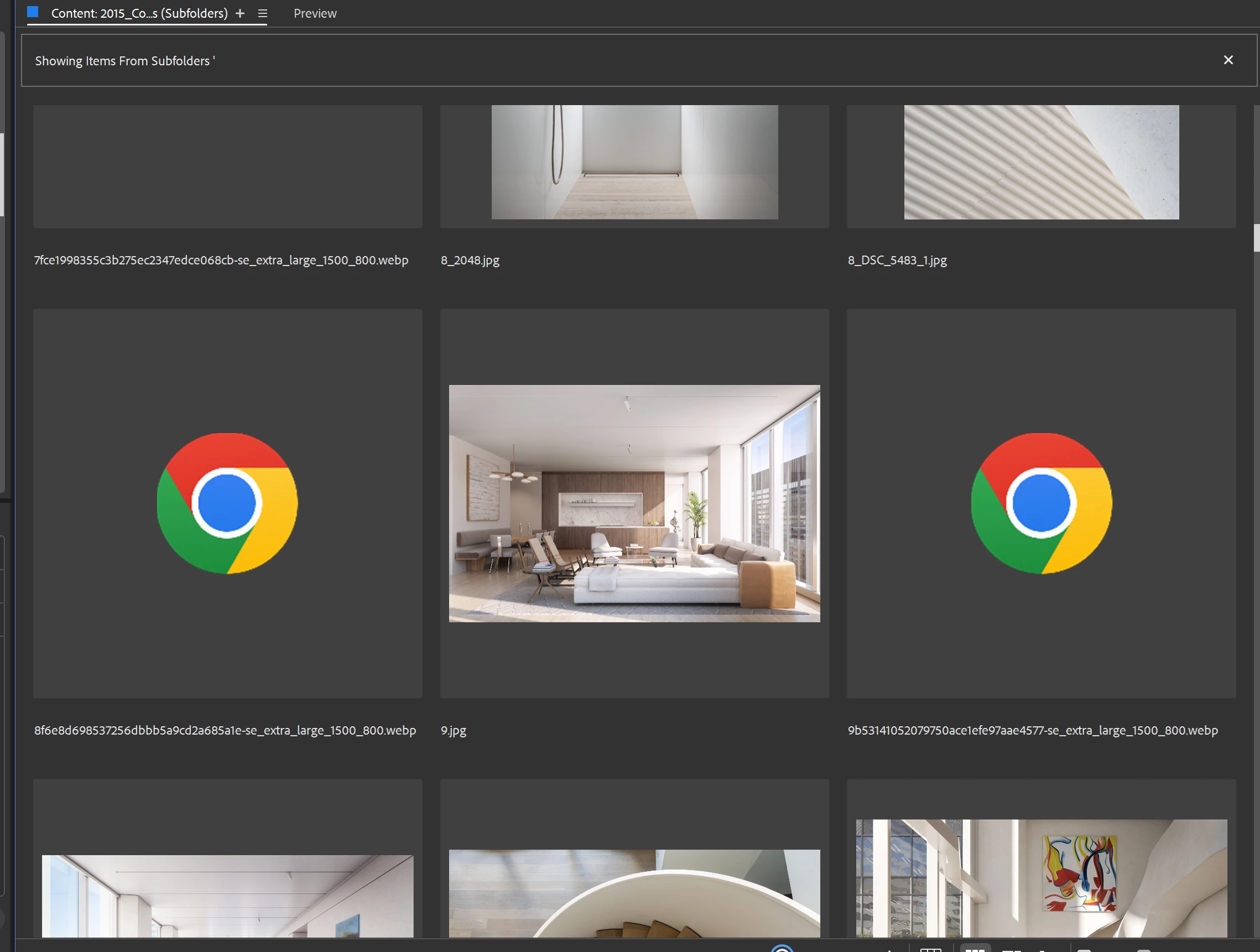
Thumbnails for webP images

How can I add support for webP images? This seems like a pretty standard image format. Not sure why this isn't standard in Bridge. Pretty annoying that I can't see these previews in Bridge or on Windows. . . that is one of the core functions of Bridge, visually  browsing images PDF etc in a variety of formats. 


8 replies

Participant
May 6, 2024 10:44 PM UTC

Shocking, positively shocking. A format introduced over 10 years ago and used all over the internet does not have a thumbnail or preview in the latest Bridge 2024.

There was not even an apology from Adobe.

Translate
Legend
May 7, 2024 1:37 PM UTC

WebP is already obsolete and never got mass uptake. I expect it to fade out as formats like HEIC and AVIF are phased in. And it works here even in Bridge 2022.

Translate
Participant
May 7, 2024 5:41 PM UTC

Tried Bridge 12.0.4 (2022) and 13.0.7 (2023) - they all open webp but don't give a thumbnail view on Windows 11. What's a big deal to make a thumbnail or preview anyway?

Translate
Participating Frequently
Mar 25, 2024 9:46 PM UTC

Personally,
If I were Adobe, I'd be embarrassed to ask customers to pay as much as we pay every month and not support a "semi" modern image format. Perhaps by the time webp4 comes out they will support thumbnails for the original webp format?

Translate
Stephen Marsh
Community Expert
Community Expert
Feb 3, 2024 4:54 AM UTC

Support for saving in WebP in Photoshop was only added in version 2022, despite the format existing for years.


Things take time I guess!

Translate
Legend
Feb 2, 2024 7:38 PM UTC

Works fine on the Mac, all the way back to Bridge 2022.

Translate