
UI artifacts and errors
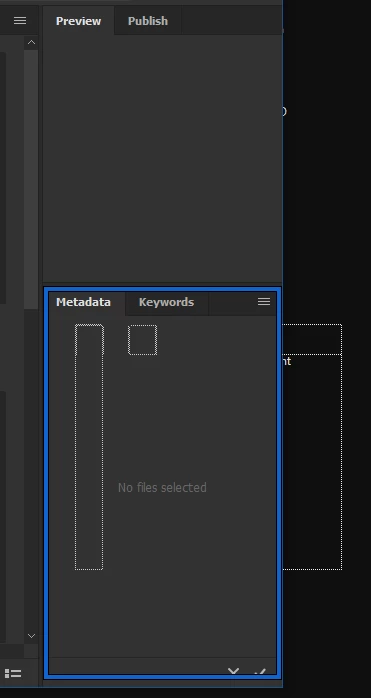
When I drag palettes in Bridge to dock somewhere else the UI trembles and I get these stippled borders that goes both behind the application edges and inside them. When I open folders the sub folders and the content open very slow. Like it's a web only application with capacity issues. Bridge also keeps shutting down on me and I find it unstable to run in general. It's sluggish and responds slow. When I use any other file browser like Acdsee or IrfanView they appear so much faster and renders the UI with no problems at all. I'm on a brand new Windows 10 work station with Intel i9-9900K CPU and NVIDIA GeForce RTX 2070. All drivers are up to date. OS is up to date. All CC apps are up to date.
I've always had issues with Bridge no matter what machine or configuration I'm on. I've had numerous Windows machines and there's always something going on with bridge in terms of stability issues and UI errors like this and similar. What's going on with this program?! Should Adobe just ditch the whole project and leave us with something less messy perhaps? Something lighter, faster and smoother would be nice as Bridge does come off as very sluggish.


 AdChoices