
nigelb42329171
Participating Frequently
January 17, 2020
Answered

Unable to change "Open With" in preferences

  • January 17, 2020
  • 1 reply
  • 513 views

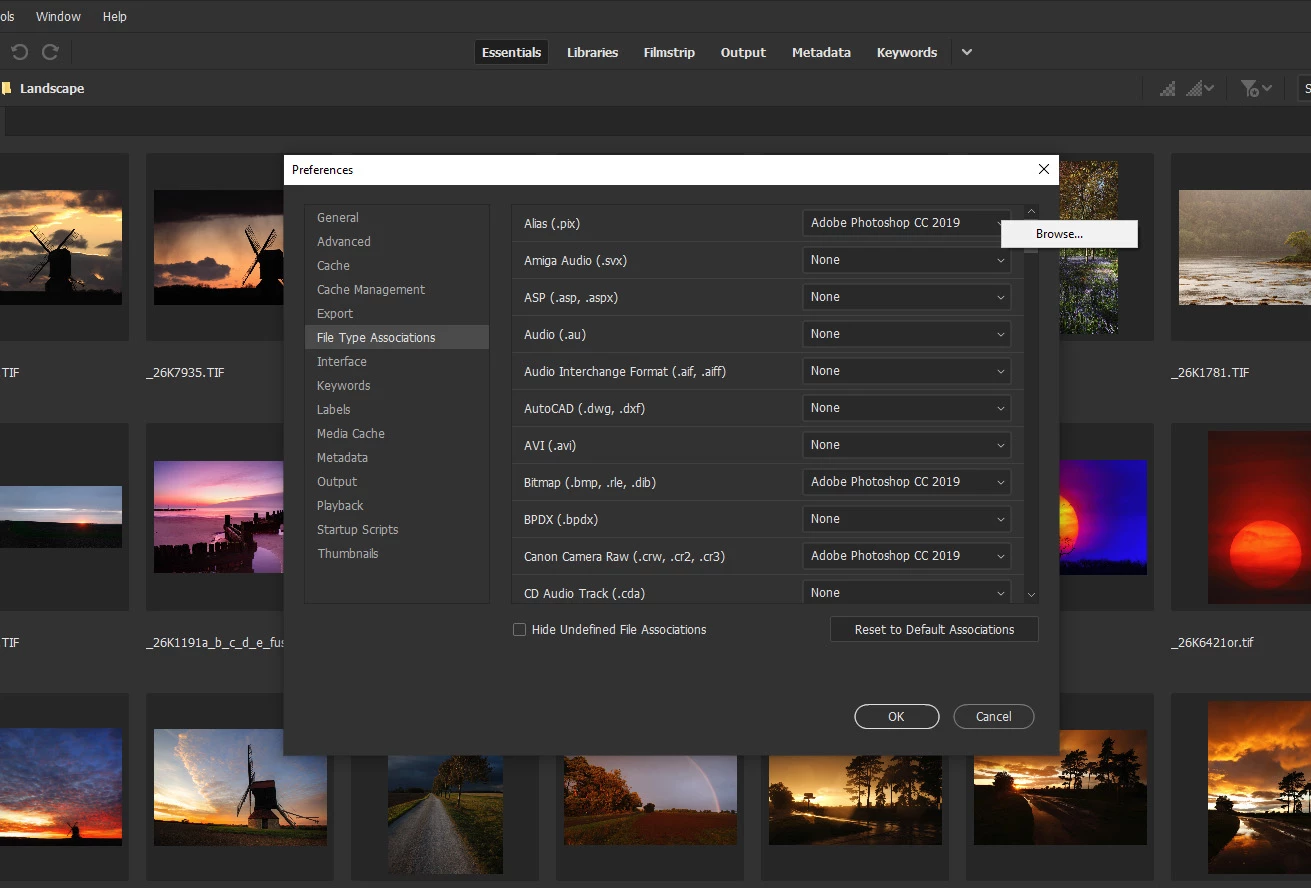
I have updated to the latest versions of Photoshop and Bridge, however clicking on the files in Bridge still launches Photoshop 2019 and I cant find any way of reseting the default to CC2020, the file associations in preferences only offer Photoshop2019 but or a "Browse" box instead of a dropdown menu of alternative programs, please see the attached picture.

Many thanks in advance for any help with this issue.
This topic has been closed for replies.
Correct answer jbm007

Re install PS 2020

1 reply

jbm007
Community Expert
jbm007Community ExpertCorrect answer
Community Expert
January 17, 2020

Re install PS 2020

nigelb42329171
Participating Frequently
January 17, 2020

Many thanks I did think that might be the solution, all done and fixed.

Thank you!

nigelb42329171
Participating Frequently
January 17, 2020

And the Nik Pro Plug-in is working properly again also now I've reinstalled PS2020.