Participant
Mar 31, 2020 12:00 AM UTC
Answered

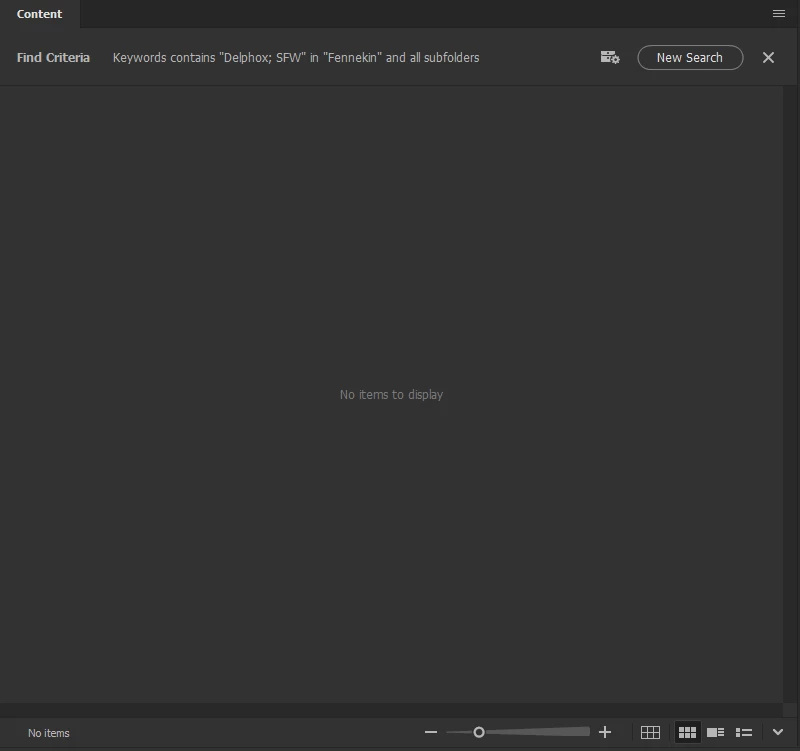
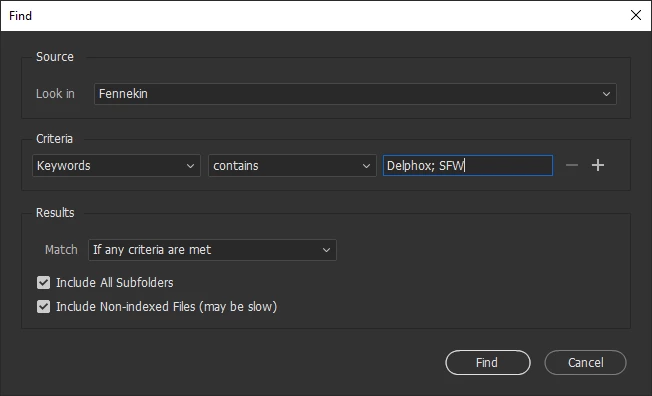
Unable to find file with two keywords

Please, add feature to search files with two or more keywords


This topic is closed to new replies. Start a new post to keep the conversation going.
Stephen Marsh
Stephen MarshCorrect answer
Community Expert
Mar 31, 2020 9:20 PM UTC

First file - Delphox; SFW
Second file - Braixen; SFW
Third file - Fennekin: SFW

Filter by Delphox and SFW instantly adding Braixen and Fennekin keywords because files with Braixen and Fennekin keywords have SFW keyword, this is what i don't need


Using a combination of both the Find command and the Filter panel should isolate only the files you need.

7 replies

Stephen Marsh
Community Expert
Community Expert
Mar 31, 2020 1:49 AM UTC

Try something like this instead:


Translate
FenFinitAuthor
Participant
Mar 31, 2020 6:13 AM UTC

Still adding files with other keywords

Translate
Legend
Mar 31, 2020 5:38 PM UTC

Yes that's how it works. Use the filter panel to exclude keywords you don't want.

Translate
Stephen Marsh
Community Expert
Community Expert
Mar 31, 2020 1:39 AM UTC

Sadly you will need to make a separate post at the following link as this forum is generally not monitored by engineers or product managers:


https://feedback.photoshop.com/photoshop_family/categories/photoshop_family_bridge

Translate