
Participant
June 23, 2020
Answered

Update to Bridge

  • June 23, 2020
  • 2 replies
  • 354 views

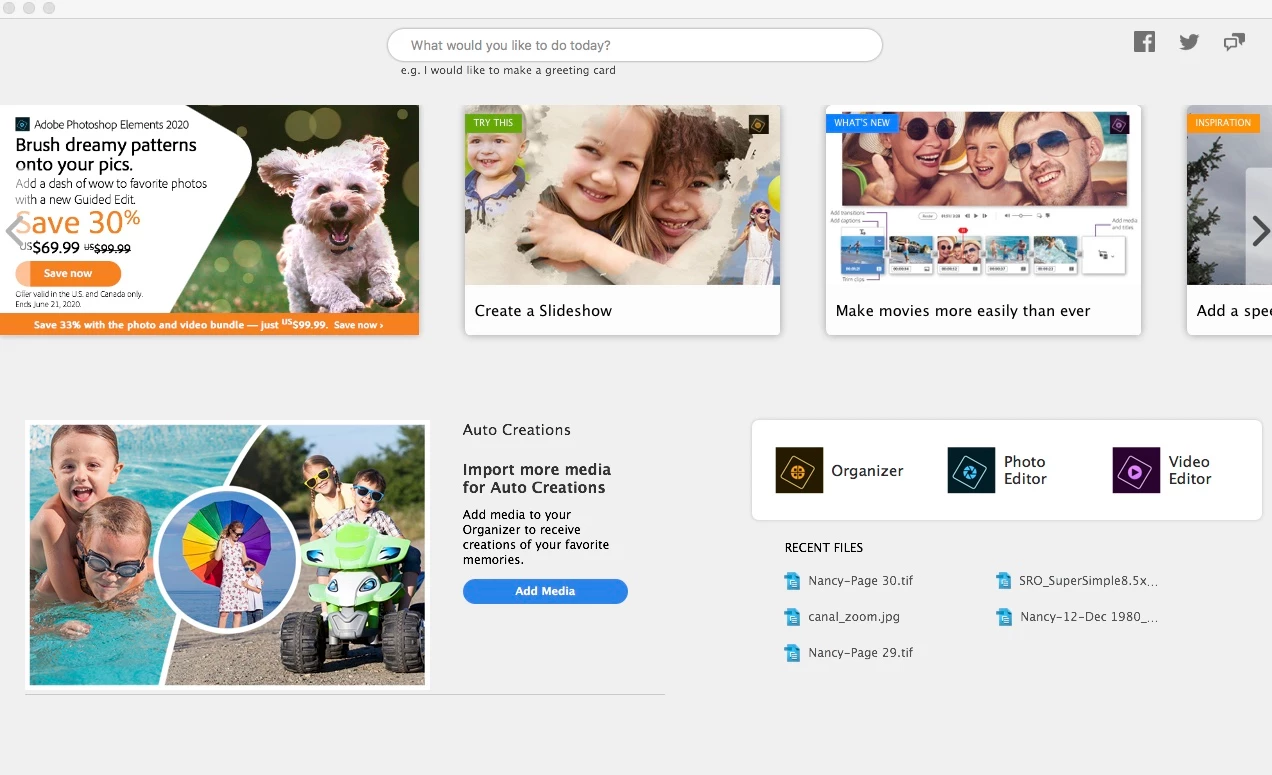
I guess it's time to update Bridge. I have CS4 that I've used for quite a few years without a problem. Now, whenever I select an object/photo in Bridge and want to open with PSE 2019, I get an unwelcome screen asking me what I want to do today. Where can I download a stable version of Bridge? I'm not interested in Creative Cloud. Thanks for helping. BTW, I'm a Mac user: version 10:13:6
This topic has been closed for replies.
Correct answer gary_sc

HI RudysFirst,


Bridge is not designed to work with PSE, only PS. 


You can either start using PSE, or get one of the PS plans. If you want to stay with Adobe, those are the only two optios you really have.


Sorry,


2 replies

paolob7209194
Inspiring
June 23, 2020

Hi Rudy 

Unfortunately Elements works with photoshop... 

I think you can upload to a photography plan annually the price is not too much like the suite. You encounter some problems with photoshop beacuse it linked with bridge and camera raw (in photoshop there's a function called minibridge)

Same update version less compatibility problems. 

I hope it will useful 

Paolo Barbuto Photographer
gary_sc
Community Expert
gary_scCommunity ExpertCorrect answer
Community Expert
June 23, 2020

HI RudysFirst,


Bridge is not designed to work with PSE, only PS. 


You can either start using PSE, or get one of the PS plans. If you want to stay with Adobe, those are the only two optios you really have.


Sorry,