
meganf59103457
Participant
February 14, 2017
Answered

Using Adobe Bridge with Box Sync
  • February 14, 2017
  • 1 reply
  • 1288 views

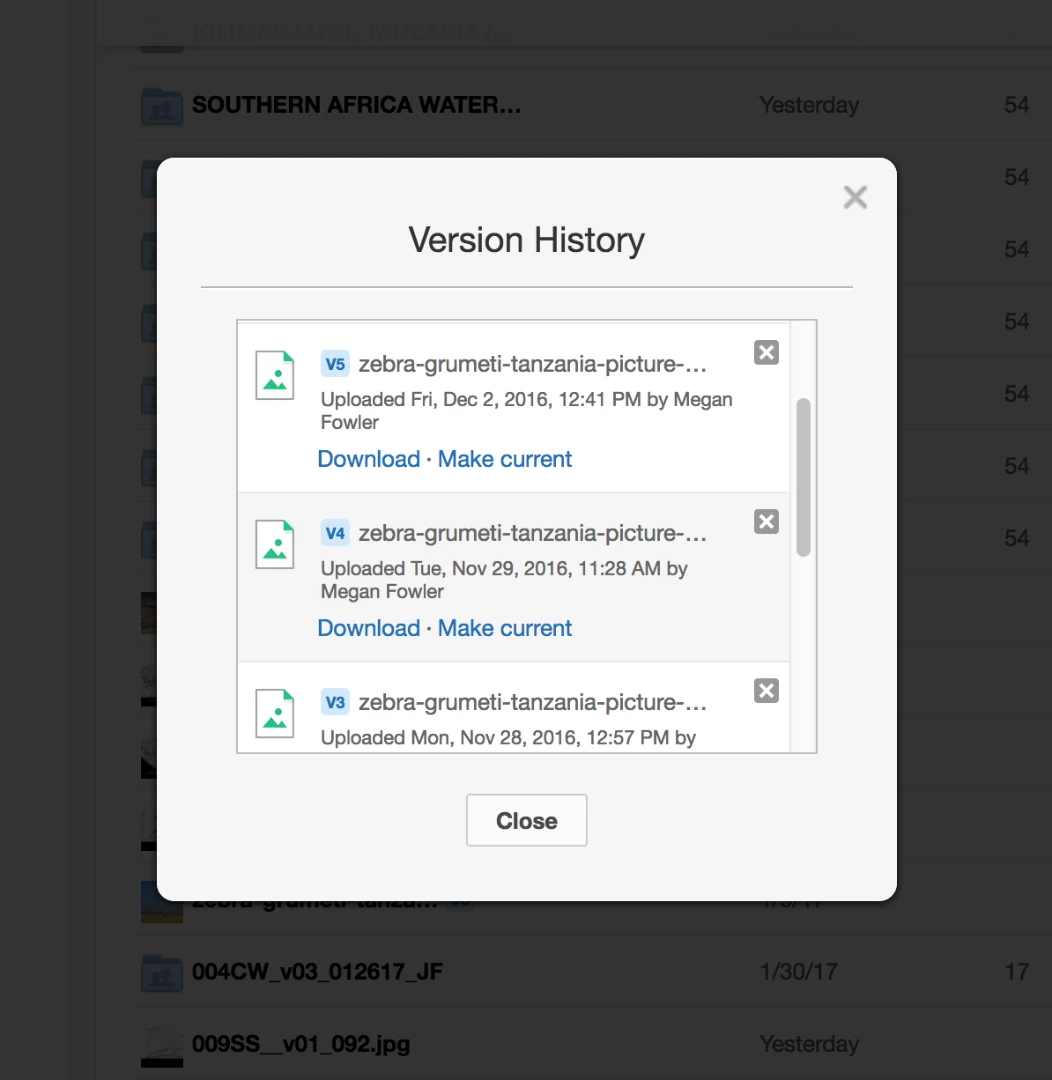
We have a team that is dealing with thousands of photos/videos, and we are using Bridge and Box sync together. Our workflow is that we view our box sync folder through adobe bridge to sort/search/tag photos. However, in our box sync we are seeing many versions of photos (ie: noted as V2, V6). We do not technically "edit" these photos, only added a few tags for initial uploads. Does adobe save a new "version" of a photo every time it is pulled up? or perhaps someone on our team has opened files in photoshop? Anyone else had problems with duplicates?

I've also asked box sync but really no luck there. Any advice is helpful if anyone has dealt with simultaneous syncing/sharing/"editing"!!! thank you!

This topic has been closed for replies.
Correct answer Sahil.Chawla

Hi Meganf,

Photoshop or Bridge does not automatically create copies of images. I would advise you to please check if someone else has access to the images, who might have edited a few of them in photoshop. And as far as I'm aware of, it is a first of its kind issue.

Regards,

Sahil

1 reply

Sahil.Chawla
Adobe Employee
Sahil.ChawlaCorrect answer
Adobe Employee
February 16, 2017

Hi Meganf,

Photoshop or Bridge does not automatically create copies of images. I would advise you to please check if someone else has access to the images, who might have edited a few of them in photoshop. And as far as I'm aware of, it is a first of its kind issue.

Regards,

Sahil