Inspiring
July 4, 2018
Answered

What determines the size of the image in Bridge?

  • July 4, 2018
  • 2 replies
  • 701 views

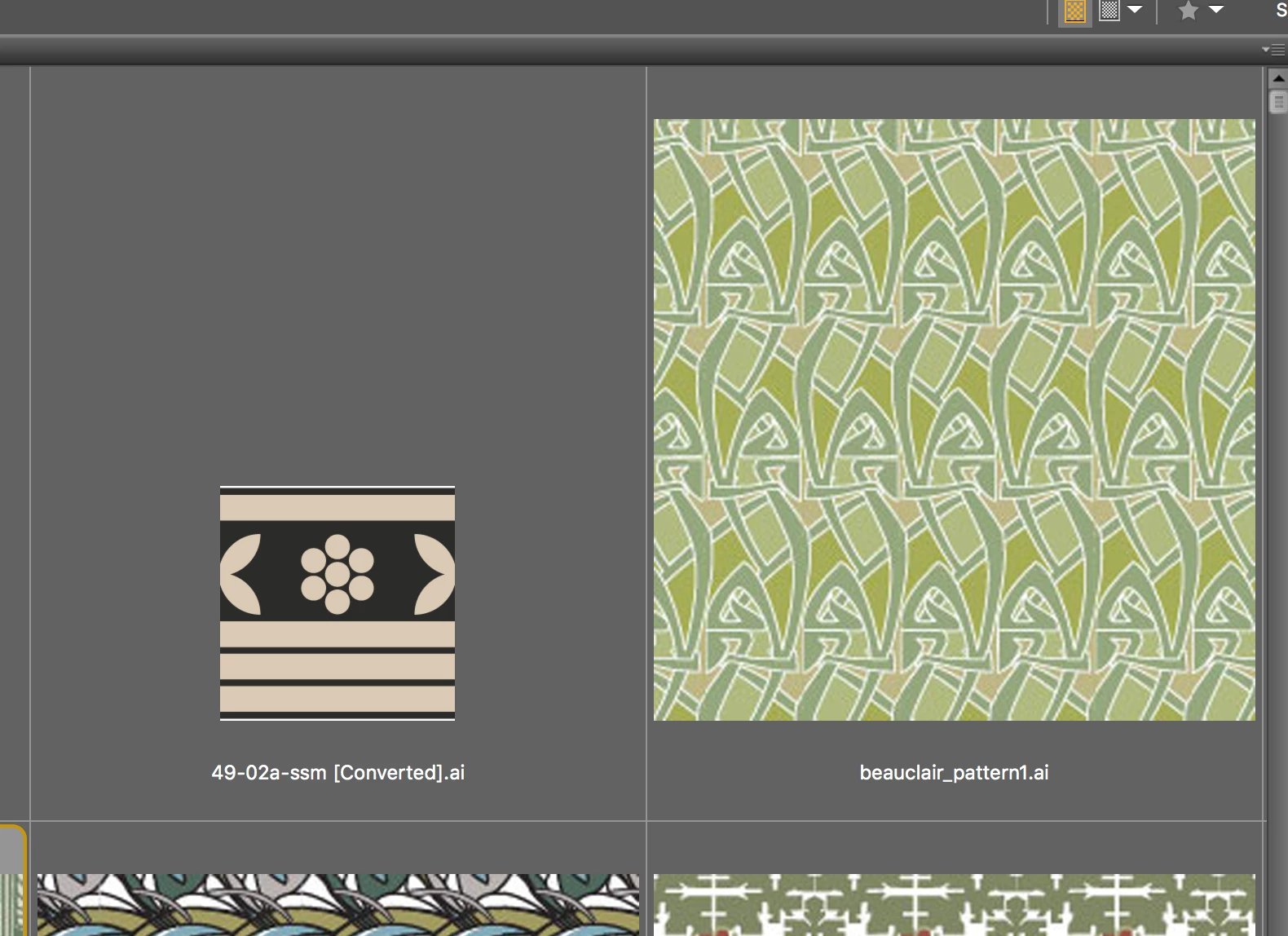
This screen shot is from Bridge:

The artboard for the file on the left is 4"x4". For the file on the right, it is 1.7" x 1.7". So why do I get the large preview for the smaller artboard?

    This topic has been closed for replies.
    Correct answer Norman Sanders

    Can you explain to me how I change the "resolution" of my Illustrator files to produce a more consistent result in Bridge?


    I assume you have Photoshop and the image is a Smart Object. Change the resolution there if your sole objective is to have two images appear the same size in Bridge. 

    2 replies

    Theresa J
    Community Expert
    Community Expert
    July 6, 2018

    Bridge is viewing the preview of the Illustrator file. The smaller one on the left is from and older version of Illustrator and was probably saved with a different preview setting. Unfortunately I don’t know off the top of my head what the setting is. I would try re saving it to a new file.

    Norman Sanders
    Legend
    July 5, 2018

    Compare image resolution of each.

    Inspiring
    July 5, 2018

    These are Illustrator files - doesn't that mean they have no resolution or are independent of the concept of resolution?

    Norman Sanders
    Legend
    July 5, 2018

    Here are two images of identical size viewed in Bridge: View > Review Mode (Cmd+B).

    Note the difference in resolution. Left: 300 ppi. Right: 72 ppi