
Participant
February 9, 2019
Answered

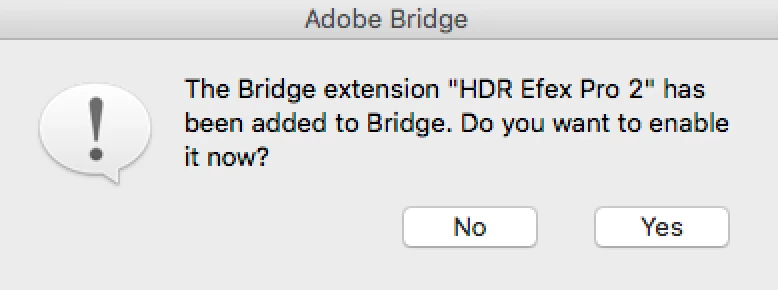
Where is this phantom Extension so I can delete it?

  • February 9, 2019
  • 2 replies
  • 305 views


I had NIK filters on an old drive and mistakenly tried to install them. They didn't work and I decided I wanted them gone. I deleted everything I could find associated with NIK and this pops up EVERY SINGLE TIME I open Bridge. It doesn't matter if I say No or Yes, it still pops up.
Where might HDR Efex Pro 2 be hiding on my HD so I can delete it? Thanks!!

    This topic has been closed for replies.
    Correct answer Stephen Marsh

    I’m guessing it is a Startup Script, so:

    Open Bridge’s preferences dialog

    Under Startup Scripts, uncheck the box next to the script to disable it

    Click the "Reveal My Startup Scripts” button and move or trash the script to permanently remove it from Bridge

    2 replies

    Participant
    February 9, 2019

    Oh my gosh THANK YOU! You are fantastic. It's fixed after a month of driving me nuts. Never thought to check the Preferences. Thanks again!

    Stephen Marsh
    Community Expert
    Stephen MarshCommunity ExpertCorrect answer
    Community Expert
    February 9, 2019

    I’m guessing it is a Startup Script, so:

    Open Bridge’s preferences dialog

    Under Startup Scripts, uncheck the box next to the script to disable it

    Click the "Reveal My Startup Scripts” button and move or trash the script to permanently remove it from Bridge