Participant
June 3, 2024
Answered

Why can't I open my JPG images in Camera Raw via Bridge?

  • June 3, 2024
  • 2 replies
  • 332 views

I have a subscription to InDesign, Photoshop and Lightroom. Why can't I open my JPG images in Camera Raw via Bridge?

This topic has been closed for replies.
Correct answer Erik Bloodaxe

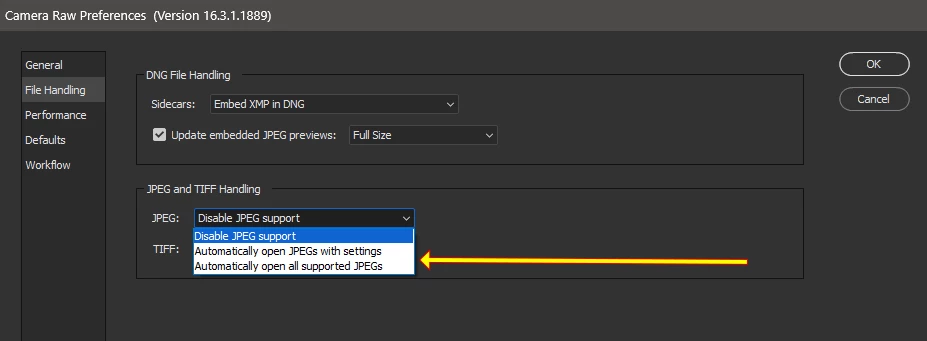
Try Camera Raw Preferences, under File Handling and enable JPEG support.


2 replies

gary_sc
Community Expert
Community Expert
June 3, 2024

Besides, Erik's information, if you only want to open selected JPGs and TIFs on an as-needed basis, you can always right-click and select Open in Camera Raw. 


Just be aware that ACR will not work for TIF images with layers. If you have a TIF image with layers you need to flatten the image first, and then Purge the cache for that folder from the Tools menu. Then you'll be in a good place.

Erik Bloodaxe
Erik BloodaxeCorrect answer
Legend
June 3, 2024

Try Camera Raw Preferences, under File Handling and enable JPEG support.