
Answered
Why do jpg images sent to Bridge from ACR not showing?
Very strange. Jpgs, when exported to Bridge from ACR show as a gray screen. Yes, the photos are still there, and I can reopen them in Camera Raw. I can even see them clearly in Explorer. Here's a print screen of Bridge from today.....
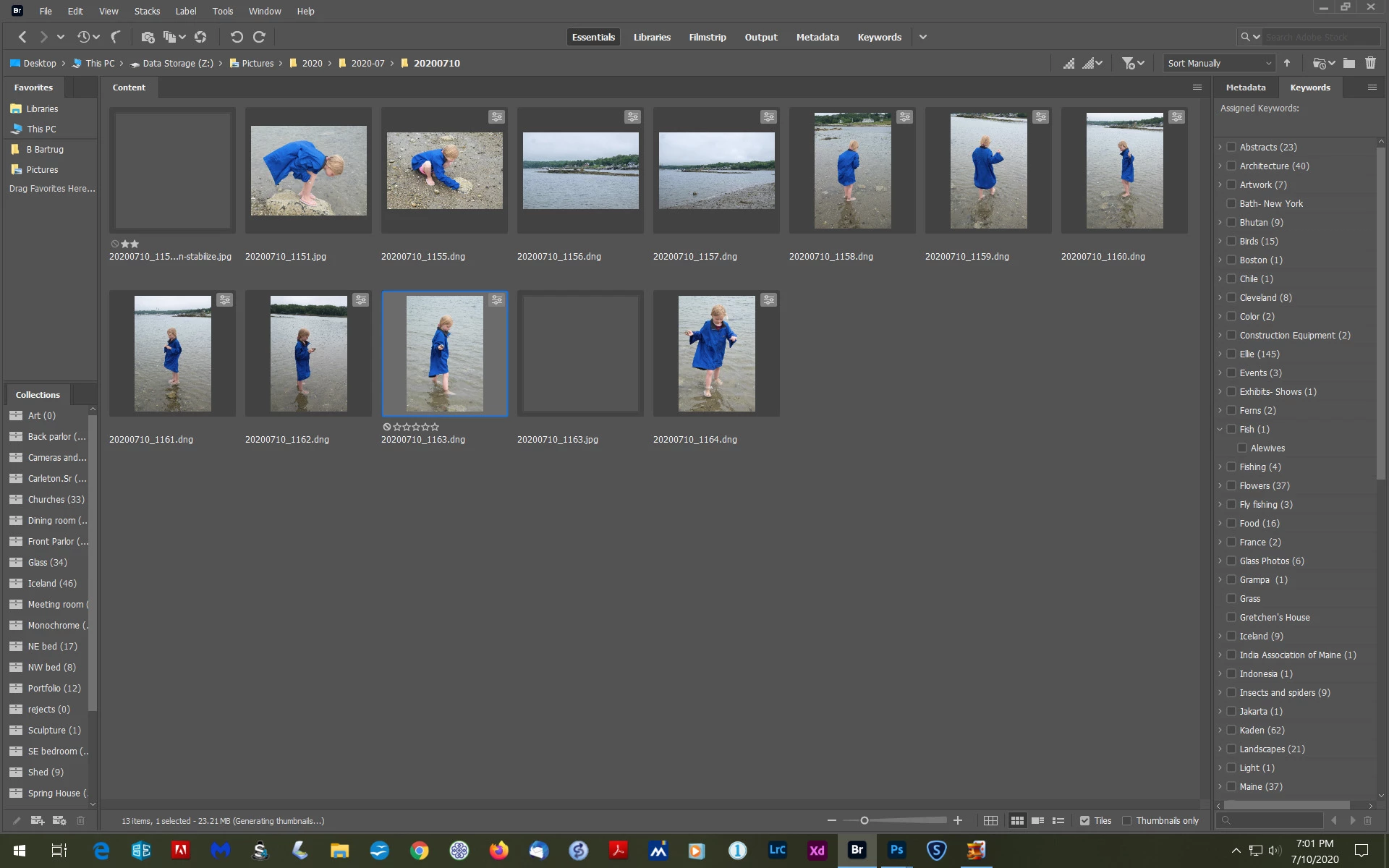
You can see the missing images, that are not really missing, they are just blanked out.
Also, and this may be the same problem (?) but when I save a photo as a .jpg, I often have to add the jpg after the dot. I hope that makes sense.
I'm using CC 2020 and it's updated. Windows 10 version 2004, also updated. Computer is a Dell XPS 8700 with an i7 processor and 24gb of RAM.
If you're super busy, take your time with this, as I can use everything. Just can't see everything.
Thanks,
Bruce B



 AdChoices