This topic has been closed for replies.

1 reply

Rob_Cullen
Community Expert
Community Expert
March 12, 2024

What is the dimension 'Ratio' of the original file you are re-sizing?

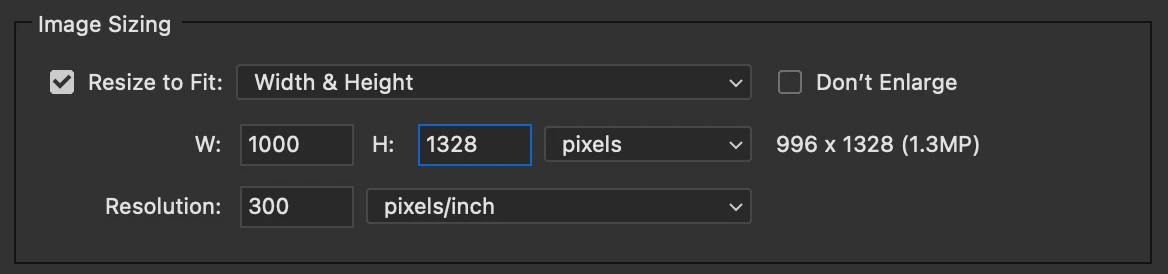
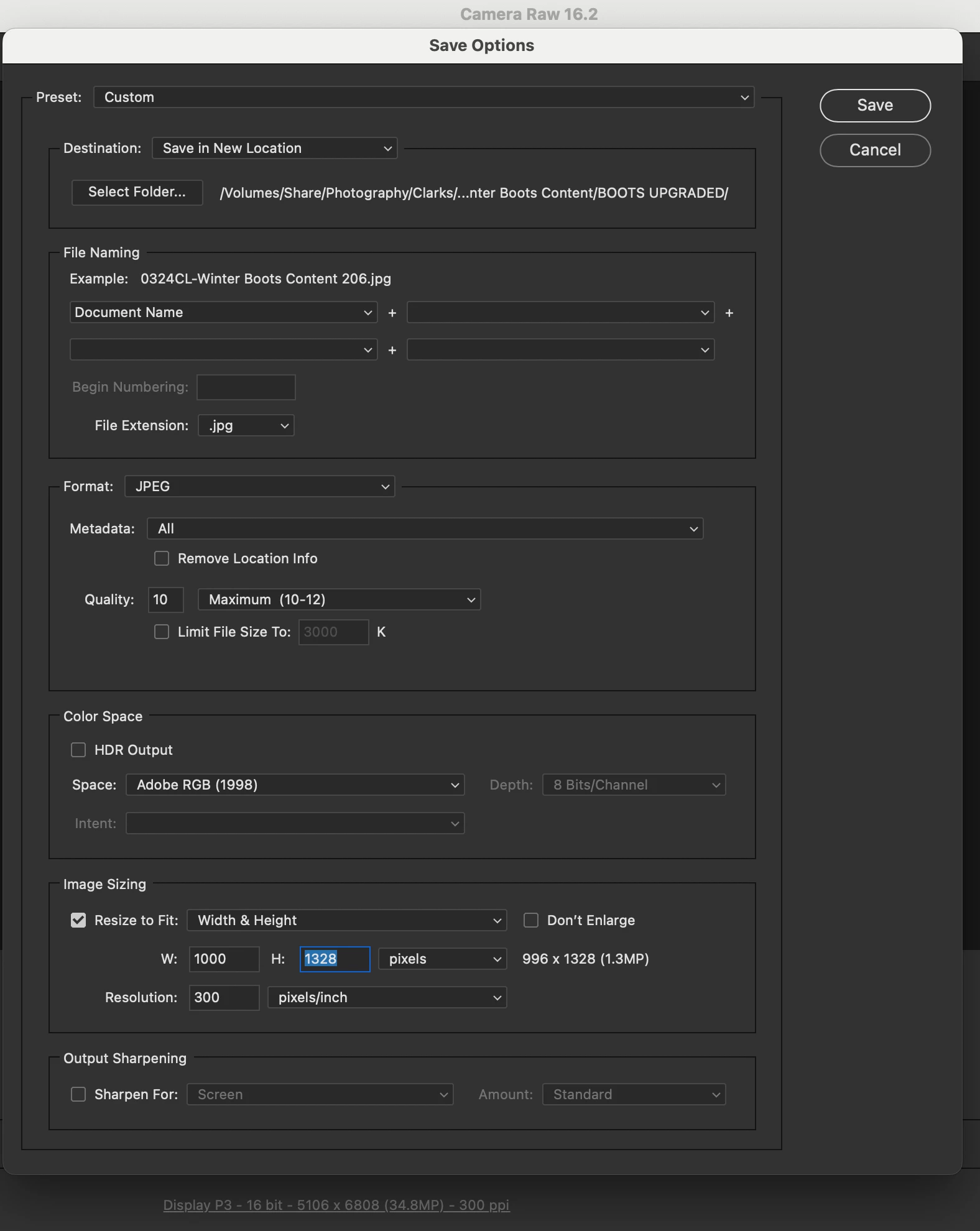
If it is 3:4,  (a common camera ratio) then Resizing -"...to FIT"  will give you a 3:4 ratio result. ie 996x1328. Keeping the ratio the same.

The new image 996x1328 FITS within your suggested limits 1000x1328 for the new resized file.


Regards. My System: Windows-11, Lightroom-Classic 15.1.1, Photoshop 27.3.1, ACR 18.1.1, Lightroom 9.0, Lr-iOS 10.4.0, Bridge 16.0.2 .
Participant
March 13, 2024

Ahhh so its not possible to resize the image to exact pixel dimentions this way? Because when I go to crop the image I also put these dimentions in and it assumes the ratio I want rather than letting me use the exact size. 

Rob_Cullen
Community Expert
Community Expert
March 14, 2024

Yes, not possible in Camera Raw (a parametric editor).  Consider the Dimensions you enter for the Re-size as a  'BOX' that your new image must FIT within. So regardless of your Dimension numbers, the resized image will always be the same 'Ratio'  (3:4  996:1328 in your case)

If you want an exact pixel dimension you will need to [Open] the image in Photoshop (or another pixel editor) and resize the 'Canvas' to your exact pixel dimensions (by a crop).
 

Regards. My System: Windows-11, Lightroom-Classic 15.1.1, Photoshop 27.3.1, ACR 18.1.1, Lightroom 9.0, Lr-iOS 10.4.0, Bridge 16.0.2 .
