
Inspiring
November 21, 2023
Question

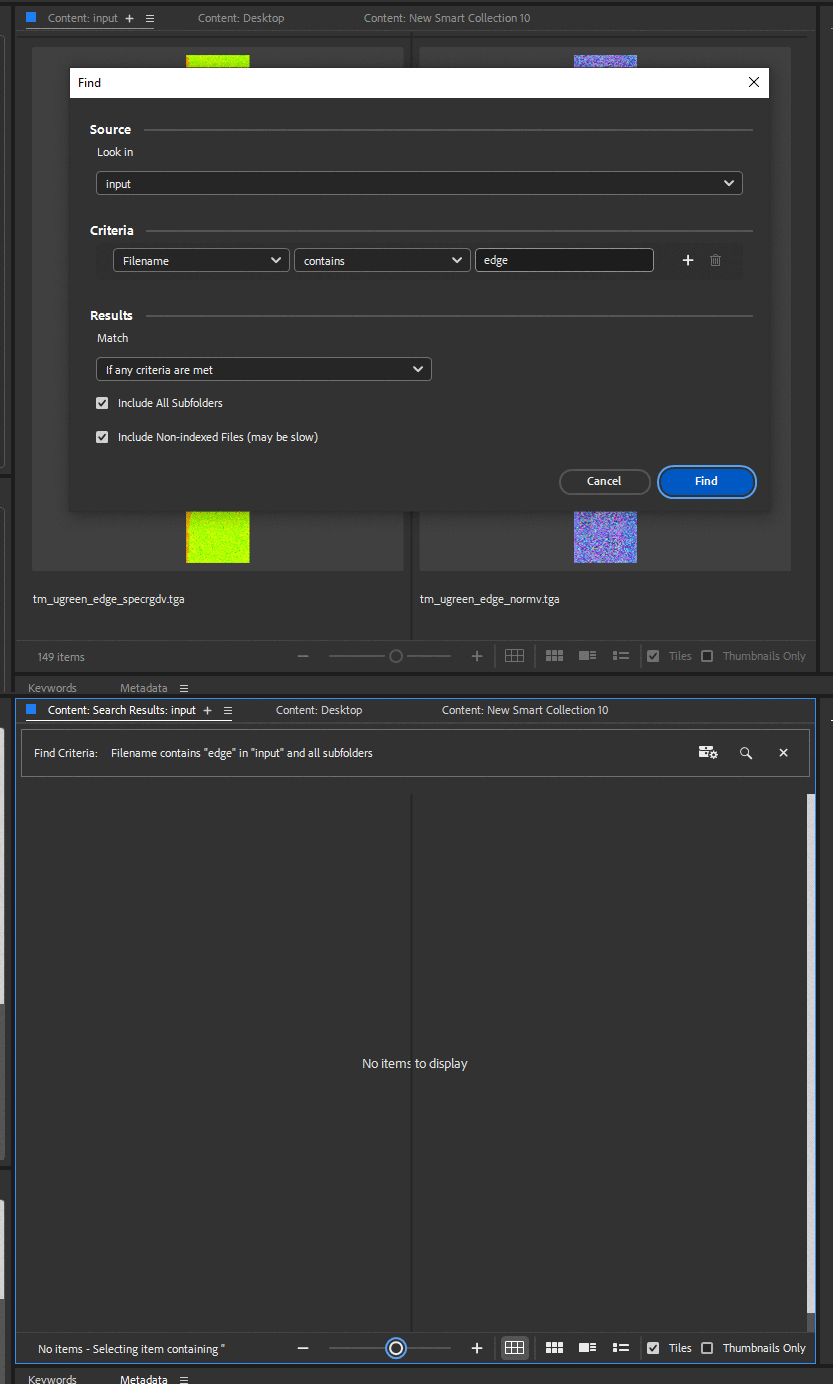
Why Find doesn' work at all in one folder and does perfectly fine in another?
  • November 21, 2023
  • 1 reply
  • 454 views

You can see I have two files with "edge" in their names and  Ctrl+F menu doesn't find anything.  In fact it doesn't work at all.  With any search parameter.    Then in other folder it works just fine.    Moreover it worked in this same folder a week ago.      What am I missing?     I have this unreliable behaviour for years.  


ps.   I renamed  the folder , re-opened Bridge  and Find works just fine.  Re-named the folder back to original name   and it's still working.    It's a weird  fix  but works at least .  Still wonder why?  And how can I make it work without all those extra troubles ?

This topic has been closed for replies.

1 reply

Adobe Employee
December 4, 2023

Hi,

Thank you for the feedback.


Could you let us know the following details so we can better understand this issue?

1. About the bridge version and OS details

2. Could you share the log files located at the following path?

MAC : ~/Library/Application Support/Adobe/Bridge 2024/BridgeLog.log

WIN: %appdata%\Adobe\Bridge 2024\BridgeLog.log

3. Please share the following data with us from following location when the issue is reproducible. Also mention the file path you are facing the issue with.

MAC: ~/Library/Caches/Adobe/Bridge/Cache/v36/data 

WIN: %appdata%\Adobe\Bridge\Cache\v36\data


Please share any data or files directly with us at sharewithbr@adobe.com.


Regards,
Bridge Team

kirkr5689Author
Inspiring
December 6, 2023

Thank you for your reply . I am using current version of Bridge from  Adobe subscribtion  on win10.   But it doesn't look like version specific.  Had same issue from  time to time for a decade.

I will share the requested data  when this  happens again.    So far it works just fine after I  renamed the folder and then renamed it again to original name  back.